
I'm rebuilding my Win7 Pro x64 system after a crash. I keep thinking I'm done and then .... I have two USB 3.0 SuperSpeed ports on my system, plus four USB 2.0 ports. I've reinstalled the drivers for these ports and when I plug a USB 3.0 HDD directly into either one I don't get the warning, "This device can perform faster ..." which I get if I plug it into one of the USB 2.0 ports, so I assume the ports are working as 3.0 SuperSpeed.
After I thought my system was stable, I replaced an older USB 3.0 hub with a new one and everything continued to work fine, even through the hub. As soon as I rebooted Windows, though, it decided too many things had changed and required me to repair it. Fine, did that, but now when I boot I get the warning, though it's for the hub, not anything plugged into it: "This Generic USB Hub can transfer information faster if you connect it to a SuperSpeed USB 3.0 port." This happens regardless of which 3.0 port it's connected to, plus, I don't get the error with the HDD plugged into the same ports (I've uninstalled and reinstalled the USB 3.0 drivers).
Any idea what's going on?
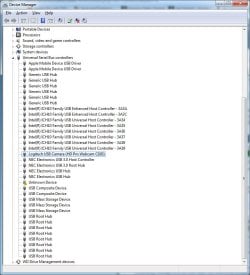
Don't know if it'll help, but attached is a screen grab of my USB map.
After I thought my system was stable, I replaced an older USB 3.0 hub with a new one and everything continued to work fine, even through the hub. As soon as I rebooted Windows, though, it decided too many things had changed and required me to repair it. Fine, did that, but now when I boot I get the warning, though it's for the hub, not anything plugged into it: "This Generic USB Hub can transfer information faster if you connect it to a SuperSpeed USB 3.0 port." This happens regardless of which 3.0 port it's connected to, plus, I don't get the error with the HDD plugged into the same ports (I've uninstalled and reinstalled the USB 3.0 drivers).
Any idea what's going on?
Don't know if it'll help, but attached is a screen grab of my USB map.
Attachments
My Computer
At a glance
Windows 7 Pro x64Intel i7-97012GBNvidia Quadro 4000
- Computer Manufacturer/Model Number
- Titanus
- OS
- Windows 7 Pro x64
- CPU
- Intel i7-970
- Motherboard
- Asus P-6X58D-E
- Memory
- 12GB
- Graphics Card(s)
- Nvidia Quadro 4000
- Sound Card
- Creative SB X-Fi
- Monitor(s) Displays
- Samsung SyncMaster 204T
- Hard Drives
- Corsair Nova V128 128GB SSD; WD Velociraptor 600GB (x2 configured as RAID 1)
- Case
- Tuniq 3
- Cooling
- ECO Advanced Liquid Cooling
- Internet Speed
- Cable


