bigceej
New member
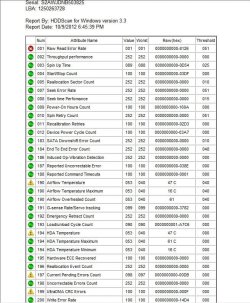
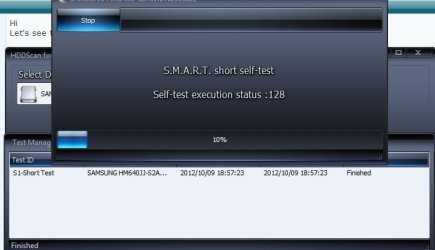
Today when I went to type a paper for school a Windows pop up said I have a Hard Drive failure and said to back up my files. I am running a back up now and I have already had my important files backed up, also Intel Rapid Storage Technology says the same thing, I have ran CHKDSK and also the HP Hard Drive test that it prompted me to do at start up and that Failed with error codes (305) and (301)
I have the option through IRST to reset to normal, so I am wondering how can I make sure that this isn't just a error but is actually the Hard Drive failing, because I can still use my laptop.
I have warranty through HP still so I can have them "fix" it but I need my computer for school so if it's a simple fix I rather take that option.
I have the option through IRST to reset to normal, so I am wondering how can I make sure that this isn't just a error but is actually the Hard Drive failing, because I can still use my laptop.
I have warranty through HP still so I can have them "fix" it but I need my computer for school so if it's a simple fix I rather take that option.
My Computer
At a glance
Windows 7 Home Premium x64Quad i7-2630QM @2.00GHz6 GB DDR3Radeon HD 6770M
- Computer Manufacturer/Model Number
- Hp Pavilion Dv7t Quad Edition
- OS
- Windows 7 Home Premium x64
- CPU
- Quad i7-2630QM @2.00GHz
- Memory
- 6 GB DDR3
- Graphics Card(s)
- Radeon HD 6770M
- Monitor(s) Displays
- Insignia 26in 1080p
- Screen Resolution
- 1600 x 900
- Hard Drives
- 750 GB 7200rpm Samsung, 1TB WD
- Mouse
- Razer Orochi
- Internet Speed
- 5 MBps

 )
)