Windows Update Installation Problems: KB2538242 & KB2600217!

belgianfilmfrea

New member
Local time
10:51 AM
Messages
5
Hey

I'm completely new here and know virtually nothing of the technical side of Windows or my PC in general, so please-please help me! Thank you. :)

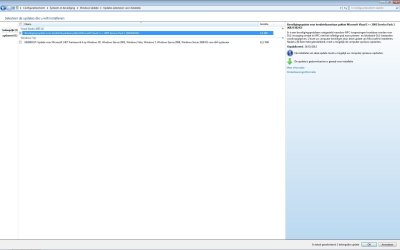
In my Windows Update Screen, I have 2 important updates (1 minor but I don't care, lol) that keep coming back to me in a loop even though I've tried dozens of time to install it, but it fails miserably each time. :(

Why is this, please? :cry:
Why can't I just install Windows Update? :cry:

Thank you very much in advance,

Bye for now
 

Attachments

  • Windows Update Problem.jpg
    Windows Update Problem.jpg
    86.5 KB · Views: 241

My Computer My Computer

OS
Windows 7 Home Premium 64bit
*** PLEASE TRANSLATE THE FIRST UPDATE INTO ENGLISH.***

Suggest you do one of those updates at a time.
Follow the steps below

* Clean up all Temp files...
Start > Run > % temp% > ok > organize > select all > organize > delete > some you may have to "skip"

* Run sfc scannow.
{Option 2}
SFC /SCANNOW Command - System File Checker


*Now reset Windows updates.

How do I reset Windows Update components?


* Please run the update readiness tool

Ensure you install the correct 64 or 32 bit option for your system)
Download the System Update Readiness Tool (64bit)
Download the System Update Readiness Tool (32bit)

Now try again to update
one at a time with a reboot between.


My Computer My Computer

Computer Manufacturer/Model Number
LAPTOP. HP Pavilion dv7-4010TX .
OS
Win 7 Ultimate 64-bit. SP1.
CPU
Intel i7 -720QM.[1.6GHz Turbo Boost 2.8GHz. 6MB Cache.]
Memory
8 DDR 3 RAM. 1066MHZ
Graphics Card(s)
ATI 1024 MB. DDR3. Radeon HD5650
Monitor(s) Displays
17.3" High Definition Brightview LCD. LED Backlit.
Screen Resolution
1600 x 900.
Hard Drives
640GB
Case
Laptop / notebook.
Mouse
Logitech Anywhere mouse. MX.
Internet Speed
ADSL [ but too slow ]
Thank you very much, JMH. I did all the steps you asked me to (except for the last one, the Download and Install of the SP-1, because I noticed in my properties of MyComputer, that I already HAD Service Pack 1. Do I still need to perform your last step or not, please? :)
**testing for Windows Update**
Nope, it still doesn't work. The same 2 files are still coming back to me in a loop and are NOT being installed. I don't understand ... I really don't. I've néver had problems with Windows Update; why now? I have an official Windows 7 for which I payed a LOT of money. Oooh, well ... hopefully someone would want to help me a little further, please? :)
 

My Computer My Computer

OS
Windows 7 Home Premium 64bit

My Computer My Computer

Computer Manufacturer/Model Number
LAPTOP. HP Pavilion dv7-4010TX .
OS
Win 7 Ultimate 64-bit. SP1.
CPU
Intel i7 -720QM.[1.6GHz Turbo Boost 2.8GHz. 6MB Cache.]
Memory
8 DDR 3 RAM. 1066MHZ
Graphics Card(s)
ATI 1024 MB. DDR3. Radeon HD5650
Monitor(s) Displays
17.3" High Definition Brightview LCD. LED Backlit.
Screen Resolution
1600 x 900.
Hard Drives
640GB
Case
Laptop / notebook.
Mouse
Logitech Anywhere mouse. MX.
Internet Speed
ADSL [ but too slow ]
Seems I'm unable to do a manual update, due to that other problem I'm having (which is far, far, far more serious and mentioned in another category), namely the problem of Windows Installer Service not able to be accessed. I first have to fix that, and then the rest will follow, I reckon. :)

Should you know how to help me with fixing the Windows Installer Service-problem ... I'd be much obliged. :) :)

Thanks!

Bye for now
 

My Computer My Computer

OS
Windows 7 Home Premium 64bit
Back
Top