Solved Windows Won't Boot on SSD. Please help

zomboromano

New member
Member
VIP
Local time
10:27 AM
Messages
132
I have windows 7 on my Samsung 840 SSD.

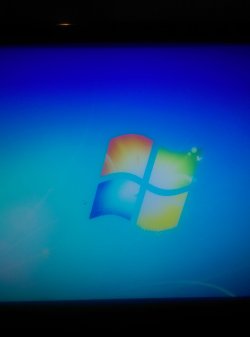
My wife unplugged the computer without shutting it down and since then Windows will only get to the part that would say welcome. It just sits on a blank screen. When I ctrl alt dlt the screen goes black.

Here's what I've tried:

1: I've booted in safe mode. Computer boots just fine.

2: I've tried putting a backup usb in and ran startup repair. It almost immediately says there are no problems.

3: I tried wiping the hard drive out using the clean all in.cmd. It says there is no media on it. Or it gives an error that says something similar. Funny thing is though it even reads the correct amount of space in.safe mode and will display all files in safe mode.

4: I tried sfc/ scan now and it came back with no errors.


Again. Files read in safe mode. Computer correctly recognizes it upon boot, but outside of safe mode it has the issues listed above.

Any ideas?
 

My Computer

OS
Windows 7 Home Premium 64 Bit
Can you go back to an earlier restore point.

The SSD seems to be OK if you can run in safe mode. I would suspect that some critical process or .dll got mucked up. The fact that startup/repair gives you a clean bill of health does not mean everything is OK. It apparently did not do a lot of checking.
 

My Computer

Computer Manufacturer/Model Number
HP, Dell, Gateway, Toshiba - 4 laptops and 2 desktops
OS
Vista, Windows7, Mint Mate, Zorin, Windows 8
CPU
from 1.6GHz Duo to i7
Monitor(s) Displays
2x HP w2207
Hard Drives
5x HDD, 7x SSD, 12x Externals
Keyboard
with trackball - no mices
Mouse
Trackball mice
Internet Speed
DSL 6000
I tried system restore as well. It didn't work.


So I booted from my usb and acted like I was going to install windows. It asked me what hard drive to insall windows to. I clicked on the SSD and it had a format option so I clicked format. At that point I installed windows over it and it has been booting successfully.

Should I go back and clean it and install again or do you think that the format was sufficient?


And maybe you have a better idea as to why it worked because I don't
 

My Computer

OS
Windows 7 Home Premium 64 Bit
No I have no better idea. You did the right thing. It seems to work and that is all you wanted.
 

My Computer

Computer Manufacturer/Model Number
HP, Dell, Gateway, Toshiba - 4 laptops and 2 desktops
OS
Vista, Windows7, Mint Mate, Zorin, Windows 8
CPU
from 1.6GHz Duo to i7
Monitor(s) Displays
2x HP w2207
Hard Drives
5x HDD, 7x SSD, 12x Externals
Keyboard
with trackball - no mices
Mouse
Trackball mice
Internet Speed
DSL 6000
No I have no better idea. You did the right thing. It seems to work and that is all you wanted.

just installed one Windows Update and the video card drivers and it did the same thing on a restart
 

My Computer

OS
Windows 7 Home Premium 64 Bit
What exactly does it do.
 

My Computer

Computer Manufacturer/Model Number
HP, Dell, Gateway, Toshiba - 4 laptops and 2 desktops
OS
Vista, Windows7, Mint Mate, Zorin, Windows 8
CPU
from 1.6GHz Duo to i7
Monitor(s) Displays
2x HP w2207
Hard Drives
5x HDD, 7x SSD, 12x Externals
Keyboard
with trackball - no mices
Mouse
Trackball mice
Internet Speed
DSL 6000
I just attached a picture
 

Attachments

  • IMAG0357.jpg
    IMAG0357.jpg
    494.5 KB · Views: 0

My Computer

OS
Windows 7 Home Premium 64 Bit
There must be a restore point from before the update. Go back to that and then we'll regroup.
 

My Computer

Computer Manufacturer/Model Number
HP, Dell, Gateway, Toshiba - 4 laptops and 2 desktops
OS
Vista, Windows7, Mint Mate, Zorin, Windows 8
CPU
from 1.6GHz Duo to i7
Monitor(s) Displays
2x HP w2207
Hard Drives
5x HDD, 7x SSD, 12x Externals
Keyboard
with trackball - no mices
Mouse
Trackball mice
Internet Speed
DSL 6000
There must be a restore point from before the update. Go back to that and then we'll regroup.

Thanks for bearing with me.

I just restored it in safe mode. It did the same thing. It was restoring to 30 minutes ago to before a windows update
.

I updated the video drivers at the same time but those lol the same and it doesn't look like those were reverted
 

My Computer

OS
Windows 7 Home Premium 64 Bit
I just restored to the first update and it was successful and the computer booted.

Could have been one of the first windows updates, net framework, graphics driver, etc.

I just keep getting different signals
 

My Computer

OS
Windows 7 Home Premium 64 Bit
Type reliability into start/search and hit enter. There should be at least 1 red x warning for today. Click on it and tell me what it says below.

If it says 'view technical detail' under the Action heading, click that.
 

My Computer

Computer Manufacturer/Model Number
HP, Dell, Gateway, Toshiba - 4 laptops and 2 desktops
OS
Vista, Windows7, Mint Mate, Zorin, Windows 8
CPU
from 1.6GHz Duo to i7
Monitor(s) Displays
2x HP w2207
Hard Drives
5x HDD, 7x SSD, 12x Externals
Keyboard
with trackball - no mices
Mouse
Trackball mice
Internet Speed
DSL 6000
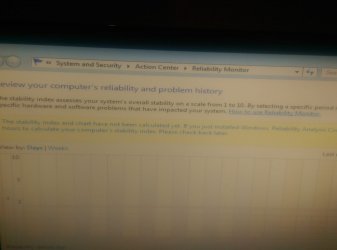
This is what it says.

While I was waiting I reinstalled the graphics driver.

During the installation it installed net framework.

When I restarted I got the same issue
 

Attachments

  • IMAG0358.jpg
    IMAG0358.jpg
    646.9 KB · Views: 3

My Computer

OS
Windows 7 Home Premium 64 Bit
Is that all.
 

My Computer

Computer Manufacturer/Model Number
HP, Dell, Gateway, Toshiba - 4 laptops and 2 desktops
OS
Vista, Windows7, Mint Mate, Zorin, Windows 8
CPU
from 1.6GHz Duo to i7
Monitor(s) Displays
2x HP w2207
Hard Drives
5x HDD, 7x SSD, 12x Externals
Keyboard
with trackball - no mices
Mouse
Trackball mice
Internet Speed
DSL 6000
Is that all.

Yes. I'm guessing it doesn't have the software somehow to do it. That's why I think it mentioned it would need an update (if you read that picture). That's all it said
 

My Computer

OS
Windows 7 Home Premium 64 Bit
To investigate further I went to try a diskpart.

System restore wouldn't work when this first started happening and neither would "clean". It gave an error.

When I listed the disks it said 0 gb of available space for some reason.

So I cleaned it and it worked this time. And it now says 111 gb free. Which is the full amount. And now I'm reinstalling windows.

Just running my own tests while I wait for your response. Way more of an expert than me.
 

My Computer

OS
Windows 7 Home Premium 64 Bit
@zomboromano
The attached pic in post #12 is hard to read for me, looks like a pic of the screen from a camera.
If you can use Windows Snipping Tool or Screen Print, you can get a much better picture to attach.
This tutorial by Brink explains how to do this:
http://www.sevenforums.com/tutorials/9733-screenshots-files-upload-post-seven-forums.html

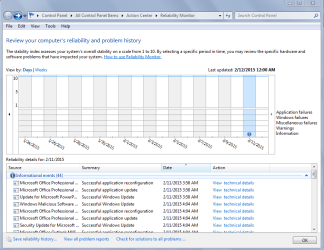
Here is an example where I used the Snipping Tool to capture the image to upload here.
Reliability-01.PNG

If you can't use the Snipping tool, Screen Print, etc., a camera pic is better than no pic at all ...
 

My Computer

Computer type
PC/Desktop
Computer Manufacturer/Model Number
home built
OS
Multi-Boot W7_Pro_x64 W8.1_Pro_x64 W10_Pro_x64 +Linux_VMs +Chromium_VM
CPU
AMD Athlon II x4 620
Motherboard
Gigabyte GA-MA785G-UD3H
Memory
6GB GSkill DDR2 800
Graphics Card(s)
AMD 4670 GPU + AMD 4200 IGP
Sound Card
on board Realtek ALC889A
Monitor(s) Displays
RCA 40" LCD TV, Insignia 32" LCD TV, HP 15" LCD monitor
Screen Resolution
1680 x 1050
Hard Drives
OCZ Vertex 3 120GB,
Samsung F3 1TB (3),
Several others - WD, Seagate, Hitachi, ...
PSU
Corsair 500 W
Case
Rosewill mid tower
Cooling
CM 90mm rifle
Keyboard
Gyration wireless, Logitech wireless, Dell USB wired
Mouse
Gyration wireless, Logitech wireless, V7 USB wired
Internet Speed
Spectrum - 100Mbps D / 10Mbps U
Antivirus
Avast, MBAM3, EMET, WinPatrol
Browser
Pale Moon, Firefox, IE
Other Info
2 multi-boot PC's
Mainly HTPC/Office/Gen purpose (no gaming).
Trendnet USB KVM.
LG DVD burner/Blue Ray Player.
Tray system for removable SATA backup drives.

Not currently OCd, under-volted.
I use Hybrid sleep, rarely re-boot or shutdown.

Hauppauge HD-PVR, Avermedia PCIe TV Tuner, Hauppauge PCI TV Tuner.
Understood. I will try to get a screenshot next time. I was just on my phone signed in already so just took a picture.

I did a "clean", reinstalled the video drivers and got the same error.

Might try to clean all while waiting for further suggestions..

Edit:

Did a diskpart and list disk it says the disk of 111 GB has 0 GB free space.... Trying the clean all now
 

My Computer

OS
Windows 7 Home Premium 64 Bit
I just did a "clean all" to my hard drive and reinstalled windows and had the same exact issue. Windows desktop won't load.

Any more ideas?
 

My Computer

OS
Windows 7 Home Premium 64 Bit
Where did you get the media you are reinstalling windows from ?
 

My Computer

Computer type
PC/Desktop
Computer Manufacturer/Model Number
home built
OS
Multi-Boot W7_Pro_x64 W8.1_Pro_x64 W10_Pro_x64 +Linux_VMs +Chromium_VM
CPU
AMD Athlon II x4 620
Motherboard
Gigabyte GA-MA785G-UD3H
Memory
6GB GSkill DDR2 800
Graphics Card(s)
AMD 4670 GPU + AMD 4200 IGP
Sound Card
on board Realtek ALC889A
Monitor(s) Displays
RCA 40" LCD TV, Insignia 32" LCD TV, HP 15" LCD monitor
Screen Resolution
1680 x 1050
Hard Drives
OCZ Vertex 3 120GB,
Samsung F3 1TB (3),
Several others - WD, Seagate, Hitachi, ...
PSU
Corsair 500 W
Case
Rosewill mid tower
Cooling
CM 90mm rifle
Keyboard
Gyration wireless, Logitech wireless, Dell USB wired
Mouse
Gyration wireless, Logitech wireless, V7 USB wired
Internet Speed
Spectrum - 100Mbps D / 10Mbps U
Antivirus
Avast, MBAM3, EMET, WinPatrol
Browser
Pale Moon, Firefox, IE
Other Info
2 multi-boot PC's
Mainly HTPC/Office/Gen purpose (no gaming).
Trendnet USB KVM.
LG DVD burner/Blue Ray Player.
Tray system for removable SATA backup drives.

Not currently OCd, under-volted.
I use Hybrid sleep, rarely re-boot or shutdown.

Hauppauge HD-PVR, Avermedia PCIe TV Tuner, Hauppauge PCI TV Tuner.
Where did you get the media you are reinstalling windows from ?

It's a usb stick. I was walked through how to install from it years ago on this forum. I've been reinstalling windows from it for years with no problem. Not to mention I had the same problems I have now before reinstalling windows ever came into play.
 

My Computer

OS
Windows 7 Home Premium 64 Bit
Back
Top