- Local time
- 12:50 PM
- Messages
- 529
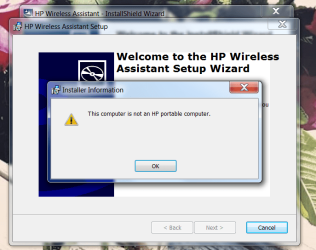
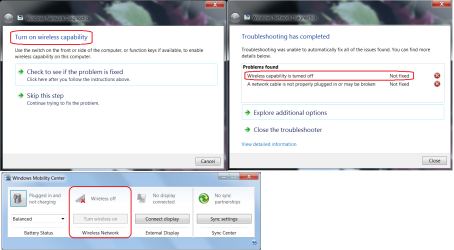
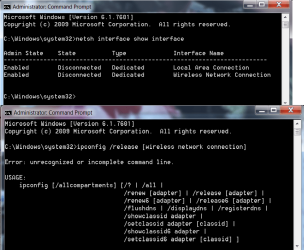
This is my TV PC. HP Pavilion model p7-1219. It's been working grate for more then a year now but to day after work I lost WIFI. Here's a pic of the trouble shooter. I installed the Mobility Center from brinks post "Enable Windows Mobility Center on a Desktop Windows PC" No link you'll have to look it up. In the Mobility Center the wireless is grayed out. If this was a laptop it'd be anther story but it a tower! No FN key and no WIFI switch. For the life of me I can't figure this out. How do I turn the Wireless Capability ON. Any ideas??
Attachments
My Computer
- Computer type
- PC/Desktop
- Computer Manufacturer/Model Number
- Custom Built By Me.
- OS
- Windows 10 Pro 64 bit
- CPU
- AMD FX 9590 8 Core Black Edition
- Motherboard
- MSI 990FXA GAMING (MS-7893)
- Memory
- Corsair Vengeance 16GB DDR3
- Graphics Card(s)
- AMD Radeon (TM) R9 380 Gaming Series
- Sound Card
- AMD High Definition
- Monitor(s) Displays
- Samsung 32" 60Hz 4ms Curved PLS LED
- Screen Resolution
- 1920 X 1080
- Hard Drives
- C: 223 GB SSD = E: 465 GB HDD = F: 931 GB HDD = G: 149 GB HDD = H: 931 GB HDD
- PSU
- EVGA Supernova NEX750B 750W ATX EPS12V 80PLUS Bronze
- Case
- Cool Master
- Cooling
- Noctua NH-D15 Premium Cooler with 2x NF-A15 PWM 140mm Fan
- Internet Speed
- Fiber Optic: Download 332.7 Mbps / Upload 331.5 Mbps
- Antivirus
- Windows Defender
- Browser
- Slimjet (64bit)
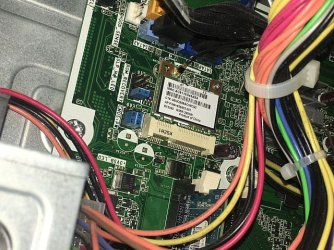


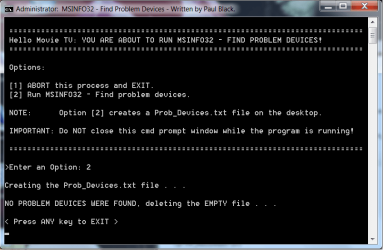

 The comp works just fine with the cable but the wife hates the cable running on the floor. Happy Wife Happy Life! Not right now....
 :banghead: Thank you Paul.