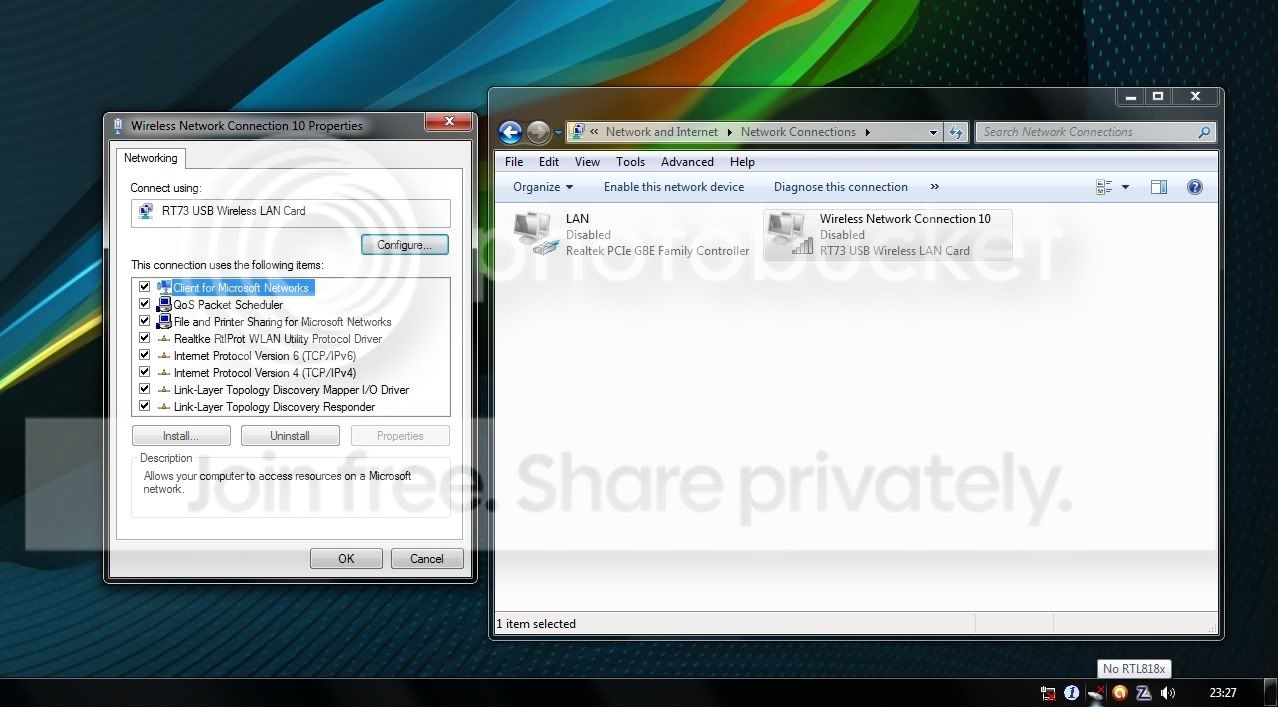
Hello,
I recently bought a new pc so I thought I'd get the Windows7 Ultimate 64bit edition to go with it.
Problem is my old Realtek WiFi usb dongle (Realtek RTL8187) didn't seem to work and after installing various drivers to get it working and failing I decided to buy a new WiFi usb adapter from TP-Link (TP-Link TL-WN321G).
This new adapter is installed and everything seems fine in the Device Manager but I get nothing after that.
The windows utility that should pop up and let me know of any wireless networks around isn't on the system tray.
I believe the utilities installed by either the Realtek or the TP-Link WiFi cards must be blocking it.
How can I remove them altogether and go back to windows controlling my wireless networks?
And how can I ultimately fix this and get connected finally to my wireless network because
atm I have resorted to connecting this pc to my old one where it shares the internet connection via a LAN cable and it drives me crazy.
I am new to Windows 7 and any help would be greatly appreciated
Thank you!
I recently bought a new pc so I thought I'd get the Windows7 Ultimate 64bit edition to go with it.
Problem is my old Realtek WiFi usb dongle (Realtek RTL8187) didn't seem to work and after installing various drivers to get it working and failing I decided to buy a new WiFi usb adapter from TP-Link (TP-Link TL-WN321G).
This new adapter is installed and everything seems fine in the Device Manager but I get nothing after that.
The windows utility that should pop up and let me know of any wireless networks around isn't on the system tray.
I believe the utilities installed by either the Realtek or the TP-Link WiFi cards must be blocking it.
How can I remove them altogether and go back to windows controlling my wireless networks?
And how can I ultimately fix this and get connected finally to my wireless network because
atm I have resorted to connecting this pc to my old one where it shares the internet connection via a LAN cable and it drives me crazy.
I am new to Windows 7 and any help would be greatly appreciated
Thank you!
My Computer
At a glance
windows 7 ultimate 64bit
- OS
- windows 7 ultimate 64bit