

I've got a strange problem with WMP and my music library.
Whenever I open WMP, it begins to update itself. Its idea of an update is to make two to four copies of every song!

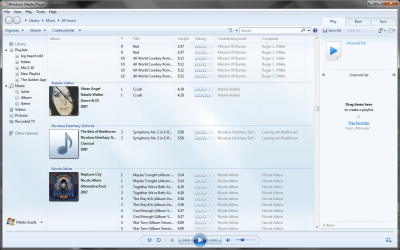
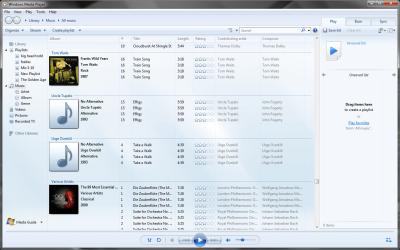
This began when I tried to use Live Sync to sync my laptop (Vista) with my desktop (Seven)... it would see any song with different metadata as a different song... in other words, if I played a song on one machine, it was seen as a different song because the "played count" was different. This is a known bug with Live Sync, so I uninstalled Live Sync from both computers.
Unfortunately, the problem continues! I cannot figure out why the WMP on my desktop insists on updating, and I cannot figure out where it is finding these so-called "new songs".
I have gone through the hundreds of songs and deleted (from both library and computer) all of the extra songs, and when I open WMP the next time, the songs are gone... for a minute or two. Then the update starts, and I get all of the duplicates back again.
This only happens on my Win7 machine, not on Vista. Is there any way to get it to stop?
Whenever I open WMP, it begins to update itself. Its idea of an update is to make two to four copies of every song!
This began when I tried to use Live Sync to sync my laptop (Vista) with my desktop (Seven)... it would see any song with different metadata as a different song... in other words, if I played a song on one machine, it was seen as a different song because the "played count" was different. This is a known bug with Live Sync, so I uninstalled Live Sync from both computers.
Unfortunately, the problem continues! I cannot figure out why the WMP on my desktop insists on updating, and I cannot figure out where it is finding these so-called "new songs".
I have gone through the hundreds of songs and deleted (from both library and computer) all of the extra songs, and when I open WMP the next time, the songs are gone... for a minute or two. Then the update starts, and I get all of the duplicates back again.
This only happens on my Win7 machine, not on Vista. Is there any way to get it to stop?
My Computer
- Computer Manufacturer/Model Number
- me / #1
- OS
- windows 7 x64 Home Premium
- CPU
- intel q6600
- Motherboard
- gigbyte ga ep45 ud3l
- Memory
- g.skill 8gb ddr2 1066 (pc2 8500)
- Graphics Card(s)
- evga geforce 9800 gtx 512 mb
- Screen Resolution
- 1680 x 1050
- Hard Drives
- wd caviar black 500 gb
wd caviar black 1tb
wd elements 1tb external hd x2
- PSU
- raidmax 500w
- Case
- smilodon (yes, t'was the pretty blue lites that got me!)
