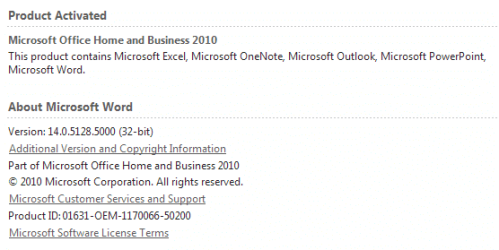
I work mostly in Word, sometime Excel (MS Office Home and Business 2010). Sometimes, the recent documents window is pretty large, which is what I like. Other times, it's gone. To clarify, I reach that window by clicking File, and the list appears. I cannot figure out what causes it to disappear. I'd like it stay full of the documents I most often use. I have set the number of recent documents at 25.
So what am I doing to trigger clearing of the recent documents? Or is it a setting?
Thanks.
So what am I doing to trigger clearing of the recent documents? Or is it a setting?
Thanks.
Attachments

My Computer
At a glance
Windows 10 Home, 64 bitIntel Core i7 860 @ 2.8 GHz8.0 GB Dual Channel DDR3 @ 664 MHz (9-9-9-24)nVidia GeForce GTS 240
- Computer type
- PC/Desktop
- Computer Manufacturer/Model Number
- Dell Studio XPS 8100, Dell XPS 15 laptop
- OS
- Windows 10 Home, 64 bit
- CPU
- Intel Core i7 860 @ 2.8 GHz
- Motherboard
- Dell 0T568R (CPU1)
- Memory
- 8.0 GB Dual Channel DDR3 @ 664 MHz (9-9-9-24)
- Graphics Card(s)
- nVidia GeForce GTS 240
- Sound Card
- M-Audio Delta Audiophile 2496
- Monitor(s) Displays
- Dell 2407WFP
- Screen Resolution
- 1920x1200
- Hard Drives
- 977 GB Western Digital WDC WD1001FAES-75W7A0 (SCSI)
- Antivirus
- Windows Defender, MalwareBytes Anti-Malware, AdwCleaner
- Browser
- Firefox, occasionally IE and Edge
- Other Info
- Mozilla Firefox, Mozilla Thunderbird. Western Digital Passport 250 GB external HD, two Mushkin Enhanced Mulholland 32GB USB flash drives, AKG K240 Studio headphones, Asus AC-1900 dual band wireless router.

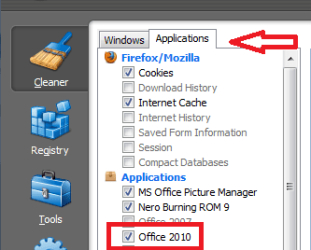
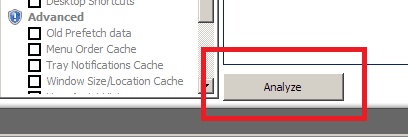
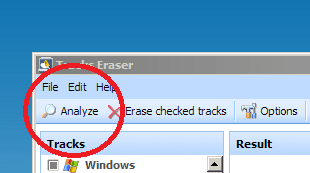
 Of course! CCleaner and GlaryUtilities. I'll tinker with them to leave recent docs alone. Thanks, Irene.