

its a Digial Optical audio output device via usb.
i connect it to many computers and it works fine.
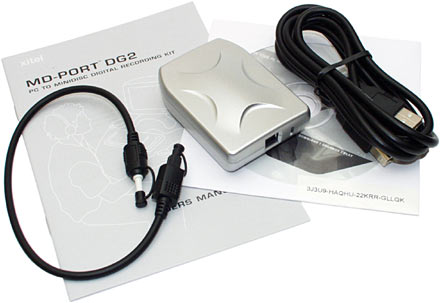
i connected it today to an hp computer with HM57 chipset and it worked once
but since thin been giving me "code 10, device cannot start"
i tried several chipsets from older to newer, tried to search windows update - nothing.
found no drivers on the net, but this device recognized immidetly in all other computers.
have another hp laptop with same chipset and its the same, code 10.
i uninstalled the USB enhanced controllers, restarted and connected - worked once but after restart its the same. after i installed a new chipset and restarted it was ok until next restart and its off to code 10 again.
any suggestions? this device works in many computers. seem to have a problem with this specific chipset...
the laptops are running windows 7 ultimate 32BIT.
i connect it to many computers and it works fine.
i connected it today to an hp computer with HM57 chipset and it worked once
but since thin been giving me "code 10, device cannot start"
i tried several chipsets from older to newer, tried to search windows update - nothing.
found no drivers on the net, but this device recognized immidetly in all other computers.
have another hp laptop with same chipset and its the same, code 10.
i uninstalled the USB enhanced controllers, restarted and connected - worked once but after restart its the same. after i installed a new chipset and restarted it was ok until next restart and its off to code 10 again.
any suggestions? this device works in many computers. seem to have a problem with this specific chipset...
the laptops are running windows 7 ultimate 32BIT.
My Computer
- Computer type
- PC/Desktop
- OS
- Windows 8.1 Enterprise
- CPU
- Core 2 Extreme QX9650 3.0Ghz 12MB
- Motherboard
- DFI LanParty DK P45-T2RS+ABS
- Memory
- G.Skill DDR2 2GBx3 1066MHZ CL5
- Graphics Card(s)
- Sapphire RADEON HD 4870 512MB DDR5
- Sound Card
- Asus XONAR D1
- Monitor(s) Displays
- Samsung 2243WM Plus
- Screen Resolution
- 1680X1050
- Hard Drives
- Hitachi 320GB SATA2 7200RPM 16MB
Segate Barracuda 750GB SATA2 7200RPM 32MB
- PSU
- SilverStone Olympia 750W
- Case
- CoolerMaster 690
- Cooling
- OCZ Vendetta 2
- Internet Speed
- 12D/1U


