XP Mode or VMWARE

wwoods

New member
Local time
5:07 PM
Messages
139
Location
USA
OK, just got my XP Mode working. I looks nice and all, been putting it off a bit, anyway, I have a VMWARE license for 6.5.3, and am wondering what XP Mode would bring me over VMWARE. And yes, I have a separate licensed copy of XP here I could toss in vmware.

So in the end, what benefits over vmware workstation would I see with XPmode ? I just don't see a good reason to have 2 visualization products on here.
 
Last edited by a moderator:

My Computer My Computer

OS
Vista64
VMWare will give you support to run non-Microsoft based OS's if you want to. And VMWare and Sun Virtual Box are significantly faster than XP Mode. XP Mode gives you seemless apps...so if you would rather have that over a full virtual desktop...that would be a reason for choosing XP Mode.
 

My Computer My Computer

Computer Manufacturer/Model Number
Self-Built in July 2009
OS
Windows 7 Ultimate x64
CPU
Intel Q9550 2.83Ghz OC'd to 3.40Ghz
Motherboard
Gigabyte GA-EP45-UD3R rev. 1.1, F12 BIOS
Memory
8GB G.Skill PI DDR2-800, 4-4-4-12 timings
Graphics Card(s)
EVGA 1280MB Nvidia GeForce GTX570
Sound Card
Realtek ALC899A 8 channel onboard audio
Monitor(s) Displays
23" Acer x233H
Screen Resolution
1920x1080
Hard Drives
Intel X25-M 80GB Gen 2 SSD
Western Digital 1TB Caviar Black, 32MB cache. WD1001FALS
PSU
Corsair 620HX modular
Case
Antec P182
Cooling
stock
Keyboard
ABS M1 Mechanical
Mouse
Logitech G9 Laser Mouse
Internet Speed
15/2 cable modem
Other Info
Windows and Linux enthusiast. Logitech G35 Headset.
Agreed. If you want the seamless app integration, go with XP Mode. If you want stability, performance, and versatility, go with VMWare / VirtualBox
 

My Computers My Computers

System One System Two

  • Computer type
    PC/Desktop
    Computer Manufacturer/Model Number
    The Beast Model A (homebrew)
    OS
    Windows 11 21H2 Current build
    CPU
    AMD Ryzen 9 3950X
    Motherboard
    MSI MEG X570 GODLIKE
    Memory
    4 * 32 GB - Corsair Vengeance 3600 MHz
    Graphics Card(s)
    EVGA GeForce RTX 3080 Ti XC3 ULTRA GAMING (12G-P5-3955-KR)
    Sound Card
    Realtek® ALC1220 Codec
    Monitor(s) Displays
    2x Eve Spectrum ES07D03 4K Gaming Monitor (Matte) | Eve Spec
    Screen Resolution
    3x 3840 x 2160
    Hard Drives
    3x Samsung 980 Pro NVMe PCIe 4 M.2 2 TB SSD (MZ-V8P2T0B/AM) } 3x Sabrent Rocket NVMe 4.0 1 TB SSD
    PSU
    PC Power & Cooling’s Silencer Series 1050 Watt, 80 Plus Plat
    Case
    Fractal Design Define 7 XL Dark ATX Full Tower Case
    Cooling
    SteelSeries Apex Pro Wired Gaming Keyboard
    Keyboard
    SteelSeries Apex Pro
    Mouse
    Logitech MX Master 3S | MX Master 3 for business
    Internet Speed
    AT&T LightSpeed Gigabit Duplex Ftth
    Antivirus
    Windows Defender + MB 3
    Browser
    Nightly (default) + Firefox (stable),Chrome, Edge
  • Computer type
    PC/Desktop
    System Manufacturer/Model Number
    Dell Latitude E5470
    OS
    ChromeOS Flex Dev Channel (current)
    CPU
    Intel(R) Core(TM) i5-6300U CPU @ 2.40GHz, 2501 Mhz, 2 Core(s), 4 Logical Processor(s)
    Motherboard
    Dell
    Memory
    16 GB
    Graphics Card(s)
    Intel(R) HD Graphics 520
    Sound Card
    Intel(R) HD Graphics 520 + RealTek Audio
    Monitor(s) Displays
    Dell laptop display 15"
    Screen Resolution
    1920 * 1080
    Hard Drives
    Toshiba 128GB M.2 22300 drive
    INTEL Cherryville 520 Series SSDSC2CW180A 180 GB SATA III SSD
    PSU
    Dell
    Case
    Dell
    Cooling
    Dell
    Keyboard
    Dell
    Mouse
    Logitech MX Master 3S (shared w. Sys 1) | Dell TouchPad
    Internet Speed
    AT&T LightSpeed Gigabit Duplex Ftth
The larger advantage then simply seeing a boost performance wise with an alternate VM ware is being able to run a 64bit OS whereas the XP mode is the 32bit Pro as well as the Virtual PC itself limited to the 32bit Windows there. Custom installing Windows on a vhd to run on the VPC is also rather limited in other ways where the XP mode is preferred there.

The XP mode is seemless as mentioned for things like access to all internal physical drives as well as now supporting usb pen/flash drives making those available. A custom install of Windows on a vhd for the VPC sadly lacks there. The other 3rd party VM wares may see floppy/dvd access only while offering a better performance value to make up the difference.
 

My Computers My Computers

System One System Two

  • Computer type
    PC/Desktop
    Computer Manufacturer/Model Number
    Custom builds = 2
    OS
    W7 Ultimate x64/W10 Pro x64/W11 Pro Triple Boot - Main PC W7 Remote PC Micro ATX W7 Pro x64/W11 Pro
    CPU
    AMD Phenom II X4 975 Deneb 3.6ghz - 965 2nd remote pc
    Motherboard
    Gigabyte GA-790XTA-UD4-Gigabyte GA-880GM-D2H remote pc
    Memory
    Kingston Hyper X DDR3 1600 1.5v 16gb - Hyper X Fury 8gb 2nd
    Graphics Card(s)
    MSI HD Radeon 5750 1gb - MSI HD Radeon 6450 on mini tower
    Sound Card
    Creative Labs X-Fi Xtreme Audio P - Realtek onooard 2nd case
    Monitor(s) Displays
    ASUS VW199T-P 19" HP 2082a Main-HP 2082a 20" remote pc
    Screen Resolution
    Asus 1440x900 - HP 1600x900
    Hard Drives
    WD Black 1TB HD per OS W7, W10, and pending W11 presently on 500gb OS Drive - Pending Triple 1TB HDs for Spanned Storage/backup volume
    Single 2TB external USB enclosure, single 1TB System 7 Host/Boot drive, Pending 8TB external HD for system image b
    PSU
    Corsair 750TX - primary / Corsair CX600 - second
    Case
    Antec 900-2 - SSD compatible / NZXT Vulcan mini tower
    Cooling
    Zalman CNPS9900A
    Keyboard
    AZIO L70 Backlit Letters Gaming - ONN Cordless/USB
    Mouse
    MSI DS200 Programmable, Logitech Cordless
    Internet Speed
    30mbps upgrade - primary hard wired - mini tower usb WiFi
    Antivirus
    GFI VIPRE Internet Security 2014 on W7 2016 beta on W10,
    Browser
    Cyberfox, WaterFox 64bit FF variants, FireFox x64, Pale Moon
    Other Info
    Accomdata fan cooled usb 2.0 PIDE/Sata II, III external enclosure.
    Sambient usb/eSata PATA/Sata II, III external enclosure.
  • Computer type
    PC/Desktop
    System Manufacturer/Model Number
    CUSTOM ASSEMBLY
    OS
    W7 Pro x64/W11 Pro
    CPU
    AMD Deneb 3.6ghz - 965
    Motherboard
    Gigabyte GA-880GM-D2H remote pc
    Memory
    Kingston Hyper X Fury 8gb
    Graphics Card(s)
    MSI HD Radeon 6450 DVI Output
    Sound Card
    Realtek onooard Creative or Other separate PENDING
    Monitor(s) Displays
    VIZIO 32" LCD TV Separate LCD Pending
    Screen Resolution
    1600x1080
    Hard Drives
    WD 500GB OS Host/Boot WD Green 1TB Storage/Backup
    PSU
    Corsair 600W - THERMALTAKE 600W spare case
    Case
    NZXT Vulcan mini tower
    Cooling
    Twin 120mm Top Fans - 240mm Side Cover
    Keyboard
    ONN Cordless/USB Logitech Cordless
    Mouse
    ONN USB/Cordless - Logitech Cordless
    Internet Speed
    DSL 5G
    Browser
    MS Edge, FireFox, WaterFox x64, FireFox Nightly
    Other Info
    OS Testing-Remote Access to Main TeamViewer
Trouble with vmware is that its commercial. You could consider giving virtualbox a go which is free.
 

My Computer My Computer

Computer Manufacturer/Model Number
self built
OS
Windows 7 Professional 64-bit
CPU
Intel E8400 3GHz
Motherboard
Intel DX48BT2
Memory
Kingston PC3-10700H 4Gb
Graphics Card(s)
XFX Radeon HD 5850 BlackEd.
Sound Card
Asus Xonar DG
Monitor(s) Displays
2x Samsung SM-T220HD 22"
Screen Resolution
1680x1050 on two monitors
Hard Drives
OCZ Vertex 2 120gb 3.5" (OS)
Seagate Momentus XT 500gb
Samsung F3 1Tb (games)
2x Samsung F1 1Tb
PSU
Thermaltake ToughPower 850w
Case
Thermaltake Armor
Cooling
Scythe Mugen II
Keyboard
Microsoft Comfort Curve USB
Mouse
Razer Diamondback 3G
Internet Speed
8128/443
That's where most the intent is focused is towards the commercial not private home orientation. The XP mode itself is mainly intended for business application in order to provide a means for business to upgrade into 7 and even Server 2008 while not losing time in the process trying to update all the softwares and other things they use.

The other VM wares have been out there much longer to start with having already gone through their betas and tweaking stages. As far as OS performance that sees a gain there while you still find things will lack at times.
 

My Computers My Computers

System One System Two

  • Computer type
    PC/Desktop
    Computer Manufacturer/Model Number
    Custom builds = 2
    OS
    W7 Ultimate x64/W10 Pro x64/W11 Pro Triple Boot - Main PC W7 Remote PC Micro ATX W7 Pro x64/W11 Pro
    CPU
    AMD Phenom II X4 975 Deneb 3.6ghz - 965 2nd remote pc
    Motherboard
    Gigabyte GA-790XTA-UD4-Gigabyte GA-880GM-D2H remote pc
    Memory
    Kingston Hyper X DDR3 1600 1.5v 16gb - Hyper X Fury 8gb 2nd
    Graphics Card(s)
    MSI HD Radeon 5750 1gb - MSI HD Radeon 6450 on mini tower
    Sound Card
    Creative Labs X-Fi Xtreme Audio P - Realtek onooard 2nd case
    Monitor(s) Displays
    ASUS VW199T-P 19" HP 2082a Main-HP 2082a 20" remote pc
    Screen Resolution
    Asus 1440x900 - HP 1600x900
    Hard Drives
    WD Black 1TB HD per OS W7, W10, and pending W11 presently on 500gb OS Drive - Pending Triple 1TB HDs for Spanned Storage/backup volume
    Single 2TB external USB enclosure, single 1TB System 7 Host/Boot drive, Pending 8TB external HD for system image b
    PSU
    Corsair 750TX - primary / Corsair CX600 - second
    Case
    Antec 900-2 - SSD compatible / NZXT Vulcan mini tower
    Cooling
    Zalman CNPS9900A
    Keyboard
    AZIO L70 Backlit Letters Gaming - ONN Cordless/USB
    Mouse
    MSI DS200 Programmable, Logitech Cordless
    Internet Speed
    30mbps upgrade - primary hard wired - mini tower usb WiFi
    Antivirus
    GFI VIPRE Internet Security 2014 on W7 2016 beta on W10,
    Browser
    Cyberfox, WaterFox 64bit FF variants, FireFox x64, Pale Moon
    Other Info
    Accomdata fan cooled usb 2.0 PIDE/Sata II, III external enclosure.
    Sambient usb/eSata PATA/Sata II, III external enclosure.
  • Computer type
    PC/Desktop
    System Manufacturer/Model Number
    CUSTOM ASSEMBLY
    OS
    W7 Pro x64/W11 Pro
    CPU
    AMD Deneb 3.6ghz - 965
    Motherboard
    Gigabyte GA-880GM-D2H remote pc
    Memory
    Kingston Hyper X Fury 8gb
    Graphics Card(s)
    MSI HD Radeon 6450 DVI Output
    Sound Card
    Realtek onooard Creative or Other separate PENDING
    Monitor(s) Displays
    VIZIO 32" LCD TV Separate LCD Pending
    Screen Resolution
    1600x1080
    Hard Drives
    WD 500GB OS Host/Boot WD Green 1TB Storage/Backup
    PSU
    Corsair 600W - THERMALTAKE 600W spare case
    Case
    NZXT Vulcan mini tower
    Cooling
    Twin 120mm Top Fans - 240mm Side Cover
    Keyboard
    ONN Cordless/USB Logitech Cordless
    Mouse
    ONN USB/Cordless - Logitech Cordless
    Internet Speed
    DSL 5G
    Browser
    MS Edge, FireFox, WaterFox x64, FireFox Nightly
    Other Info
    OS Testing-Remote Access to Main TeamViewer
Trouble with vmware is that its commercial. You could consider giving virtualbox a go which is free.

VMWare Server 2.0 (runs just fine on Vista or Windows 7) is completely free as is VMWare ESXi 4.0 (hypervisor and intended for servers only)
 

My Computer My Computer

Computer Manufacturer/Model Number
Self-Built in July 2009
OS
Windows 7 Ultimate x64
CPU
Intel Q9550 2.83Ghz OC'd to 3.40Ghz
Motherboard
Gigabyte GA-EP45-UD3R rev. 1.1, F12 BIOS
Memory
8GB G.Skill PI DDR2-800, 4-4-4-12 timings
Graphics Card(s)
EVGA 1280MB Nvidia GeForce GTX570
Sound Card
Realtek ALC899A 8 channel onboard audio
Monitor(s) Displays
23" Acer x233H
Screen Resolution
1920x1080
Hard Drives
Intel X25-M 80GB Gen 2 SSD
Western Digital 1TB Caviar Black, 32MB cache. WD1001FALS
PSU
Corsair 620HX modular
Case
Antec P182
Cooling
stock
Keyboard
ABS M1 Mechanical
Mouse
Logitech G9 Laser Mouse
Internet Speed
15/2 cable modem
Other Info
Windows and Linux enthusiast. Logitech G35 Headset.
So in the end, what benefits over vmware workstation would I see with XPmode ? I just don't see a good reason to have 2 visualization products on here.

I use VMWare Server on several Windows/7 installs now. No doubt in my mind that the VMWare stuff is much faster than the VPC set up.

I have VMWare Server Vsn 2 on my Windows/7 64bit set up running 2 VM's at the same time and it works really well (a good use for all that RAM). One VM is Sun Solaris (for maintaining an app) and the XP VM it runs is an old PC I used to have with my 32bit Cisco VPN in it.

The need for the Cisco 32bit stuff is that it installs device drivers - 32bit only - as at work we are NOT going to upgrade to the 64bit Cisco VPN yet, so have to suffer the 32bit versions for a while yet. :(

I really like the tight integration that others have talked about with VPC and if MS get the performance thing resolved for general release it will replace my VMWare/XP VM for sure. If they don't, then I guess I'll keep the VMWare for a while yet!

It has already been said: If you want that integration (and it works well), then go VPC, but if you want performance, go Virtual Box or VMWare.

As of now, this is all free (apart from client VM licenses but even those can be "free" in the right situations), all of which is great news.

Nice to have options... ;)
 

My Computer My Computer

Computer Manufacturer/Model Number
Dell Lattitude E6500
OS
Windows 7 Pro (64bit).
CPU
Intel Core 2 Duo P8700 @ 2.54Ghz
Motherboard
Dell
Memory
8Gb
Graphics Card(s)
Intel/Dell "4 series Express Chipset"
Sound Card
Intel HD Audio
Monitor(s) Displays
Regular Laptop LCD display
Screen Resolution
1280x800
Hard Drives
Seagate ST9250410ASG 250Gb (well it IS a laptop)...
PSU
Dell
Case
Dell
Internet Speed
As much as I can get!!!!!
Integration or flexibility would seem a better analogy in some ways when comparing the XP mode and 32bit RC install on the VPC to the multiboot of 3 distros with the 64bit RC on the Portable version of Virtual Box there.

The XP mode offers the full integration as far as access to internal drives/usb flash drives over uploading files by way of the WLM SkyDrive where file sizes as well as volume is a concern for the slower transfers there. The same can't be said for the 32bit RC on vhd there however where you still need something live SkyDrive. :(

The one that seems to be slow with the VPC is the startup time there over what is seen with the Portable VBox which loads any of the OSs right away. But you are cut off and again need something like the SkyDrive bringing you back to square #1 despite the speed boost gain seen when loading things.

Gaming is out for the most on either or all of them since you run into no OpenGL support being limited to the virtual video card there. Some initial problem with sound on the VBox were resolved later while no sound heard on the few games that will start up is typical while multimedia playback(audio mainly) in stereo not surround has worked for the most part without problems.
 

My Computers My Computers

System One System Two

  • Computer type
    PC/Desktop
    Computer Manufacturer/Model Number
    Custom builds = 2
    OS
    W7 Ultimate x64/W10 Pro x64/W11 Pro Triple Boot - Main PC W7 Remote PC Micro ATX W7 Pro x64/W11 Pro
    CPU
    AMD Phenom II X4 975 Deneb 3.6ghz - 965 2nd remote pc
    Motherboard
    Gigabyte GA-790XTA-UD4-Gigabyte GA-880GM-D2H remote pc
    Memory
    Kingston Hyper X DDR3 1600 1.5v 16gb - Hyper X Fury 8gb 2nd
    Graphics Card(s)
    MSI HD Radeon 5750 1gb - MSI HD Radeon 6450 on mini tower
    Sound Card
    Creative Labs X-Fi Xtreme Audio P - Realtek onooard 2nd case
    Monitor(s) Displays
    ASUS VW199T-P 19" HP 2082a Main-HP 2082a 20" remote pc
    Screen Resolution
    Asus 1440x900 - HP 1600x900
    Hard Drives
    WD Black 1TB HD per OS W7, W10, and pending W11 presently on 500gb OS Drive - Pending Triple 1TB HDs for Spanned Storage/backup volume
    Single 2TB external USB enclosure, single 1TB System 7 Host/Boot drive, Pending 8TB external HD for system image b
    PSU
    Corsair 750TX - primary / Corsair CX600 - second
    Case
    Antec 900-2 - SSD compatible / NZXT Vulcan mini tower
    Cooling
    Zalman CNPS9900A
    Keyboard
    AZIO L70 Backlit Letters Gaming - ONN Cordless/USB
    Mouse
    MSI DS200 Programmable, Logitech Cordless
    Internet Speed
    30mbps upgrade - primary hard wired - mini tower usb WiFi
    Antivirus
    GFI VIPRE Internet Security 2014 on W7 2016 beta on W10,
    Browser
    Cyberfox, WaterFox 64bit FF variants, FireFox x64, Pale Moon
    Other Info
    Accomdata fan cooled usb 2.0 PIDE/Sata II, III external enclosure.
    Sambient usb/eSata PATA/Sata II, III external enclosure.
  • Computer type
    PC/Desktop
    System Manufacturer/Model Number
    CUSTOM ASSEMBLY
    OS
    W7 Pro x64/W11 Pro
    CPU
    AMD Deneb 3.6ghz - 965
    Motherboard
    Gigabyte GA-880GM-D2H remote pc
    Memory
    Kingston Hyper X Fury 8gb
    Graphics Card(s)
    MSI HD Radeon 6450 DVI Output
    Sound Card
    Realtek onooard Creative or Other separate PENDING
    Monitor(s) Displays
    VIZIO 32" LCD TV Separate LCD Pending
    Screen Resolution
    1600x1080
    Hard Drives
    WD 500GB OS Host/Boot WD Green 1TB Storage/Backup
    PSU
    Corsair 600W - THERMALTAKE 600W spare case
    Case
    NZXT Vulcan mini tower
    Cooling
    Twin 120mm Top Fans - 240mm Side Cover
    Keyboard
    ONN Cordless/USB Logitech Cordless
    Mouse
    ONN USB/Cordless - Logitech Cordless
    Internet Speed
    DSL 5G
    Browser
    MS Edge, FireFox, WaterFox x64, FireFox Nightly
    Other Info
    OS Testing-Remote Access to Main TeamViewer
Trouble with vmware is that its commercial. You could consider giving virtualbox a go which is free.

I dont see that as a problem, it being commercial, as I already own it, even if I dident, I would buy it if it was the superior solution.
 
Last edited:

My Computer My Computer

OS
Vista64
Hi all
to those using vmware server or vmware esxi -- yes these are free but the downside that you actually need an EXTRA machine on your network in order to congigure and manage the vm's - even if the virtual machines physically reside on the hardware running the vmware server / esxi server. (Doesn't apply of course to vmware workstation as this runs under control of a host OS.

If you have a home desktop and a laptop then this is fine but if you only have one machine then you can't really use this software.

However once you get the vm's installed and powered on you gain a HUGE amount in not having an underlying HOST system consuming vast amounts of resources that yu can give to the vm's.

So if you've got a spare machine this is definitely the way to run vm's IMO.


Cheers
jimbo
 

My Computer My Computer

Computer type
PC/Desktop
Computer Manufacturer/Model Number
Custom built, several laptops HP/ASUS
OS
Linux CENTOS 7 / various Windows OS'es and servers
CPU
Intel i7 Intel i5
Memory
8GB, 16GB
Graphics Card(s)
On Motherboard
Sound Card
Realtek HD audio
Monitor(s) Displays
Apple Cinema display, Samsung LCD
Screen Resolution
1920 X 1080
Hard Drives
4 X 1TB SATA
Mouse
Toshiba wireless laser
Internet Speed
> 20MB up
Hi all
to those using vmware server or vmware esxi -- yes these are free but the downside that you actually need an EXTRA machine on your network in order to configure and manage the vm's
This is not a true statement.

VMware Server 2.0 runs on top of a host OS..so either a Windows Server or a Linux server. You manage it via a webpage...which runs on the host server. So, you don't need a second box in order to manage or run your VM's from vmware server 2.0. I run VMWare Server 2.0 on my work laptop and run about a dozen VM's off an external 2.5" Western Digital USB drive all from one machine, running Vista Enterprise.
 

My Computer My Computer

Computer Manufacturer/Model Number
Self-Built in July 2009
OS
Windows 7 Ultimate x64
CPU
Intel Q9550 2.83Ghz OC'd to 3.40Ghz
Motherboard
Gigabyte GA-EP45-UD3R rev. 1.1, F12 BIOS
Memory
8GB G.Skill PI DDR2-800, 4-4-4-12 timings
Graphics Card(s)
EVGA 1280MB Nvidia GeForce GTX570
Sound Card
Realtek ALC899A 8 channel onboard audio
Monitor(s) Displays
23" Acer x233H
Screen Resolution
1920x1080
Hard Drives
Intel X25-M 80GB Gen 2 SSD
Western Digital 1TB Caviar Black, 32MB cache. WD1001FALS
PSU
Corsair 620HX modular
Case
Antec P182
Cooling
stock
Keyboard
ABS M1 Mechanical
Mouse
Logitech G9 Laser Mouse
Internet Speed
15/2 cable modem
Other Info
Windows and Linux enthusiast. Logitech G35 Headset.
Hi there
for vmware esxi you STILL need another machine to manage the vm's - it's called vmware Vsphere client.

The whole idea is really great as the point of the vmware exsi system is to have just a tiny kernel and NOT a host OS - so the whole machine (or at least 90% of it) can be dedicated to the vm's.

vmware esxi doesn't have a gui in any case so configuring and starting vm's is impossible without a piece of "Client" software on another machine.

If you are running vmware server on a HOST OS you are really losing the whole point of using a "server" to run the vm's apart from the fact that the software might be free.

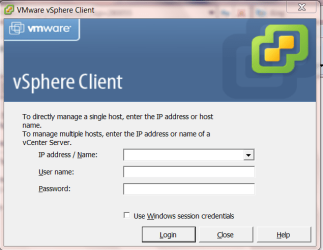
The vmware Vsphere client DOES indeed run from a separate Windows machine as shown by the attached screenshot.

Works really great but you DO need an extra machine to define and start the vm's -- once it's up and running then you don't need the extra machine any more.

vmware exsi is really a tiny tiny linux kernel which has just enough resources allocated so VM's can be launched.

Even a fairly primitive laptop can run maybe 8 or 9 vm's using vmware esxi when under the same conditions running say even 3 vm's under vmware workstation on a host OS would cause the entire system to grind to a halt.

Note also that under these "server" conditions the guest vm will not be able to play DVD's or be of much use for gaming although audio apps and streaming should work fine.

Cheers
jimbo
 

Attachments

  • vsphere.png
    vsphere.png
    22.4 KB · Views: 26
Last edited:

My Computer My Computer

Computer type
PC/Desktop
Computer Manufacturer/Model Number
Custom built, several laptops HP/ASUS
OS
Linux CENTOS 7 / various Windows OS'es and servers
CPU
Intel i7 Intel i5
Memory
8GB, 16GB
Graphics Card(s)
On Motherboard
Sound Card
Realtek HD audio
Monitor(s) Displays
Apple Cinema display, Samsung LCD
Screen Resolution
1920 X 1080
Hard Drives
4 X 1TB SATA
Mouse
Toshiba wireless laser
Internet Speed
> 20MB up
Jimbo45,

The VMWare product line is aimed at corporates who need to consolidate servers (of various O/S types) onto fewer hardware platforms or to just get more value out of those hardware platforms.

You are right in that it does not run games very well at all, and if anyone at work tried to run games on the servers that host/guest the VM's I use, I'd want them fired!

Why did you attach a picture of the log in screen? I don't see what it shows as being important to anything? Seems that those of us who are posting in this thread are all familiar with VMWare ANYWAY and know how it works, what it does and does not do etc...

:cool:
 
Last edited:

My Computer My Computer

Computer Manufacturer/Model Number
Dell Lattitude E6500
OS
Windows 7 Pro (64bit).
CPU
Intel Core 2 Duo P8700 @ 2.54Ghz
Motherboard
Dell
Memory
8Gb
Graphics Card(s)
Intel/Dell "4 series Express Chipset"
Sound Card
Intel HD Audio
Monitor(s) Displays
Regular Laptop LCD display
Screen Resolution
1280x800
Hard Drives
Seagate ST9250410ASG 250Gb (well it IS a laptop)...
PSU
Dell
Case
Dell
Internet Speed
As much as I can get!!!!!
Hi there
for vmware esxi you STILL need another machine to manage the vm's - it's called vmware Vsphere client.

The whole idea is really great as the point of the vmware exsi system is to have just a tiny kernel and NOT a host OS - so the whole machine (or at least 90% of it) can be dedicated to the vm's.

vmware esxi doesn't have a gui in any case so configuring and starting vm's is impossible without a piece of "Client" software on another machine.

If you are running vmware server on a HOST OS you are really losing the whole point of using a "server" to run the vm's apart from the fact that the software might be free.

The vmware Vsphere client DOES indeed run from a separate Windows machine as shown by the attached screenshot.

Works really great but you DO need an extra machine to define and start the vm's -- once it's up and running then you don't need the extra machine any more.

vmware exsi is really a tiny tiny linux kernel which has just enough resources allocated so VM's can be launched.

Even a fairly primitive laptop can run maybe 8 or 9 vm's using vmware esxi when under the same conditions running say even 3 vm's under vmware workstation on a host OS would cause the entire system to grind to a halt.

Note also that under these "server" conditions the guest vm will not be able to play DVD's or be of much use for gaming although audio apps and streaming should work fine.

Cheers
jimbo


Jimbo,

I'm extremely familiar with ESX and ESXi as I use them extensively at work. I've got 5 ESXi servers running in one of our development data centers and I have a whitebox ESXi box at my desk connected via iSCSI to an OpenFiler box to offload the disk subsystem and take advantage of some of the fancier tools that are possible with SANS.

As far as using ESXi on a laptop...best of luck. ESXi is very particular about the type of hardware that it can install upon. Only certain NIC's and storage controllers are going to work. Check out this site for information on motherboards and such which are "known" to work or notes on how to make them work. ESX / ESXi 4.0 Whitebox HCL

Using VMWare Server 2.0 on a host based OS is not a bad idea at all.....depending upon the environment and what you are trying to accomplish. It's exactly what I do on my work laptop. I don't think the majority of people on this forum site are trying to run multiple concurrent VM's and thus really need the benefits associated with running a bare metal hypervisor product like ESX or ESXi. On my laptop, i just like being able to bring a few of my test boxes around with me for screwing around with at opportune times.
 

My Computer My Computer

Computer Manufacturer/Model Number
Self-Built in July 2009
OS
Windows 7 Ultimate x64
CPU
Intel Q9550 2.83Ghz OC'd to 3.40Ghz
Motherboard
Gigabyte GA-EP45-UD3R rev. 1.1, F12 BIOS
Memory
8GB G.Skill PI DDR2-800, 4-4-4-12 timings
Graphics Card(s)
EVGA 1280MB Nvidia GeForce GTX570
Sound Card
Realtek ALC899A 8 channel onboard audio
Monitor(s) Displays
23" Acer x233H
Screen Resolution
1920x1080
Hard Drives
Intel X25-M 80GB Gen 2 SSD
Western Digital 1TB Caviar Black, 32MB cache. WD1001FALS
PSU
Corsair 620HX modular
Case
Antec P182
Cooling
stock
Keyboard
ABS M1 Mechanical
Mouse
Logitech G9 Laser Mouse
Internet Speed
15/2 cable modem
Other Info
Windows and Linux enthusiast. Logitech G35 Headset.
vmware exsi is really a tiny tiny linux kernel which has just enough resources allocated so VM's can be launched.

Hello

VMware ESX and ESXi ARE NOT A LINUX tiny or not! :shock:

VMware has a kernel that boots the server and that kernel is not a Linux kernel. What ESX have is a console that is a RH distro very customized, that console has direct hooks into VMware and makes feal the uninformed that he administiring a Linux server.

Just my 10 cents.

PAMF
 

My Computer My Computer

Computer Manufacturer/Model Number
Lenovo T400
OS
Windows 7 Enterprise x64
Memory
4GB
Hi there

RH = Red Hat. Is this Linux or not. Ok if its a hook into vmware kernel so be it. Conceptually it can be considered as a Linux type of kernel --I'm sure it's likely to have some "Unix" type of structure to it.

In anycase the point was to say that the entire system is very small indeed leaving most of the hardware resources available for the Virtual machines.

Actually vmware server is fine - I should have mentioned that it's the ESX i type of servers that need a remote machine for vm administration. I made an error with vmware server since the browser interface can run from the local machine if you give the port number in the url address.

Note than vmware server V2 MUST use a WEB / Browser interface which some people might not like -- I suppose the advantage of this is that it doesn't need the vmware server to have its own GUI.

I still preferred a console interface but never mind.

Getting back to the point of the thread -- if you want performance forget XP mode -- if you want simplicity and integration for possibly only one or 2 legacy apps then go for XP mode.

Cheers
jimbo
 

My Computer My Computer

Computer type
PC/Desktop
Computer Manufacturer/Model Number
Custom built, several laptops HP/ASUS
OS
Linux CENTOS 7 / various Windows OS'es and servers
CPU
Intel i7 Intel i5
Memory
8GB, 16GB
Graphics Card(s)
On Motherboard
Sound Card
Realtek HD audio
Monitor(s) Displays
Apple Cinema display, Samsung LCD
Screen Resolution
1920 X 1080
Hard Drives
4 X 1TB SATA
Mouse
Toshiba wireless laser
Internet Speed
> 20MB up
Note than vmware server V2 MUST use a WEB / Browser interface which some people might not like -- I suppose the advantage of this is that it doesn't need the vmware server to have its own GUI.

I still preferred a console interface but never mind.

I completely agree with you there. That's the #1 aggravation for VMWare Server 2.0 for me. I hate not having an executable console application.
 

My Computer My Computer

Computer Manufacturer/Model Number
Self-Built in July 2009
OS
Windows 7 Ultimate x64
CPU
Intel Q9550 2.83Ghz OC'd to 3.40Ghz
Motherboard
Gigabyte GA-EP45-UD3R rev. 1.1, F12 BIOS
Memory
8GB G.Skill PI DDR2-800, 4-4-4-12 timings
Graphics Card(s)
EVGA 1280MB Nvidia GeForce GTX570
Sound Card
Realtek ALC899A 8 channel onboard audio
Monitor(s) Displays
23" Acer x233H
Screen Resolution
1920x1080
Hard Drives
Intel X25-M 80GB Gen 2 SSD
Western Digital 1TB Caviar Black, 32MB cache. WD1001FALS
PSU
Corsair 620HX modular
Case
Antec P182
Cooling
stock
Keyboard
ABS M1 Mechanical
Mouse
Logitech G9 Laser Mouse
Internet Speed
15/2 cable modem
Other Info
Windows and Linux enthusiast. Logitech G35 Headset.
Back
Top