XP users - don't forget you CAN run W7 X-64 as a VM

jimbo45

New member
Guru
Gold Member
VIP
Local time
5:09 AM
Messages
5,941
Location
Hafnarfjörður IS
Hi all
Seasoned users of Virtualisation can skip this but there are a lot of people who assume you have to be running a 64 bit OS to use a 64 bit virtual machine -- this is NOT TRUE BTW.

So long as you have the Virtualisation feature enabled you CAN test 64 bit guest machines even when running Windows XP as a Host machine so there isn't any reason NOT to try W7 X-64 even if you are currently running Windows XP.

Vmware server / vbox are free virtual machine software.

The only problem in running a W7 x-64 virtual machine on XP is the fact that XP will only see a maximum of around 3.5 GB RAM so you won't be able to create a Virtual machine much bigger than 2GB.
However there isn't a direct relationship on the size of a VM and a Real machine -- 1GB W7 X-64 machines run quite nicely for testing apps.

Incidentally with vmware workstation (version 7) - paid software - 3d and a lot of enhancements have been made to the virtual video drivers so you can even run W7 x-64 with full AERO as a VM on an XP host system.

(If you upgrade to a W7 REAL machine your vmware workstation will still work of course).

So XP users - there's no problem if you want to TRY W7 without all the hassle of dual booting.

Cheers
jimbo
 

My Computer My Computer

At a glance

Linux CENTOS 7 / various Windows OS'es and se...Intel i7 Intel i58GB, 16GBOn Motherboard
Computer type
PC/Desktop
Computer Manufacturer/Model Number
Custom built, several laptops HP/ASUS
OS
Linux CENTOS 7 / various Windows OS'es and servers
CPU
Intel i7 Intel i5
Memory
8GB, 16GB
Graphics Card(s)
On Motherboard
Sound Card
Realtek HD audio
Monitor(s) Displays
Apple Cinema display, Samsung LCD
Screen Resolution
1920 X 1080
Hard Drives
4 X 1TB SATA
Mouse
Toshiba wireless laser
Internet Speed
> 20MB up
If you upgrade to a Windows 7 REAL machine
What do you mean by that? A clean install?

Or are you referring to CPU's real/virtual mode? If the second, then please do tell me how you define cpu's execution mode on OS update.
 

My Computer My Computer

At a glance

Ubuntu 9.04Amd Athlon 64 Processor 3500+1 GBGeForce 7300 SE
Computer Manufacturer/Model Number
MSI
OS
Ubuntu 9.04
CPU
Amd Athlon 64 Processor 3500+
Motherboard
MSI K9N4 Ultra
Memory
1 GB
Graphics Card(s)
GeForce 7300 SE
Sound Card
nVidia CK804 AC'97
Monitor(s) Displays
Samsunt SyncMaster 940nw
Hard Drives
Samsung SATA 120GB
PSU
don't know
Case
DeLUX
Cooling
fan
Hi there
What I mean by this is that if you decide to install a Clean REAL W7 OS (not a VM)from scratch is that any VM you have created can still run without change - Virtual machines created on XP or even Linux will be comapatable with running them as VM's on W7.

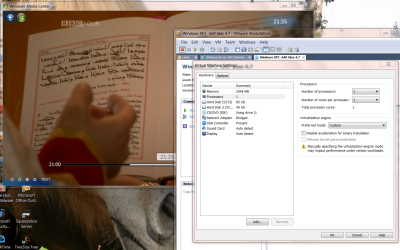
You can only specify the number of processors of course when you define a VIRTUAL machine

screenshot enc

cheers
jimbo
 

Attachments

  • vmproc.png
    vmproc.png
    330 KB · Views: 41

My Computer My Computer

At a glance

Linux CENTOS 7 / various Windows OS'es and se...Intel i7 Intel i58GB, 16GBOn Motherboard
Computer type
PC/Desktop
Computer Manufacturer/Model Number
Custom built, several laptops HP/ASUS
OS
Linux CENTOS 7 / various Windows OS'es and servers
CPU
Intel i7 Intel i5
Memory
8GB, 16GB
Graphics Card(s)
On Motherboard
Sound Card
Realtek HD audio
Monitor(s) Displays
Apple Cinema display, Samsung LCD
Screen Resolution
1920 X 1080
Hard Drives
4 X 1TB SATA
Mouse
Toshiba wireless laser
Internet Speed
> 20MB up
You defenetly can not run an executable (ex: VM application) that was installed under linux(and in some situations, not even on an other os) for the following reasons:
1. ext2/3/4 partitions can not be seen from Win.
2. The binaries under linux are total incompatible with windows (and vice-versa).

But maybe i missed something here? Am i getting it right? > You make a clean install(real) of win7, boot it, and then run a program that was installed on xp's D:/ partition?
 

My Computer My Computer

At a glance

Ubuntu 9.04Amd Athlon 64 Processor 3500+1 GBGeForce 7300 SE
Computer Manufacturer/Model Number
MSI
OS
Ubuntu 9.04
CPU
Amd Athlon 64 Processor 3500+
Motherboard
MSI K9N4 Ultra
Memory
1 GB
Graphics Card(s)
GeForce 7300 SE
Sound Card
nVidia CK804 AC'97
Monitor(s) Displays
Samsunt SyncMaster 940nw
Hard Drives
Samsung SATA 120GB
PSU
don't know
Case
DeLUX
Cooling
fan
You defenetly can not run an executable (ex: VM application) that was installed under linux(and in some situations, not even on an other os) for the following reasons:
1. ext2/3/4 partitions can not be seen from Win.
2. The binaries under linux are total incompatible with windows (and vice-versa).

But maybe i missed something here? Am i getting it right? > You make a clean install(real) of win7, boot it, and then run a program that was installed on xp's D:/ partition?

Not sure what your point is here

Nothing in my post suggests running NATIVE applications from one OS on another OS.

This post is about VIRTUAL MACHINES - where you run for example a GUEST LINUX Virtual machine on a HOST WINDOWS machine by running some Virtual machine application software on the HOST OS.

(I think you might not have grasped the concept of Virtual Machines).

All I was saying in this post was that you CAN RUN a VIRTUAL 64 bit GUEST on a 32 BIT Host so long as the CPU virtualisation feature is enabled - but your GUEST RAM will be limited because the HOST won't see more than around 3.5GB RAM.

This will allow current XP users to test a 64 bit OS before installing it on a REAL machine so they can see reasonably what software will and won't work and whether things like USB printers / scanners will work under their 64 bit OS. This was the point of the post.

Note also there are loads of utilities around for reading ext2/ext3 files from Windows, whilst linux has had READ and WRITE capability to ntfs for a long time

Issue something like the following mount command in Linux to get RW access to a Windows disk. (Of course you can also do it via networking with SAMBA)

(mount -t ntfs-3g -o rw /dev/sdb3 /windows/volume_f)

Cheers
jimbo
 

My Computer My Computer

At a glance

Linux CENTOS 7 / various Windows OS'es and se...Intel i7 Intel i58GB, 16GBOn Motherboard
Computer type
PC/Desktop
Computer Manufacturer/Model Number
Custom built, several laptops HP/ASUS
OS
Linux CENTOS 7 / various Windows OS'es and servers
CPU
Intel i7 Intel i5
Memory
8GB, 16GB
Graphics Card(s)
On Motherboard
Sound Card
Realtek HD audio
Monitor(s) Displays
Apple Cinema display, Samsung LCD
Screen Resolution
1920 X 1080
Hard Drives
4 X 1TB SATA
Mouse
Toshiba wireless laser
Internet Speed
> 20MB up
you CAN RUN a VIRTUAL 64 bit GUEST on a 32 BIT HOST
Yes - "I can see clearly now"! Like, evrika! Man, sorry for such a big misunderstanding.
And actually i am familiar with VM. I did used it. But as far as i know , it is an application that emulates an environment on which another OS can run. Right? (i have a hunch that this is the reason of our misunderstanding )
 

My Computer My Computer

At a glance

Ubuntu 9.04Amd Athlon 64 Processor 3500+1 GBGeForce 7300 SE
Computer Manufacturer/Model Number
MSI
OS
Ubuntu 9.04
CPU
Amd Athlon 64 Processor 3500+
Motherboard
MSI K9N4 Ultra
Memory
1 GB
Graphics Card(s)
GeForce 7300 SE
Sound Card
nVidia CK804 AC'97
Monitor(s) Displays
Samsunt SyncMaster 940nw
Hard Drives
Samsung SATA 120GB
PSU
don't know
Case
DeLUX
Cooling
fan
Back
Top