@
nottaclue9,
Here is a play by play of your other thread.
I'm only doing this to try and help you to help us to help you.
Got that

In
post #4, I ask for Java to go away. You attempt to comply in post #5.
In post #6, I ask for a screenshot of the fake MSE thing and I suggest the safe mode for uninstalling Java. In post #7, you mention that you managed to get Java uninstalled - but you never mentioned if you used the safe mode - it is like you ignored that part of post #6. Also in post #7, you mention that the fake MSE thing is still showing up. But hey, you did not grab a screenshot of it for us to see - so you seem to have ignored all of post #6.
In post #8,
carwiz suggests AdwCleaner. You comply in post #9
In post #10,
Devlin1888 suggests JRT and RougeKiller.
In post #11,
Britton30 sort of asks for a screenshot.
In post #12,
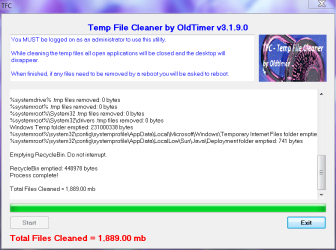
Jacee suggests TFC.
In post #13, you question the need to run JRT, RougeKiller and TFC. You ask if bad stuff could be hanging around.
Britton30 answered you in post #14 and #18.
In post #21, you describe a yellow triangle/problem and you have problems running JRT - so you move on to running RougeKiller.
In post #22, you prove that you know how to post a screenshot. Although, it would have been better to copy/paste/post the text using code tags or upload the text file as an attachment to the post.

As the tool tip mentions, you can paste text in, select the text that you just pasted in and then click on that # button. I prefer to hit the # button first and then paste the text in between the code tags.
It is not really a tragedy that post #6 was ignored. It would have helped us to help you if you had provided a screenshot... but let's move on. In post #22, you post the results of a scan - then you freeze.
Taking no further action until instructed. This is a good thing.
Based on what I see in the post #22, I'll say that it is safe for you to go back to the other thread and run TFC per
post #12.