Now that I have a free open License Win 7 Ultimate I decided to install it on my older laptop.
I got a good copy of Win7 from MS Media Creator and installed via an ISO version on DVD.
After that install I got the SP1 update which went well.
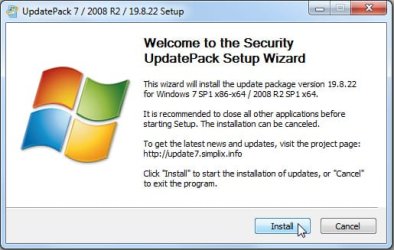
Now I try and update the rest which is like 197 updates and the up[dater keeps freezing and I have to use MS Updater tool a few times to get it back going.
So now we are trying to install 167 updates and about 43 optional ones.
Is there an easier way to do a fresh clean install? (Oh Installing 32 bit version so I could use my desktop at all)
I got a good copy of Win7 from MS Media Creator and installed via an ISO version on DVD.
After that install I got the SP1 update which went well.
Now I try and update the rest which is like 197 updates and the up[dater keeps freezing and I have to use MS Updater tool a few times to get it back going.
So now we are trying to install 167 updates and about 43 optional ones.
Is there an easier way to do a fresh clean install? (Oh Installing 32 bit version so I could use my desktop at all)
My Computer
- Computer type
- PC/Desktop
- Computer Manufacturer/Model Number
- Self Built
- OS
- Windows 10 Pro
- CPU
- Intel i5
- Motherboard
- I have a fatherboard
- Memory
- I'm old and lost a few chips
- Graphics Card(s)
- Yup
- Sound Card
- Yup
- Monitor(s) Displays
- Samsung 32" UHD
- Screen Resolution
- 3840 x 2160
- Hard Drives
- Samsung 860 EVO drives
- PSU
- 450 Watt and some fans that blow
- Case
- Small tower
- Cooling
- Yes I am cool. lol
- Keyboard
- Who needs a keyboard?
- Mouse
- Logitech Laser G7 wireless
- Internet Speed
- Zippy fast UP and DOWN
- Antivirus
- I got a shot
- Browser
- The new Improved EDGE 2020