Solved Constant Explorer/thumbnail crash. MSVCR80.dll culprit? How to fix?

RProsser

New member
Member
Local time
4:02 PM
Messages
34
Hello new friends. I’m not sure if this is the exact area to post my problem here, but I cannot find anywhere else more appropriate. Forgive me if I missed it.

Here is my dilemma:

As of late, my machine’s Explorer has started to “BEX64” crash when I have icons shown as thumbnails ... PDF, AI, TIF, JPG, PSD, Word, Excel and FireFox URLs (I use a program called “Sage Thumbs” to render them). I also use “Display Fusion” to control my two-monitor system. FWIW, I also use Kaspersky as an anti-virus, etc. My system is clean.

About a year ago, the problem started, but it was just an errant Google search URL. When I deleted that using a CMD command, all was fine again. Then it was eBay links that crashed it. Same fix. Now I have slowly progressed to the point where the system will not tolerate anything, i.e., the BEX64 crash happens every time I start Windows (unless I render all as icons).

As a workaround, I tried creating a new User, and all was good at first. But just as I was getting everything set up as before, the crash came back. FYI, the problem exists in Safe Mode as well with any Admin-based user. So, to reiterate, the only way I can now use my system is to keep all files relegated as icons, period. That option will not work for me.

I have spent days and days considering the problem on my own, trying all sorts of suggested tests and CMD-based remedies, including the CMD command "takeown /f MSVCR80.dll" and "regsvr32 MSVCR80.dll" but I get a Runtime Error, "the module MSVCR80.dll failed to load." Not sure if I did something wrong.

Anyway, the problem exists ... I am totally out of ideas. I really don’t want to bother with a new machine if I don’t have to.

My last resort is to ask all the collective experts here if they have some input.

The crash report is consistent with this infor:
* Problem Event Name: BEX64
* Fault Module Name: MSVCR80.dll
* Faulting application path: C:\windows\Explorer.EXE
* Faulting module path: C:\windows\WinSxS\amd64_microsoft.vc80.crt_1fc8b3b9a1e18e3b_8.0.50727.6195_none_88e41e092fab0294\MSVCR80.dll

That “faulting module path” pointing to the DLL, MSVCR80 (784 KB) always comes up as culprit.

Any suggestions? Anything you need from me to help figure this out?

Your input is MOST WELCOME. Thanks all! : )
 

My Computer My Computer

At a glance

Microsoft Windows 7 Home Premium 64-bit 7601 ...AMD Athlon(tm) II X4 645 Processor8.00 GB(1) NVIDIA GeForce 9500 GT (2) LogMeIn Mirror...
Computer type
PC/Desktop
Computer Manufacturer/Model Number
Lenovo H405
OS
Microsoft Windows 7 Home Premium 64-bit 7601 Multiprocessor Free Service Pack 1
CPU
AMD Athlon(tm) II X4 645 Processor
Motherboard
LENOVO Tilapia CRB
Memory
8.00 GB
Graphics Card(s)
(1) NVIDIA GeForce 9500 GT (2) LogMeIn Mirror Driver
Sound Card
(1) Realtek High Definition Audio (2) NVIDIA Virtual Audio
Screen Resolution
(1) 1920 x 1080 x 32 bits (4294967296 colors) @ 60 Hz (2)
Hard Drives
(1) Hitachi HDS721010CLA332 ATA Device (2) SAMSUNG HD103SI USB Device
Antivirus
Kaspersky 17.*
Browser
FF, Chrome
Welcome to our forum RProsser.

I am no expert in anything but I do have a suggestion.

Completing this tutorial by Brink might fix or at least shine some light on the problem.

SFC /SCANNOW Command - System File Checker


Jack
 

My Computer My Computer

At a glance

Windows 10 Pro. 64/ version 1709 Windows 7 Pr...Intel i7-6800K @ 4.3Corsair Platinum 16 gig @2400EVGA GTX 1070 OC
Computer type
PC/Desktop
Computer Manufacturer/Model Number
Home made Desktop
OS
Windows 10 Pro. 64/ version 1709 Windows 7 Pro/64
CPU
Intel i7-6800K @ 4.3
Motherboard
ASUS X-99 Deluxe II
Memory
Corsair Platinum 16 gig @2400
Graphics Card(s)
EVGA GTX 1070 OC
Monitor(s) Displays
Asus 27" LED LCD/VE278Q
Screen Resolution
1920-1080 or 1280-720 HDMI
Hard Drives
INTEL SSD 730-240 Gb Sata 3.0/
PSU
EVGA Platium 1200W
Case
Phanteks Luxe Tempered Glass 8 fans/ one radiator
Cooling
XSPC/ Water Cooled CPU
Keyboard
Das 4 Professional
Mouse
Logitech M705/MX Anywhere 2-S
Internet Speed
100 mbits
Antivirus
Microsoft Security Essentials/ Malwarebytes Premium 3.0/ SAS
Browser
I.E. 11 default/Firefox/ ISP Time Warner Cable/Spectrum
Other Info
LG BluRay Burner/
Sound system-KLipsch-THX/
Icy Dock ssd Hot Swap bays.
Jack, thanks for the reply. I will try this again and report my results.
 

My Computer My Computer

At a glance

Microsoft Windows 7 Home Premium 64-bit 7601 ...AMD Athlon(tm) II X4 645 Processor8.00 GB(1) NVIDIA GeForce 9500 GT (2) LogMeIn Mirror...
Computer type
PC/Desktop
Computer Manufacturer/Model Number
Lenovo H405
OS
Microsoft Windows 7 Home Premium 64-bit 7601 Multiprocessor Free Service Pack 1
CPU
AMD Athlon(tm) II X4 645 Processor
Motherboard
LENOVO Tilapia CRB
Memory
8.00 GB
Graphics Card(s)
(1) NVIDIA GeForce 9500 GT (2) LogMeIn Mirror Driver
Sound Card
(1) Realtek High Definition Audio (2) NVIDIA Virtual Audio
Screen Resolution
(1) 1920 x 1080 x 32 bits (4294967296 colors) @ 60 Hz (2)
Hard Drives
(1) Hitachi HDS721010CLA332 ATA Device (2) SAMSUNG HD103SI USB Device
Antivirus
Kaspersky 17.*
Browser
FF, Chrome
Well, I ran the test as suggested -- twice in fact. As you see below, I found no errors.
C:\windows\system32>SFC /SCANNOW
Beginning system scan. This process will take some time.
Beginning verification phase of system scan.
Verification 100% complete.
Windows Resource Protection did not find any integrity violations.
Does anyone know of other tests that I can run? Or how to perhaps, for lack of a better term, "repair" this DLL file?

C:\windows\WinSxS
\amd64_microsoft.vc80.crt_1fc8b3b9a1e18e3b_8.0.50727.6195_none_88e41e092fab0294\MSV CR80.dll

It's the one that always comes up as the culprit. Thanks in advance for any input.
 
Last edited:

My Computer My Computer

At a glance

Microsoft Windows 7 Home Premium 64-bit 7601 ...AMD Athlon(tm) II X4 645 Processor8.00 GB(1) NVIDIA GeForce 9500 GT (2) LogMeIn Mirror...
Computer type
PC/Desktop
Computer Manufacturer/Model Number
Lenovo H405
OS
Microsoft Windows 7 Home Premium 64-bit 7601 Multiprocessor Free Service Pack 1
CPU
AMD Athlon(tm) II X4 645 Processor
Motherboard
LENOVO Tilapia CRB
Memory
8.00 GB
Graphics Card(s)
(1) NVIDIA GeForce 9500 GT (2) LogMeIn Mirror Driver
Sound Card
(1) Realtek High Definition Audio (2) NVIDIA Virtual Audio
Screen Resolution
(1) 1920 x 1080 x 32 bits (4294967296 colors) @ 60 Hz (2)
Hard Drives
(1) Hitachi HDS721010CLA332 ATA Device (2) SAMSUNG HD103SI USB Device
Antivirus
Kaspersky 17.*
Browser
FF, Chrome

My Computer My Computer

At a glance

Windows 10 Pro. 64/ version 1709 Windows 7 Pr...Intel i7-6800K @ 4.3Corsair Platinum 16 gig @2400EVGA GTX 1070 OC
Computer type
PC/Desktop
Computer Manufacturer/Model Number
Home made Desktop
OS
Windows 10 Pro. 64/ version 1709 Windows 7 Pro/64
CPU
Intel i7-6800K @ 4.3
Motherboard
ASUS X-99 Deluxe II
Memory
Corsair Platinum 16 gig @2400
Graphics Card(s)
EVGA GTX 1070 OC
Monitor(s) Displays
Asus 27" LED LCD/VE278Q
Screen Resolution
1920-1080 or 1280-720 HDMI
Hard Drives
INTEL SSD 730-240 Gb Sata 3.0/
PSU
EVGA Platium 1200W
Case
Phanteks Luxe Tempered Glass 8 fans/ one radiator
Cooling
XSPC/ Water Cooled CPU
Keyboard
Das 4 Professional
Mouse
Logitech M705/MX Anywhere 2-S
Internet Speed
100 mbits
Antivirus
Microsoft Security Essentials/ Malwarebytes Premium 3.0/ SAS
Browser
I.E. 11 default/Firefox/ ISP Time Warner Cable/Spectrum
Other Info
LG BluRay Burner/
Sound system-KLipsch-THX/
Icy Dock ssd Hot Swap bays.
Well, I tried some of the suggestions on that thread, Jack, but nothing seems to work. Yes the author is dealing with a BEX64 crash, but the culprit is not MSVCR80.dll. My particular problem (apparently with the DLL file named in my initial post) seems to be similar to others who have also posted, but I have still not found out how to repair it -- yet.

I have tried Clean Boot Troubleshooting / Advanced Boot Options, loading nothing but Windows-based files at startup, but the problem still exists -- in Safe Mode or normal mode.

I wanted to do a Repair Install, but I do not have the OEM disc. My Lenovo came with factory installed Windows 7, and apparently a repair disc DVD will not suffice. (Repair Install)

I find sites that claim they can fix MSVCR80.dll issues, but I suspect they're bogus. For instance, does anyone know if these guys are legitimate? How to remove msvcr80.dll error


Thanks for any thoughts. Much appreciated.
 

My Computer My Computer

At a glance

Microsoft Windows 7 Home Premium 64-bit 7601 ...AMD Athlon(tm) II X4 645 Processor8.00 GB(1) NVIDIA GeForce 9500 GT (2) LogMeIn Mirror...
Computer type
PC/Desktop
Computer Manufacturer/Model Number
Lenovo H405
OS
Microsoft Windows 7 Home Premium 64-bit 7601 Multiprocessor Free Service Pack 1
CPU
AMD Athlon(tm) II X4 645 Processor
Motherboard
LENOVO Tilapia CRB
Memory
8.00 GB
Graphics Card(s)
(1) NVIDIA GeForce 9500 GT (2) LogMeIn Mirror Driver
Sound Card
(1) Realtek High Definition Audio (2) NVIDIA Virtual Audio
Screen Resolution
(1) 1920 x 1080 x 32 bits (4294967296 colors) @ 60 Hz (2)
Hard Drives
(1) Hitachi HDS721010CLA332 ATA Device (2) SAMSUNG HD103SI USB Device
Antivirus
Kaspersky 17.*
Browser
FF, Chrome
I'm not expert on this but I reckon it might be a corrupted Visual C++ dll file MSVCR80.dll

Or else an application on your machine that is written to use Visual C++ needs updating/ reinstalling.

Check this post and ignore that it mentions a different VC++ dll

explorer crashes

See possible fix here: explorer crashes and note download links for other versions in the last link.

Also try Geek Uninstaller mentioned in this post and include the scan for leftovers.

explorer crashes

Use it to uninstall all VC++ Runtime versions before rebooting and reinstalling them.

Also check for missing updates/ patches for all installed software. Fully uninstall any third party software that you never use especially if it hasn't been updated for a couple of years.
 

My Computer My Computer

At a glance

Microsoft Windows 7 Home Premium 64-bit 7601 ...AMD C-60 APU with Radeon(tm) HD Graphics4.00 GBAMD Radeon HD 6290 Graphics
Computer type
Laptop
Computer Manufacturer/Model Number
ASUS
OS
Microsoft Windows 7 Home Premium 64-bit 7601 Multiprocessor Free Service Pack 1
CPU
AMD C-60 APU with Radeon(tm) HD Graphics
Motherboard
ASUSTeK COMPUTER INC. X501U
Memory
4.00 GB
Graphics Card(s)
AMD Radeon HD 6290 Graphics
Sound Card
(1) AMD High Definition Audio Device (2) Realtek High Defi
Screen Resolution
1366 x 768 x 32 bits (4294967296 colors) @ 60 Hz
Hard Drives
Hitachi HTS545050A7E380 SATA Disk Device
Antivirus
Comodo CIS & FW, SecureAplus App Whitelisting, Threatfire
Browser
Cyberfox 64bit, Opera 64bit, Airfox
Other Info
Spy-The-Spy, HitmanPro.Alert, Norton Connect Safe, MJRegWatcher, BitDefender TrafficLight, Voodoo Shield, Zemana AntiMalware
Thank you Callender.

Using Geek Uninstaller, I am going to uninstall all references to MS Visual C++, then reboot, and then reinstall each starting with the oldest version first.

I hope/assume rebooting is the correct step in this procedure. I guess I will find out.

I will report back on the results.

Best Regards
 

My Computer My Computer

At a glance

Microsoft Windows 7 Home Premium 64-bit 7601 ...AMD Athlon(tm) II X4 645 Processor8.00 GB(1) NVIDIA GeForce 9500 GT (2) LogMeIn Mirror...
Computer type
PC/Desktop
Computer Manufacturer/Model Number
Lenovo H405
OS
Microsoft Windows 7 Home Premium 64-bit 7601 Multiprocessor Free Service Pack 1
CPU
AMD Athlon(tm) II X4 645 Processor
Motherboard
LENOVO Tilapia CRB
Memory
8.00 GB
Graphics Card(s)
(1) NVIDIA GeForce 9500 GT (2) LogMeIn Mirror Driver
Sound Card
(1) Realtek High Definition Audio (2) NVIDIA Virtual Audio
Screen Resolution
(1) 1920 x 1080 x 32 bits (4294967296 colors) @ 60 Hz (2)
Hard Drives
(1) Hitachi HDS721010CLA332 ATA Device (2) SAMSUNG HD103SI USB Device
Antivirus
Kaspersky 17.*
Browser
FF, Chrome
Yes rebooting after removal is the way to go. You should expect errors with some programs not working properly until you reinstall new versions [Edit: versions of MS VC++] and reboot. I'm not saying that it will 100% fix the issue but it's worth a try.
 

My Computer My Computer

At a glance

Microsoft Windows 7 Home Premium 64-bit 7601 ...AMD C-60 APU with Radeon(tm) HD Graphics4.00 GBAMD Radeon HD 6290 Graphics
Computer type
Laptop
Computer Manufacturer/Model Number
ASUS
OS
Microsoft Windows 7 Home Premium 64-bit 7601 Multiprocessor Free Service Pack 1
CPU
AMD C-60 APU with Radeon(tm) HD Graphics
Motherboard
ASUSTeK COMPUTER INC. X501U
Memory
4.00 GB
Graphics Card(s)
AMD Radeon HD 6290 Graphics
Sound Card
(1) AMD High Definition Audio Device (2) Realtek High Defi
Screen Resolution
1366 x 768 x 32 bits (4294967296 colors) @ 60 Hz
Hard Drives
Hitachi HTS545050A7E380 SATA Disk Device
Antivirus
Comodo CIS & FW, SecureAplus App Whitelisting, Threatfire
Browser
Cyberfox 64bit, Opera 64bit, Airfox
Other Info
Spy-The-Spy, HitmanPro.Alert, Norton Connect Safe, MJRegWatcher, BitDefender TrafficLight, Voodoo Shield, Zemana AntiMalware
Well, I uninstalled all references to MS Visual C++, rebooted, reinstalled, ran update, restarted.

FYI, besides the standard Admin User, I have two others with admin privileges:

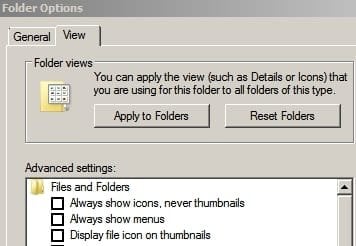
User A has setting “Always show icons, never thumbnails” CHECKED
User B has setting “Always show icons, never thumbnails” UNCHECKED

TEST 1: User A. Upon starting, immediately the “Explorer has stopped working” message came up.
I clicked “Restart the Program” ... the message came back immediately. did a Ctl+Alt+Del to log out.

Reliability Monitor says this:

[FONT=&quot]Source[/FONT]
[FONT=&quot] Windows Explorer[/FONT]
[FONT=&quot]Summary[/FONT]
[FONT=&quot] Stopped working[/FONT]
[FONT=&quot]Description[/FONT]
[FONT=&quot]Faulting Application Path: C:\Windows\explorer.exe[/FONT]
[FONT=&quot]Problem signature[/FONT]
[FONT=&quot]Problem Event Name: BEX64[/FONT]
[FONT=&quot]Application Name: Explorer.EXE[/FONT]
[FONT=&quot]Application Version: 6.1.7601.23537[/FONT]
[FONT=&quot]Application Timestamp: 57c44efe[/FONT]
[FONT=&quot]Fault Module Name: MSVCR80.dll[/FONT]
[FONT=&quot]Fault Module Version: 8.0.50727.6195[/FONT]
[FONT=&quot]Fault Module Timestamp: 4dcdd833[/FONT]
[FONT=&quot]Exception Offset: 000000000001df67[/FONT]
[FONT=&quot]Exception Code: c000000d[/FONT]
[FONT=&quot]Exception Data: 0000000000000000[/FONT]
[FONT=&quot]OS Version: 6.1.7601.2.1.0.768.3[/FONT]
[FONT=&quot]Locale ID: 1033[/FONT]
[FONT=&quot]Additional Information 1: a355[/FONT]
[FONT=&quot]Additional Information 2: a35573e51d71aed720069fcff312fc42[/FONT]
[FONT=&quot]Additional Information 3: 9e00[/FONT]
[FONT=&quot]Additional Information 4: 9e00bc16f14316387558ac4a99ccd2bd[/FONT]

TEST 2: User B, Upon starting, I immediately got this message windows:
1.0.7.16,2015/06/01 18:41:51
CreateExpBtn, err:System Error. Code: 1410.
Class already exists
Not sure what that meant, so I just clicked OK.

So far, the computer seems stable but obviously I cannot see thumbnails to the files — only the icons.

I am about ready to buy a new computer, but I doubt I can find one with Windows 7, and most of my software would need an upgrade if I go with a later versions of Windows. I'd rather fix this problem.

Any other suggestions are very welcome. Thanks again : )
 

My Computer My Computer

At a glance

Microsoft Windows 7 Home Premium 64-bit 7601 ...AMD Athlon(tm) II X4 645 Processor8.00 GB(1) NVIDIA GeForce 9500 GT (2) LogMeIn Mirror...
Computer type
PC/Desktop
Computer Manufacturer/Model Number
Lenovo H405
OS
Microsoft Windows 7 Home Premium 64-bit 7601 Multiprocessor Free Service Pack 1
CPU
AMD Athlon(tm) II X4 645 Processor
Motherboard
LENOVO Tilapia CRB
Memory
8.00 GB
Graphics Card(s)
(1) NVIDIA GeForce 9500 GT (2) LogMeIn Mirror Driver
Sound Card
(1) Realtek High Definition Audio (2) NVIDIA Virtual Audio
Screen Resolution
(1) 1920 x 1080 x 32 bits (4294967296 colors) @ 60 Hz (2)
Hard Drives
(1) Hitachi HDS721010CLA332 ATA Device (2) SAMSUNG HD103SI USB Device
Antivirus
Kaspersky 17.*
Browser
FF, Chrome
If you've got time try to get an explorer.exe specific crash dump:

explorer crashes

If you get a crash dump zip it and upload it.
 

My Computer My Computer

At a glance

Microsoft Windows 7 Home Premium 64-bit 7601 ...AMD C-60 APU with Radeon(tm) HD Graphics4.00 GBAMD Radeon HD 6290 Graphics
Computer type
Laptop
Computer Manufacturer/Model Number
ASUS
OS
Microsoft Windows 7 Home Premium 64-bit 7601 Multiprocessor Free Service Pack 1
CPU
AMD C-60 APU with Radeon(tm) HD Graphics
Motherboard
ASUSTeK COMPUTER INC. X501U
Memory
4.00 GB
Graphics Card(s)
AMD Radeon HD 6290 Graphics
Sound Card
(1) AMD High Definition Audio Device (2) Realtek High Defi
Screen Resolution
1366 x 768 x 32 bits (4294967296 colors) @ 60 Hz
Hard Drives
Hitachi HTS545050A7E380 SATA Disk Device
Antivirus
Comodo CIS & FW, SecureAplus App Whitelisting, Threatfire
Browser
Cyberfox 64bit, Opera 64bit, Airfox
Other Info
Spy-The-Spy, HitmanPro.Alert, Norton Connect Safe, MJRegWatcher, BitDefender TrafficLight, Voodoo Shield, Zemana AntiMalware
Also what do you use to check for third party software updates? (not windows updates)
 

My Computer My Computer

At a glance

Microsoft Windows 7 Home Premium 64-bit 7601 ...AMD C-60 APU with Radeon(tm) HD Graphics4.00 GBAMD Radeon HD 6290 Graphics
Computer type
Laptop
Computer Manufacturer/Model Number
ASUS
OS
Microsoft Windows 7 Home Premium 64-bit 7601 Multiprocessor Free Service Pack 1
CPU
AMD C-60 APU with Radeon(tm) HD Graphics
Motherboard
ASUSTeK COMPUTER INC. X501U
Memory
4.00 GB
Graphics Card(s)
AMD Radeon HD 6290 Graphics
Sound Card
(1) AMD High Definition Audio Device (2) Realtek High Defi
Screen Resolution
1366 x 768 x 32 bits (4294967296 colors) @ 60 Hz
Hard Drives
Hitachi HTS545050A7E380 SATA Disk Device
Antivirus
Comodo CIS & FW, SecureAplus App Whitelisting, Threatfire
Browser
Cyberfox 64bit, Opera 64bit, Airfox
Other Info
Spy-The-Spy, HitmanPro.Alert, Norton Connect Safe, MJRegWatcher, BitDefender TrafficLight, Voodoo Shield, Zemana AntiMalware
Hi Callender. Thanks for your replies.

Attached are two of the most recent DMP files in one Zip file. One file is from User A and one from User B, after a crash (I would assume they both read the same, but maybe not?).

I tried to read them myself before sending using dumpchk prompt command, but the data is more than the cmd window allows, i.e., I could only see the last half or so of the report. Not sure how to fix it so I can see the entire report, so I am hopeful these attached files will suffice.

On the second question, um, I only use Windows Update and rely on my software, e.g., Adobe Creative Suite, MS Office, Kaspersky, etc. to alert me when something needs updating. As for drivers, I use some utility built inside Advanced System Care to review and download what is needed.

Thanks again for your input!
 

Attachments

My Computer My Computer

At a glance

Microsoft Windows 7 Home Premium 64-bit 7601 ...AMD Athlon(tm) II X4 645 Processor8.00 GB(1) NVIDIA GeForce 9500 GT (2) LogMeIn Mirror...
Computer type
PC/Desktop
Computer Manufacturer/Model Number
Lenovo H405
OS
Microsoft Windows 7 Home Premium 64-bit 7601 Multiprocessor Free Service Pack 1
CPU
AMD Athlon(tm) II X4 645 Processor
Motherboard
LENOVO Tilapia CRB
Memory
8.00 GB
Graphics Card(s)
(1) NVIDIA GeForce 9500 GT (2) LogMeIn Mirror Driver
Sound Card
(1) Realtek High Definition Audio (2) NVIDIA Virtual Audio
Screen Resolution
(1) 1920 x 1080 x 32 bits (4294967296 colors) @ 60 Hz (2)
Hard Drives
(1) Hitachi HDS721010CLA332 ATA Device (2) SAMSUNG HD103SI USB Device
Antivirus
Kaspersky 17.*
Browser
FF, Chrome
I hoped it would be simple to solve but I'm used to solving problems with explorer shell extensions (dll files) and the crash dumps usually point to the culprit.

You seem to have a different problem and I can't make sense of it. However if someone else wants to have a go here is what I think might be relevant:

PROCESS_NAME: explorer.exe
MODULE_NAME: msvcr80
FAULTING_MODULE: 00000000772a0000 ntdll

EXCEPTION_CODE: (NTSTATUS) 0xc000000d - An invalid parameter was passed to a service or function.

FAULTING_SOURCE_LINE: f:\dd\vctools\crt_bld\self_64_amd64\crt\src\tcscpy_s.inl

FAULTING_SOURCE_FILE: f:\dd\vctools\crt_bld\self_64_amd64\crt\src\tcscpy_s.inl

I reckon it's some problem software but don't know how to work out which software. A couple of things spring to mind.

The long route: Try a clean startup.

Troubleshoot Application Conflicts by Performing a Clean Startup

Also grab a copy of AutoRuns and run a scan. Then look at the Explorer tab and see what shows up. Maybe there are items that can be disabled for test purposes.

RE: Software updates. You can try SUMO LITE but it's not for the faint hearted.

KC Softwares

You must use the LITE version as it doesn't contained bundled extras.

EDIT: Inpersoannly have the portable version. It runs without installation.

If you run it it will find pretty much any software that might need an update but it's down to you to identify where to download those updates from as the program will not download and install them.

I also used Sage Thumbs in the past and never had a problem with it.
 

My Computer My Computer

At a glance

Microsoft Windows 7 Home Premium 64-bit 7601 ...AMD C-60 APU with Radeon(tm) HD Graphics4.00 GBAMD Radeon HD 6290 Graphics
Computer type
Laptop
Computer Manufacturer/Model Number
ASUS
OS
Microsoft Windows 7 Home Premium 64-bit 7601 Multiprocessor Free Service Pack 1
CPU
AMD C-60 APU with Radeon(tm) HD Graphics
Motherboard
ASUSTeK COMPUTER INC. X501U
Memory
4.00 GB
Graphics Card(s)
AMD Radeon HD 6290 Graphics
Sound Card
(1) AMD High Definition Audio Device (2) Realtek High Defi
Screen Resolution
1366 x 768 x 32 bits (4294967296 colors) @ 60 Hz
Hard Drives
Hitachi HTS545050A7E380 SATA Disk Device
Antivirus
Comodo CIS & FW, SecureAplus App Whitelisting, Threatfire
Browser
Cyberfox 64bit, Opera 64bit, Airfox
Other Info
Spy-The-Spy, HitmanPro.Alert, Norton Connect Safe, MJRegWatcher, BitDefender TrafficLight, Voodoo Shield, Zemana AntiMalware
Advanced System Care can be a source of many problems. These care etc. utilities are not needed with Windows 7 & often cause more problems than they supposedly fix.
 

My Computer My Computer

At a glance

Windows 7 Home Premium 64 bit sp1Intel i5 3570 3.4Ghz Ivy Bridge SKT 1155 quad...G-Skill Rip Jaws 16Gb (8x2) DDR3 -1600 PC3 12...Gigabyte NVIDIA GT610 1Gb DDR3 810/1200 PCI-E...
Computer type
PC/Desktop
Computer Manufacturer/Model Number
Self built using existing case
OS
Windows 7 Home Premium 64 bit sp1
CPU
Intel i5 3570 3.4Ghz Ivy Bridge SKT 1155 quad core
Motherboard
Gigabyte Z77-HD3 SKT 1155 2xSata 3, 4x USB 3.0
Memory
G-Skill Rip Jaws 16Gb (8x2) DDR3 -1600 PC3 12800 CL 10 red
Graphics Card(s)
Gigabyte NVIDIA GT610 1Gb DDR3 810/1200 PCI-E 2.0 Silent
Sound Card
NVIDIA High Definition & Realtech High Definition Audio
Monitor(s) Displays
2 x Philips 226V4L 16:9 aspect ratio
Screen Resolution
1920 x 1080 HD
Hard Drives
Samsung 840 Pro 256gb SSD, SATA 3.
Hitachi Touro Portable 1tb, USB 3.0 HDD used for image b/ups.
PSU
Corsair VS450
Case
Codeng
Cooling
PSU fan & CPU fan
Keyboard
Logitech
Mouse
Logitech Wireless trackball M570
Internet Speed
Wireless 3G. 3mg down & 550kb up.
Antivirus
Bitdefender Internet Security 2020
Browser
Opera (Current Version) & Firefox
Other Info
MS Office 2013 Pro. Davis weather station software. MGE Nova 600 avr UPS.
I reckon you can rule out problem drivers.
 

My Computer My Computer

At a glance

Microsoft Windows 7 Home Premium 64-bit 7601 ...AMD C-60 APU with Radeon(tm) HD Graphics4.00 GBAMD Radeon HD 6290 Graphics
Computer type
Laptop
Computer Manufacturer/Model Number
ASUS
OS
Microsoft Windows 7 Home Premium 64-bit 7601 Multiprocessor Free Service Pack 1
CPU
AMD C-60 APU with Radeon(tm) HD Graphics
Motherboard
ASUSTeK COMPUTER INC. X501U
Memory
4.00 GB
Graphics Card(s)
AMD Radeon HD 6290 Graphics
Sound Card
(1) AMD High Definition Audio Device (2) Realtek High Defi
Screen Resolution
1366 x 768 x 32 bits (4294967296 colors) @ 60 Hz
Hard Drives
Hitachi HTS545050A7E380 SATA Disk Device
Antivirus
Comodo CIS & FW, SecureAplus App Whitelisting, Threatfire
Browser
Cyberfox 64bit, Opera 64bit, Airfox
Other Info
Spy-The-Spy, HitmanPro.Alert, Norton Connect Safe, MJRegWatcher, BitDefender TrafficLight, Voodoo Shield, Zemana AntiMalware
Just another suggestion. It might not work.

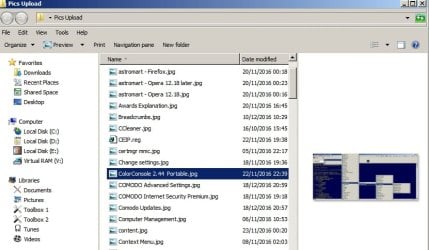
Here's my thumbnail settings. You could try them.

Thumbnails 1.jpg

So in explorer there it displays like this:

Thumbnails 2.jpg

You could experiment with these options and additionally try clearing and optimizing thumbnail cache.

SageThumbs Options.jpg
 

My Computer My Computer

At a glance

Microsoft Windows 7 Home Premium 64-bit 7601 ...AMD C-60 APU with Radeon(tm) HD Graphics4.00 GBAMD Radeon HD 6290 Graphics
Computer type
Laptop
Computer Manufacturer/Model Number
ASUS
OS
Microsoft Windows 7 Home Premium 64-bit 7601 Multiprocessor Free Service Pack 1
CPU
AMD C-60 APU with Radeon(tm) HD Graphics
Motherboard
ASUSTeK COMPUTER INC. X501U
Memory
4.00 GB
Graphics Card(s)
AMD Radeon HD 6290 Graphics
Sound Card
(1) AMD High Definition Audio Device (2) Realtek High Defi
Screen Resolution
1366 x 768 x 32 bits (4294967296 colors) @ 60 Hz
Hard Drives
Hitachi HTS545050A7E380 SATA Disk Device
Antivirus
Comodo CIS & FW, SecureAplus App Whitelisting, Threatfire
Browser
Cyberfox 64bit, Opera 64bit, Airfox
Other Info
Spy-The-Spy, HitmanPro.Alert, Norton Connect Safe, MJRegWatcher, BitDefender TrafficLight, Voodoo Shield, Zemana AntiMalware
Callender: You noted this:
FAULTING_SOURCE_LINE:
F:\
dd\vctools\crt_bld\self_64_amd64\crt\src\tcscpy_s.inlFAULTING_SOURCE_FILE:
F:\dd\vctools\crt_bld\self_64_amd64\crt\src\tcscpy_s.inl
The reference to F:\ drive is interesting. It’s a peripheral backup drive. My main drive is good old C:\. Hmm. That’s interesting. I will have to see if that is a hidden folder.

As for “Try a clean startup,” I did that a day or two ago. Or should I try it again, having updated all C++ references?

Regarding your other suggestions, thanks. I will not be able to try them until Monday.

Raner4: Thanks very much for the input. I will remove all of it ASAP. Is there a simple program that allows me to monitor drivers?

THANK YOU FOR ALL YOUR INPUT!
 

My Computer My Computer

At a glance

Microsoft Windows 7 Home Premium 64-bit 7601 ...AMD Athlon(tm) II X4 645 Processor8.00 GB(1) NVIDIA GeForce 9500 GT (2) LogMeIn Mirror...
Computer type
PC/Desktop
Computer Manufacturer/Model Number
Lenovo H405
OS
Microsoft Windows 7 Home Premium 64-bit 7601 Multiprocessor Free Service Pack 1
CPU
AMD Athlon(tm) II X4 645 Processor
Motherboard
LENOVO Tilapia CRB
Memory
8.00 GB
Graphics Card(s)
(1) NVIDIA GeForce 9500 GT (2) LogMeIn Mirror Driver
Sound Card
(1) Realtek High Definition Audio (2) NVIDIA Virtual Audio
Screen Resolution
(1) 1920 x 1080 x 32 bits (4294967296 colors) @ 60 Hz (2)
Hard Drives
(1) Hitachi HDS721010CLA332 ATA Device (2) SAMSUNG HD103SI USB Device
Antivirus
Kaspersky 17.*
Browser
FF, Chrome
Callender: You noted this:
FAULTING_SOURCE_LINE:
F:\
dd\vctools\crt_bld\self_64_amd64\crt\src\tcscpy_s.inlFAULTING_SOURCE_FILE:
F:\dd\vctools\crt_bld\self_64_amd64\crt\src\tcscpy_s.inl
The reference to F:\ drive is interesting. It’s a peripheral backup drive. My main drive is good old C:\. Hmm. That’s interesting. I will have to see if that is a hidden folder.

That path doesn't reference your Drive F.

See: visual studio - File Path in C++ Assert not found on my disk - Stack Overflow

It does seem to point to a software problem. I'm guessing here. Does Adobe Creative Suite include Adobe After Effects? It is referenced in this old thread:

f:\dd\vctools\crt_bld\self_64_amd64\crt\src\tcscpy_s.inl

Crash on opening Composition . Issue #1 . benkuper/Spout-AfterEffects . GitHub
 

My Computer My Computer

At a glance

Microsoft Windows 7 Home Premium 64-bit 7601 ...AMD C-60 APU with Radeon(tm) HD Graphics4.00 GBAMD Radeon HD 6290 Graphics
Computer type
Laptop
Computer Manufacturer/Model Number
ASUS
OS
Microsoft Windows 7 Home Premium 64-bit 7601 Multiprocessor Free Service Pack 1
CPU
AMD C-60 APU with Radeon(tm) HD Graphics
Motherboard
ASUSTeK COMPUTER INC. X501U
Memory
4.00 GB
Graphics Card(s)
AMD Radeon HD 6290 Graphics
Sound Card
(1) AMD High Definition Audio Device (2) Realtek High Defi
Screen Resolution
1366 x 768 x 32 bits (4294967296 colors) @ 60 Hz
Hard Drives
Hitachi HTS545050A7E380 SATA Disk Device
Antivirus
Comodo CIS & FW, SecureAplus App Whitelisting, Threatfire
Browser
Cyberfox 64bit, Opera 64bit, Airfox
Other Info
Spy-The-Spy, HitmanPro.Alert, Norton Connect Safe, MJRegWatcher, BitDefender TrafficLight, Voodoo Shield, Zemana AntiMalware
Ranger4: Thanks. FYI, I uninstalled Advanced System Care in its entirety.

Callender: Thanks again. FYI, Adobe After Effects was a program that I uninstalled years ago. Now only two related files exist: an XML file was found at: “C:\Users\XXX\AppData\Roaming\Adobe\After Effects\10.0.” I deleted the folder. I also found a 3KB Adobe After Effects file, “CS5 10.2.2 11-2011.log.gz” existed at “C:\Program Files (x86)\Common Files\Adobe\Installer.” I deleted that file, and after a search, found no references in the Windows 7 Registry.

Next steps were as suggested: Using GeekUninstaller I deleted older, incidental programs I did need. I used AutoRuns to run a scan. There was nothing that looked like a problem in the Explorer tab ... or the other tabs for that matter. I tried the Clean Boot idea one more time.

Restart: no change. Damn!
User A (thumbs only, no icons showing) crashed immediately.
User B (icons only, no thumbs showing) works as before.

Then I had an idea: Maybe the crash is resulting from a corrupt file (or files) in the My Documents folder(s) that Sage Thumbs (or whatever else that also reviews the thumbnails) looks at once Explorer starts. I set “User A” to have its own exact copy of User B’s My Documents folder. As a test of my idea, I deleted all the files inside User A’s My Documents folder and restarted the computer.

Bingo! User A’s Explorer — with Sage Thumbs running — kept going after startup. As a test I poked around all the My Documents folders from User B, and saw all those rendered thumbnails in their entirety — as things should be. Trying to get Explorer to crash, I looked all over the place ... into work folders full of all sorts of Adobe Creative Suite files, PDFs, raster files, web browser URLs, etc. It would not crash.

Encouraged, I was starting to think the original problem stemmed from a few files inside the myriad of folders and files residing in the My Documents folder. Something must be giving Sage Thumbs (or something else that handles file links/icons/aliases) a problem that it cannot get past, resulting in a crash every time it gets “referenced”(?) by Explorer. Note: last week I deleted Sage Thumbs and reinstalled it just to see if it was the problem. Nothing changed.

With things looking up, I decided to log out of User A and log in as User B (set for no thumbs, only icons), and turn ON the option to turn icons into thumbnails. I click OK ... instantly Explorer crashed. Arrrrgh!

I went back to Safe Mode to reset User B to “icons only,” and restarted. I logged into User A (which, if you recall, had been working again after deleting all contents in its My Documents). It crashed immediately. Damn, I was back to the beginning.

(Note: new dump files are attached for both crashes.)

What the heck happened? I am running out of patience. I will just reinstall Windows 7 and start all over—which will take me days to reload everything—if I cannot soon find the file or files that is corrupting the system.

Is there a utility that can pinpoint the errant file(s) or folder(s)?

If you read this far, thanks very much for your time and interest ... and, just possibly, an idea.
 

Attachments

My Computer My Computer

At a glance

Microsoft Windows 7 Home Premium 64-bit 7601 ...AMD Athlon(tm) II X4 645 Processor8.00 GB(1) NVIDIA GeForce 9500 GT (2) LogMeIn Mirror...
Computer type
PC/Desktop
Computer Manufacturer/Model Number
Lenovo H405
OS
Microsoft Windows 7 Home Premium 64-bit 7601 Multiprocessor Free Service Pack 1
CPU
AMD Athlon(tm) II X4 645 Processor
Motherboard
LENOVO Tilapia CRB
Memory
8.00 GB
Graphics Card(s)
(1) NVIDIA GeForce 9500 GT (2) LogMeIn Mirror Driver
Sound Card
(1) Realtek High Definition Audio (2) NVIDIA Virtual Audio
Screen Resolution
(1) 1920 x 1080 x 32 bits (4294967296 colors) @ 60 Hz (2)
Hard Drives
(1) Hitachi HDS721010CLA332 ATA Device (2) SAMSUNG HD103SI USB Device
Antivirus
Kaspersky 17.*
Browser
FF, Chrome
Back
Top