

- Local time
- 12:32 PM
- Messages
- 177
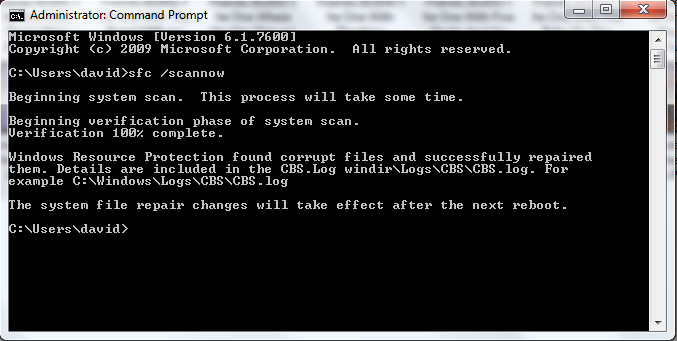
Whenever I try troubleshooting internet connection problems (which I often do) I run into the same message time and time again without fail; "The diagnostics policy service is not running" I attempted to go into services.msc and fix the problem, when I attempted to start the service manually I got the following message; "The Diagnostic Policy Service service on Local Computer started and then stopped. Some services stop automatically if they are not in use by other services or programs."
Please don't tell me to reformat my computer, because that's my last resort, I don't have any restore points from before the problem occurred, and I don't want to run a repair install. If anyone can find a solution I will be forever grateful.
Please don't tell me to reformat my computer, because that's my last resort, I don't have any restore points from before the problem occurred, and I don't want to run a repair install. If anyone can find a solution I will be forever grateful.
My Computer
At a glance
Windows 7 Ultimate x64Intel Core 2 Duo E8400Mushkin DDR2 4096MB (2048MBx2) 800Mhz CL 5-5-...Club3D ATI Radeon HD4850 512MB PCIe
- OS
- Windows 7 Ultimate x64
- CPU
- Intel Core 2 Duo E8400
- Motherboard
- GIGABYTE GA-EX38-DS4
- Memory
- Mushkin DDR2 4096MB (2048MBx2) 800Mhz CL 5-5-5-18 SP
- Graphics Card(s)
- Club3D ATI Radeon HD4850 512MB PCIe
- Monitor(s) Displays
- Asus 22" VK222U 2ms LCD
- Screen Resolution
- 1680x1050
- Hard Drives
- Seagate ST3500320AS 500GB SATA2 32MB
- PSU
- Enermax Pro82+ 525W
- Case
- NZXT Trinity
- Cooling
- Arctic Cooling Case Fan AF12025 120mm
- Keyboard
- Logitech Media Keyboard
- Mouse
- Logitech RX700 Cordless




 : cool:


