HannibalUK
Banned
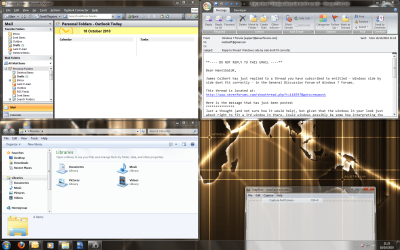
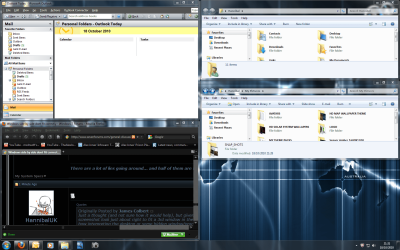
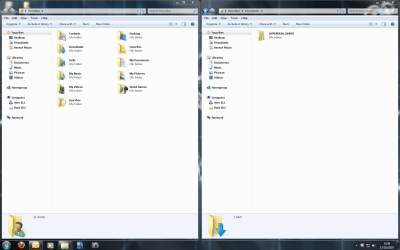
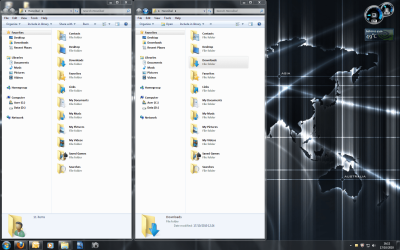
when i use the taskbar function to set windows side by side all i get is 2 small windows snapped onto the left side of my screen as oposed full screen coverage.
when i use snap by dragging it works no bother,
So far no one has been able to answer my issue so i have reposted for a fresh look.
see pic's;
1st picture i used drag to snap 2nd picture i used the taskbar to set windows side by side;
when i use snap by dragging it works no bother,
So far no one has been able to answer my issue so i have reposted for a fresh look.
see pic's;
1st picture i used drag to snap 2nd picture i used the taskbar to set windows side by side;
Attachments
My Computer
At a glance
WINDOWS 7 ULTIMATE X64AMD ATHLON II X2 215 DUAL CORE PROCESSOR4GB DDR2NVIDIA GEFORCE 9200 INTERGRATED
- Computer Manufacturer/Model Number
- ACER ASPIRE AX1301 DESKTOP
- OS
- WINDOWS 7 ULTIMATE X64
- CPU
- AMD ATHLON II X2 215 DUAL CORE PROCESSOR
- Motherboard
- ACER WMCP78M (SOCKET AM2)
- Memory
- 4GB DDR2
- Graphics Card(s)
- NVIDIA GEFORCE 9200 INTERGRATED
- Sound Card
- NVIDIA HIGH DEF AUDIO
- Monitor(s) Displays
- X223W - ACER
- Screen Resolution
- 1680X1050
- Hard Drives
- HDD 1TB DDR2
ODD DVD SUPER MULTI DRIVE
- Keyboard
- MICROSOFT INTELI PRO COMFORT
- Mouse
- MICROSOFT INTELI PRO
- Internet Speed
- 16.9MB