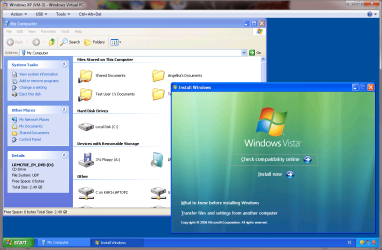
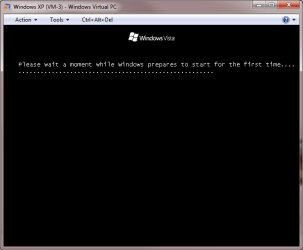
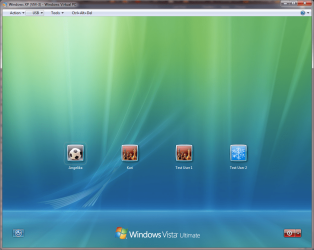
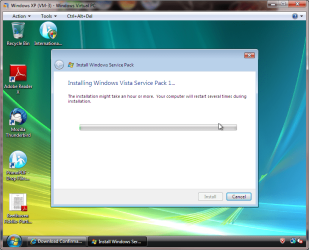
I'm running Win 7 Professional and have Virtual Windows XP set up.
I want to use a screen capture program so that I can create a demo
on how to upgrade from XP to W7.
Is it possible to use my Win 7 Upgrade CD and go through an Upgrade
of XP within the Virtual Windows XP? I realize that I won't be able to
activate W7 after the install (because I don't have a second licence)
but that's OK. I just want to capture the process.
What would be really great about this is that I can run a screen capture
program outside of the Virtual XP and then be able to capture the upgrade
process live. Even the Win 7 installation restarts would be captured because
the capture program would just be capturing the contents of a Window.
I want to use a screen capture program so that I can create a demo
on how to upgrade from XP to W7.
Is it possible to use my Win 7 Upgrade CD and go through an Upgrade
of XP within the Virtual Windows XP? I realize that I won't be able to
activate W7 after the install (because I don't have a second licence)
but that's OK. I just want to capture the process.
What would be really great about this is that I can run a screen capture
program outside of the Virtual XP and then be able to capture the upgrade
process live. Even the Win 7 installation restarts would be captured because
the capture program would just be capturing the contents of a Window.
My Computer
- Computer Manufacturer/Model Number
- Touch Screens
- OS
- 64 bit Win 7 Professional
- CPU
- Intel Pentium Dual-Core ES400 2.7GHZ
- Motherboard
- ASUS P5E3W5
- Memory
- 4G
- Graphics Card(s)
- NVIDIA GeForce 9800 GT 1G
- Sound Card
- Integrated
- Monitor(s) Displays
- Envision, ASUC
- Hard Drives
- Samsung 160 GB, WDC 160GB