You don't have to have any RAID arrays to use it.
I'm using the 10.0 beta with no problems.
It will work with your Intel ICH10R chipset, just use the RST driver 9.6.0.1014 version for your OCZ SSD.
What 10.0 Beta version are you using Dave?
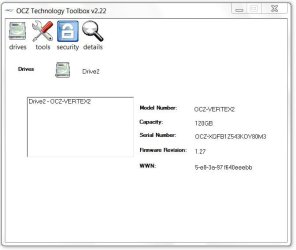
I'm using the 10.1.0.1008 version. The latest that I know of. They're WHQL and there even posted on Intels site now. (Although, OCZ doesn't have there firmware geared using the 10v yet, so you cant use their toolbox or flash firmware to the drive with them as it won't recognize. But they're fine to use otherwise.)
http://downloadcenter.intel.com/SearchResult.aspx?lang=eng&ProductFamily=Chipsets&ProductLine=Chipset+Software&ProductProduct=Intel%C2%AE+Rapid+Storage+Technology+%28Intel%C2%AE+RST%29&ProdId=2101&LineId=1090&FamilyId=40
Don't think it's actually a beta, 10.0.0.1046, got it from Station Drivers and it wasn't on Intel's site yet so, maybe pre-published.
Just D/L'ed the 10.1.0.1008 version.
If you are not afraid of spending the 20 bucks, the tool is the way to go. Then you are certain that everything is perfect.
I assume that this DOESNT apply if one of the reasons you are adding an SSD is because something has gone haywire in your current OS? Or is that not an issue? I ask because I wrote this earlier today as my first post (no one has answered it yet....):
OK, newbie here!
Glad I found this forum and tutorial.
I'm running a Dell XPS Studio 8100, Lynnfield, I7-860, 2.8 & 8gb RAM. I do a lot of photo editing and was getting tired of my old XP machine. I upgraded to this a few months ago. It's been fairly good but certainly not as snappy as I had hoped for going from my old 8400 to this.
That said, the OS has been a bit flaky lately and I can't boot without getting the black screen and flashing cursor, I have to hit f12 and then go from there for the OS to boot properly.
With that in mind, I've decided to order a 120gb or so SSD as my primary drive. I keep the old boot drive for data only.
Here's what I need to know:
- I will be clean installing Windows 7 Pro x64 from the factory Re-installation disc from Dell onto the new SSD. Will this work?
- Do I need to do anything other than putting the disc into the drive when I start the computer?
- I assume, once I have the OS installed on the SSD, I can then reattach the original HD without fear of the computer trying to boot from that drive?
Agree with essenbe and sygnus21.
- I will be clean installing Windows 7 Pro x64 from the factory Re-installation disc from Dell onto the new SSD. Will this work?
Yes, since you're having OS issues I would recommend to do the clean install, as you mentioned.
- Do I need to do anything other than putting the disc into the drive when I start the computer?
Yes,
First check for firmware update, install if not the latest.
Second, enable ACHI or RAID in your BIOS, whichever your Dell has options for. RAID will give you all the benefits of AHCI and you don't need to have anything in a RAID array.
Third, it's best to have the SSD in SATA port 0, unplug all other drives. Except the DVD if you are using it. I would recommend installing from USB memory stick, will be a little faster, but not absolutely necessary.
You don't need to do anything else to a new 'out of the box' SSD. Don't format it or make any partitions.
This will give you the small 'System Reserved' partition, 100mb, which is preferable. Unless you have a preference against it, up to you.
Win7 will align the partition and set all of the basic settings for the SSD.
You can make more partitions after the installation if you want.
- I assume, once I have the OS installed on the SSD, I can then reattach the original HD without fear of the computer trying to boot from that drive?
Should be set to the SSD.
If it's not just go into the Boot device list in BIOS and change the preference order to the SSD above the HDD.





 )
)