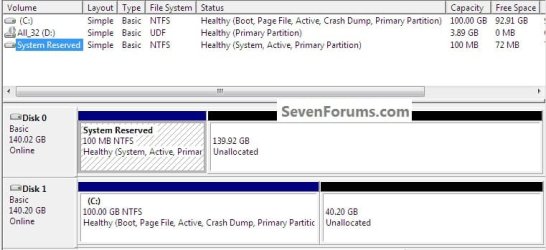
Okay, let me make sure I have this right:
- (from win7) mark the win7 partition as active
- mark the vista partition as inactive (can only be done from cmd)
- create a restore disc
- boot from the restore disc
- run startup repair from whatever menu comes up
- repeat the previous step 3 times
If this is correct, it will be what I try tonight when I get home.
- (from win7) mark the win7 partition as active
- mark the vista partition as inactive (can only be done from cmd)
- create a restore disc
- boot from the restore disc
- run startup repair from whatever menu comes up
- repeat the previous step 3 times
If this is correct, it will be what I try tonight when I get home.
My Computer
At a glance
Windows 10 + Ubuntu + macOSIntel i7-6700k32 GiBnVidia GTX 1070
- Computer type
- PC/Desktop
- Computer Manufacturer/Model Number
- Custom build, 2015 15" Macbook Pro
- OS
- Windows 10 + Ubuntu + macOS
- CPU
- Intel i7-6700k
- Motherboard
- ASUS Prime x270
- Memory
- 32 GiB
- Graphics Card(s)
- nVidia GTX 1070
- Monitor(s) Displays
- Multiple
- Screen Resolution
- 3840 x 2160
- Hard Drives
- 20 TiB
- PSU
- Pretty good
- Case
- Some sort of Fractal Design Tower
- Cooling
- Could be better
- Keyboard
- Microsoft Sculpt
- Mouse
- MX Master
- Internet Speed
- 100 Mbit/s down -- 4 Mbit/s up
- Browser
- Firefox
- Other Info
- Arial >> Calibri