I had this problem
---------------------------------------------------------------
I installed windows 7 two days ago and everything works fine for me except one.
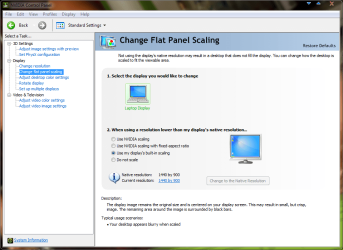
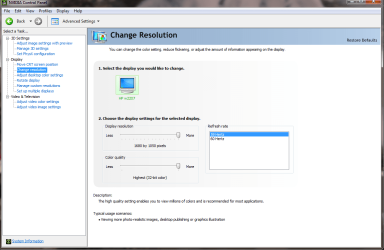
I can't run video games on lower resolutions. For example, I use to run counter strike source on Vista with resolution 1280x1024 (LCD) and Aspect ratio ( normal 4:3 ) and it was working perfectly. Now when im running counter strike source at this resolution I can't see the menu normally the screen look too narrow (black at sides) . and this problem is not only on counter strike with other games i have the same problem i can't lower the resolution.
----------------------------------------------------------------------
Sorry my english is limited
----------------------------------------------------------------------
just right now , i found the solution i installed old vista driver for my video card on windows 7, this one is 182.50_geforce_winvista_64bit_english_whql and it helpd a lot, it fix this problem.
I think If you have similar problem you can fix it by installing old driver for your video card. ( i installed Vista driver for my video card and it works!!! )
--------------------------------------------------------------------------
I hope this will be helpful.
---------------------------------------------------------------
I installed windows 7 two days ago and everything works fine for me except one.
I can't run video games on lower resolutions. For example, I use to run counter strike source on Vista with resolution 1280x1024 (LCD) and Aspect ratio ( normal 4:3 ) and it was working perfectly. Now when im running counter strike source at this resolution I can't see the menu normally the screen look too narrow (black at sides) . and this problem is not only on counter strike with other games i have the same problem i can't lower the resolution.
----------------------------------------------------------------------
Sorry my english is limited
----------------------------------------------------------------------
just right now , i found the solution i installed old vista driver for my video card on windows 7, this one is 182.50_geforce_winvista_64bit_english_whql and it helpd a lot, it fix this problem.
I think If you have similar problem you can fix it by installing old driver for your video card. ( i installed Vista driver for my video card and it works!!! )
--------------------------------------------------------------------------
I hope this will be helpful.
My Computer
- OS
- Windows 7