Software for Backup to External Hard Drive

abredt

New member
Member
Local time
6:26 AM
Messages
80
New desktop with Windows 7 (64 bit) Home Premium.

I want to use a system backup to a 1 or 2 TB external hard drive. Should I use the software within Windows 7 or the software that comes with the external hard drive or other?

Is there a brand of hard drive whose software you can recommend?

Thanks, cb
 

My Computer

Computer Manufacturer/Model Number
Dell 15R Laptop
OS
Windows 7 Home Premium
CPU
Intel Core i5
Memory
6 GB
abredt,
Welcome to SF. I would suggest Acronis software personally. What make is the hard drive and included software? I've also used the W7 back up and found if very capable.
 

My Computer

Computer type
PC/Desktop
Computer Manufacturer/Model Number
A blend of brains, brawn and dumb luck.
OS
Windows 7 Ultimate 64
CPU
i7 3770k OC'd 4.6 @ 1.17v, also FX 8120 & i5 miniITX
Motherboard
MSI P67A-GD80 b3
Memory
32 gb G.Skill Sniper DDR3 10-12-12-31 @ 2133
Graphics Card(s)
XFX Radeon 7870 2GB DDR5
Sound Card
Sound Blaster Z Series Card
Monitor(s) Displays
(2) LG LED 23" 1920 x 1080 2ms Monitors via mini d-port
Screen Resolution
1680 X 1050 p
Hard Drives
Samsung 256 gb 830 SSD sata III
(1) 1 tb WD Black
(2) 1 tb Hitachi deskmates/sata II
(2) 1 tb WD green/sata II
(2) 3 tb Seagate Barracuda
(1) 120 gb OCZ Vertex SS
(1) Drobo 5N w/5 Seagate 3tb
PSU
EVGA modular 1000G2 80% gold rating & APC 1200 RS
Case
CoolerMaster Storm Styker
Cooling
7 case fans 140mm & 120mm, NZXT Kraken X60
Keyboard
(2) Logitech Illuminated Keyboards (1) usb (1) wireless
Mouse
Logitech G700 & T-BC21 - nano nx for the laptop
Internet Speed
Basic 120mbps down
Antivirus
Trend Micro Titanium Max Security & Malwarebytes Premium
Browser
Chrome and IE 10
Other Info
5 Noctua case fans + 3 Noctua in p/p on NZXT cooler
Integrated hot swap drive bays for 2.5" Drives
(2) Lite-on dvd/cd/Blu Ray optical 22X
Integrated fan controller and led on/off
HP Officejet Pro 8630 all-n-one
Hot-swappable 3.5" hard drive bay
Netgear Nighthawk router
Asus USB 3 & sata 6 PCIe card
Vantec IDE to sata adptr./Ultra sata adptr
Lenovo L420 i5 lappy with m sata
Drobo 5N advanced NAS
  • Like
Reactions: JMH

My Computer

Computer type
PC/Desktop
Computer Manufacturer/Model Number
A blend of brains, brawn and dumb luck.
OS
Windows 7 Ultimate 64
CPU
i7 3770k OC'd 4.6 @ 1.17v, also FX 8120 & i5 miniITX
Motherboard
MSI P67A-GD80 b3
Memory
32 gb G.Skill Sniper DDR3 10-12-12-31 @ 2133
Graphics Card(s)
XFX Radeon 7870 2GB DDR5
Sound Card
Sound Blaster Z Series Card
Monitor(s) Displays
(2) LG LED 23" 1920 x 1080 2ms Monitors via mini d-port
Screen Resolution
1680 X 1050 p
Hard Drives
Samsung 256 gb 830 SSD sata III
(1) 1 tb WD Black
(2) 1 tb Hitachi deskmates/sata II
(2) 1 tb WD green/sata II
(2) 3 tb Seagate Barracuda
(1) 120 gb OCZ Vertex SS
(1) Drobo 5N w/5 Seagate 3tb
PSU
EVGA modular 1000G2 80% gold rating & APC 1200 RS
Case
CoolerMaster Storm Styker
Cooling
7 case fans 140mm & 120mm, NZXT Kraken X60
Keyboard
(2) Logitech Illuminated Keyboards (1) usb (1) wireless
Mouse
Logitech G700 & T-BC21 - nano nx for the laptop
Internet Speed
Basic 120mbps down
Antivirus
Trend Micro Titanium Max Security & Malwarebytes Premium
Browser
Chrome and IE 10
Other Info
5 Noctua case fans + 3 Noctua in p/p on NZXT cooler
Integrated hot swap drive bays for 2.5" Drives
(2) Lite-on dvd/cd/Blu Ray optical 22X
Integrated fan controller and led on/off
HP Officejet Pro 8630 all-n-one
Hot-swappable 3.5" hard drive bay
Netgear Nighthawk router
Asus USB 3 & sata 6 PCIe card
Vantec IDE to sata adptr./Ultra sata adptr
Lenovo L420 i5 lappy with m sata
Drobo 5N advanced NAS
Most here probably use more than one and the choices will depend on who you ask. Personally, I use windows backup, Macrium Free, and Acronis. By using more than one program you are pretty assured one will work. I back up to an internal drive as well as 2 external drives. If you have a Western Digital or Seagate hard drive, they both offer a condenced version of Acronis which can be downloaded from their web site. I use microsoft synctoy to back up my user files seprately.
 

My Computers

System One System Two

  • Computer type
    PC/Desktop
    Computer Manufacturer/Model Number
    ALWAYS UNDER CONSTRUCTION
    OS
    Windows 11 Pro
    CPU
    Ryzen 9 5900X
    Motherboard
    Asus X570 Crosshair Viii Hero
    Memory
    32GB G Skill DDR4-3600
    Graphics Card(s)
    EVGA RTX 3080 FTW 3 Ultra
    Sound Card
    On Board/Sennheiser PC37X Headset
    Monitor(s) Displays
    3 X Asus 27"
    Screen Resolution
    2560x1440
    Hard Drives
    2 X 1 TB NVME drives
    PSU
    EVGA 850
    Case
    Phanteks Eclipse P400A
    Cooling
    EVGA 280 AIO
    Keyboard
    Logitech G510s/ Logitech G13
    Mouse
    Logitech G502
    Internet Speed
    24/1
    Antivirus
    ESET/MBAM Pro/SAS Pro
    Browser
    Chrome/ Firefox/ Edge
  • Computer type
    Laptop
    System Manufacturer/Model Number
    Dell 16 Plus
    OS
    Windows 11 Pro
    CPU
    Intel Ultra 9 288V
    Memory
    32 GB LPDDR5X 8533
    Monitor(s) Displays
    16" Mini-LED HDR600 Touch 90 Hz
    Screen Resolution
    2560X1600
    Hard Drives
    1 TB NVME
I would recommend
1) Inbuilt Windows imaging (used manually via the "create a system image" button not setup automatically (ticked) in the backup settings).
2) Macrium Reflect free.

Both are free. Some don't like 1) for various reasons but has served me well in over 20+ images and 10+ full system restores.
You will find tutorials on both in the Tutorial section. Link to Macrium in free programs listing.
 

My Computer

Computer type
PC/Desktop
Computer Manufacturer/Model Number
Own build
OS
Windows 7x64 Home Premium SP1
CPU
Intel i7 2600k
Motherboard
ASUS P8Z68 Deluxe
Memory
G.Skill Ripjaws (DDR3-1600) 2x4GB
Graphics Card(s)
Nvidia GeForce GTS 450; Intel HD Graphics 3000(GT2+)
Monitor(s) Displays
Dell Ultrasharp IPS panel U2311H, Samsung SyncMaster P2350
Screen Resolution
1920x1080
Hard Drives
Samsung 850 Pro SSD 256GB, Samsung SSD 840 120GB, Seagates 1TB Barracuda ST31000528AS x2
PSU
Seasonic M12II 520W
Case
Lian Li Lancool PC-K60
Cooling
Case: 1x120mm, 3x140mm CPU: Hyper 212+
Keyboard
Logitech MK520 (wireless)
Mouse
Logitech MK520
Internet Speed
6-7 Mbps
Antivirus
Norton Security Premium, Malwarebytes on 2 (MSE on 3rd PC)
Browser
FireFox
Other Info
Audio: Logitech Z523 2.1
  • Like
Reactions: JMH
Hello abredt, welcome to Seven Forums!


Quite a few have serious issues with Windows backup; have a look at this tutorial at the link below and be sure to post back with any further questions you may have and to keep us informed.


Imaging with free Macrium
 

My Computer

Computer Manufacturer/Model Number
* BFK Customs *
OS
W 7 64-bit Ultimate
CPU
Intel Q9550 Yorkfield
Motherboard
ASUS P5Q Pro
Memory
8GB Dominator 8500C5D
Graphics Card(s)
ATI : XFX 5870
Sound Card
Realtek HD Audio 7-1
Monitor(s) Displays
1x 47" LCD HDMI & 3x 26" LCD HDMI
Screen Resolution
1920x1080P & 1920x1200
Hard Drives
1x 80GB Intel X25-M G2 SSD : 1x 500GB & 1x 640GB WD Caviar Black(s)
PSU
Corsair 620HX
Case
Cooler Master RC-690
Cooling
Tuniq Tower 120, 2x 140mm and 3x 120mm case fans
Keyboard
Microsoft 500
Mouse
Razer Diamondback 3G
Internet Speed
14 Mb/s
Other Info
1x Koutech 3Gb/s SATA HDD Hot Swap Rack
Windows 7's built in Backup and Restore has proven to be a hit or miss proposition for me. Twice it has worked properly and three times it simply refused to work when restore time came around! :cry:

Thus the idea of running two or three different imaging programs has the most merit of any suggestions you will find anywhere. :geek:

Since there are several really competent completely FREE imaging programs to be found, you have an embarrassment of riches to choose from.

1. If you have a Seagate hard drive anywhere in your machine (not just as the boot drive) you can download their free DiscWizard program from their website. When you use it to image your drive, it will offer you the very latest Acronis Drive Image program for $30 US. That is a fair price, and 40% off retail, for probably the best imaging program around. Still, if you don't mind DiscWizard and the fact it does not offer any scheduling options then have at it.

2. Paragon Backup and Recovery Free 2011 is also excellent and offers scheduling. However, I find the recovery boot disc to be problematic on my current machine because it just won't recognise my Logitech wireless mouse, and I end up having to control + tab around like crazy to get anything done with it. It has become a real nuisance to me, taking hours to make a simple image that used to take it 5 minutes, and I'm now on the verge of tossing it in the dumpster.

3. I just downloaded and used EaseUS's free Todo Backup 2.5.1 tonight and tried it out. It worked perfectly and restored perfectly too, requiring 25 minutes to make the image but only 11 minutes to restore it from the Linux boot disc. This is a nice slick program and allows scheduling, as well as the ability to restrict the number of backup images it will store--a feature that is very hard to find on free imaging programs and will save you a lot of space on your back up disc.

There you go. Good luck and let us know how it goes for you! :cool:
 

My Computer

Computer Manufacturer/Model Number
Custom Build
OS
Windows 7 Home Premium 64bit
CPU
AMD Phenom II X4 955 Black Edition o/c 3700MHz--will do 4GHz
Motherboard
Gigabyte GA-890GPA-UD3H
Memory
Kingston HyperX 1600MHz CL9 12 GB
Graphics Card(s)
Sapphire Radeon HD 6850 1 GB
Sound Card
Creative Audigy2 ZS Platinum
Monitor(s) Displays
BenQ BL2400 24 inch LCD
Screen Resolution
1920x1080
Hard Drives
Patriot Inferno SSD 60 GB,
Seagate 1 TB,
Samsung 1 TB External eSATA
PSU
Sparkle 500 watt 80 Plus Certified
Case
Lancool K7B
Cooling
Cooler Master Hyper 212 Plus
Keyboard
Smart Office EZ-8000
Mouse
Logitech MX Laser 1000 Rechargeable Wireless Mouse
Internet Speed
Shaw Motorola High Speed Cable Modem
Other Info
Isn't it sad how quickly we become used to our faster new PCs?
Use anything suggested above (Acronis, Macrium, Paragon) but NOT the built in Windows imaging. It has no function, you never know what it does and gives you nothing but headaches. There are some experts that seem to get along with it, but they are far and apart.
 

My Computer

Computer Manufacturer/Model Number
HP, Dell, Gateway, Toshiba - 4 laptops and 2 desktops
OS
Vista, Windows7, Mint Mate, Zorin, Windows 8
CPU
from 1.6GHz Duo to i7
Monitor(s) Displays
2x HP w2207
Hard Drives
5x HDD, 7x SSD, 12x Externals
Keyboard
with trackball - no mices
Mouse
Trackball mice
Internet Speed
DSL 6000
Use anything suggested above (Acronis, Macrium, Paragon) but NOT the built in Windows imaging. It has no function, you never know what it does and gives you nothing but headaches. There are some experts that seem to get along with it, but they are far and apart.

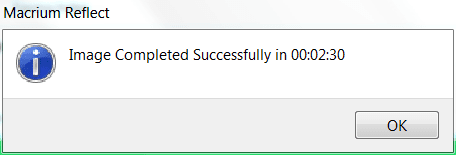
I agree with WHS. System image has not been reliable for me. I use Westwen Digital's version of Acronis (free) and free Macrium. Probably the fastest and simplest imaging program is Macrium. It has a simple easy to use interface and is very quick. To show you, I did a backup last night with Macrium.
Capture.PNG

It will restore using a linux CD that also has a simple interface and takes only a couple minutes longer. It has saved me several times.
 

My Computers

System One System Two

  • Computer type
    PC/Desktop
    Computer Manufacturer/Model Number
    ALWAYS UNDER CONSTRUCTION
    OS
    Windows 11 Pro
    CPU
    Ryzen 9 5900X
    Motherboard
    Asus X570 Crosshair Viii Hero
    Memory
    32GB G Skill DDR4-3600
    Graphics Card(s)
    EVGA RTX 3080 FTW 3 Ultra
    Sound Card
    On Board/Sennheiser PC37X Headset
    Monitor(s) Displays
    3 X Asus 27"
    Screen Resolution
    2560x1440
    Hard Drives
    2 X 1 TB NVME drives
    PSU
    EVGA 850
    Case
    Phanteks Eclipse P400A
    Cooling
    EVGA 280 AIO
    Keyboard
    Logitech G510s/ Logitech G13
    Mouse
    Logitech G502
    Internet Speed
    24/1
    Antivirus
    ESET/MBAM Pro/SAS Pro
    Browser
    Chrome/ Firefox/ Edge
  • Computer type
    Laptop
    System Manufacturer/Model Number
    Dell 16 Plus
    OS
    Windows 11 Pro
    CPU
    Intel Ultra 9 288V
    Memory
    32 GB LPDDR5X 8533
    Monitor(s) Displays
    16" Mini-LED HDR600 Touch 90 Hz
    Screen Resolution
    2560X1600
    Hard Drives
    1 TB NVME
For what it's worth a free copy of Easeus Todo Backup Pro v2.5 is available here:

EASEUS Todo Backup Professional 2.5 Review & Giveaway

From the linked site:
"EASEUS Todo Backup Professional cost $29 for a single copy. It isn’t expensive for this great backup and recovery tool, but Freebiest will bring to you a chance to grab it for free."

Downloaded, installed and working as described.

While I'd prefer to use Macrium it could not see my external USB WD drive for recovery.
 

My Computer

Computer type
PC/Desktop
Computer Manufacturer/Model Number
1. HP p6733w Desktop 2. HP Envy 700-515xt Desktop
OS
1. Windows 7 Home Premium sp1 - 64bit 2. Windows 7 Pro sp1 - 64bit
CPU
1. AMD Phenom II x2 511 3.4GHz 2. Intel i7-4790 Quad 4.0GHz
Motherboard
1. N-Alvorix-RS880-uATX 2. Kaili2
Memory
1. 5 GB - DDR3 2. 8GB DDR3-1600MHz
Graphics Card(s)
Integrated 1. ATI Radeon 4200 2. Intel HD Graphics 4600
Sound Card
1. Realtek High Definition Audio 2. Realtek (Neutered Beats)
Monitor(s) Displays
1. Acer V193L 2. HP 2311 Series Wide LCD
Screen Resolution
1. 1280 x 1024 2. 1920 x 1080
Hard Drives
1. 750 GB - 7200 RPM SATA 2. 1TB 7200 RPM SATA
PSU
1. 250w 2. 300w
Cooling
Stock
Keyboard
Logitech USB keyboard
Mouse
Logitech USB optical mouse
Internet Speed
1.0 - 2.0 mbps
Antivirus
Eset Smart Security v9.0.349.0
Browser
Pale Moon
While I'd prefer to use Macrium it could not see my external USB WD drive for recovery.
Was that a USB3 drive?
 

My Computer

Computer Manufacturer/Model Number
HP, Dell, Gateway, Toshiba - 4 laptops and 2 desktops
OS
Vista, Windows7, Mint Mate, Zorin, Windows 8
CPU
from 1.6GHz Duo to i7
Monitor(s) Displays
2x HP w2207
Hard Drives
5x HDD, 7x SSD, 12x Externals
Keyboard
with trackball - no mices
Mouse
Trackball mice
Internet Speed
DSL 6000

My Computer

Computer type
PC/Desktop
Computer Manufacturer/Model Number
1. HP p6733w Desktop 2. HP Envy 700-515xt Desktop
OS
1. Windows 7 Home Premium sp1 - 64bit 2. Windows 7 Pro sp1 - 64bit
CPU
1. AMD Phenom II x2 511 3.4GHz 2. Intel i7-4790 Quad 4.0GHz
Motherboard
1. N-Alvorix-RS880-uATX 2. Kaili2
Memory
1. 5 GB - DDR3 2. 8GB DDR3-1600MHz
Graphics Card(s)
Integrated 1. ATI Radeon 4200 2. Intel HD Graphics 4600
Sound Card
1. Realtek High Definition Audio 2. Realtek (Neutered Beats)
Monitor(s) Displays
1. Acer V193L 2. HP 2311 Series Wide LCD
Screen Resolution
1. 1280 x 1024 2. 1920 x 1080
Hard Drives
1. 750 GB - 7200 RPM SATA 2. 1TB 7200 RPM SATA
PSU
1. 250w 2. 300w
Cooling
Stock
Keyboard
Logitech USB keyboard
Mouse
Logitech USB optical mouse
Internet Speed
1.0 - 2.0 mbps
Antivirus
Eset Smart Security v9.0.349.0
Browser
Pale Moon
For what it's worth a free copy of Easeus Todo Backup Pro v2.5 is available here:

EASEUS Todo Backup Professional 2.5 Review & Giveaway

From the linked site:
"EASEUS Todo Backup Professional cost $29 for a single copy. It isn’t expensive for this great backup and recovery tool, but Freebiest will bring to you a chance to grab it for free."

Downloaded, installed and working as described.

While I'd prefer to use Macrium it could not see my external USB WD drive for recovery.

Hi scr,

I downloaded and installed this Pro version you linked for us. Thank you for the link!

During the install I looked at the licensing agreement and it was talking about it being a 15 day trial. Hopefully this is not the case. What it seems to be is a version of the program they have ceased to offer for sale any longer. In fact, it looks like it is the immediate predecessor of their new totally free Todo Backup program because it is called version 2.5 while the current free one is 2.5.1.

I have it doing a backup right now, so I'll get back to you on how well it works, and whether it is missing any features the free 2.5.1 version is now sporting.
 

My Computer

Computer Manufacturer/Model Number
Custom Build
OS
Windows 7 Home Premium 64bit
CPU
AMD Phenom II X4 955 Black Edition o/c 3700MHz--will do 4GHz
Motherboard
Gigabyte GA-890GPA-UD3H
Memory
Kingston HyperX 1600MHz CL9 12 GB
Graphics Card(s)
Sapphire Radeon HD 6850 1 GB
Sound Card
Creative Audigy2 ZS Platinum
Monitor(s) Displays
BenQ BL2400 24 inch LCD
Screen Resolution
1920x1080
Hard Drives
Patriot Inferno SSD 60 GB,
Seagate 1 TB,
Samsung 1 TB External eSATA
PSU
Sparkle 500 watt 80 Plus Certified
Case
Lancool K7B
Cooling
Cooler Master Hyper 212 Plus
Keyboard
Smart Office EZ-8000
Mouse
Logitech MX Laser 1000 Rechargeable Wireless Mouse
Internet Speed
Shaw Motorola High Speed Cable Modem
Other Info
Isn't it sad how quickly we become used to our faster new PCs?
For what it's worth a free copy of Easeus Todo Backup Pro v2.5 is available here:

EASEUS Todo Backup Professional 2.5 Review & Giveaway

From the linked site:
"EASEUS Todo Backup Professional cost $29 for a single copy. It isn’t expensive for this great backup and recovery tool, but Freebiest will bring to you a chance to grab it for free."

Downloaded, installed and working as described.

While I'd prefer to use Macrium it could not see my external USB WD drive for recovery.

Hi scr,

I downloaded and installed this Pro version you linked for us. Thank you for the link!

During the install I looked at the licensing agreement and it was talking about it being a 15 day trial. Hopefully this is not the case. What it seems to be is a version of the program they have ceased to offer for sale any longer. In fact, it looks like it is the immediate predecessor of their new totally free Todo Backup program because it is called version 2.5 while the current free one is 2.5.1.

I have it doing a backup right now, so I'll get back to you on how well it works, and whether it is missing any features the free 2.5.1 version is now sporting.

I hope it isn't a 15 day trial offer as well. according to the linked website:

"In cooperation between Freebiest and CHENGDU YIWO Tech Development Co., Ltd., we offer for all you can enjoy EASEUS Todo Backup Professional 2.5 free totally with Freebiest full version edtion (no license code is needed)"

I guess I'll know for sure in 14 days.
 

My Computer

Computer type
PC/Desktop
Computer Manufacturer/Model Number
1. HP p6733w Desktop 2. HP Envy 700-515xt Desktop
OS
1. Windows 7 Home Premium sp1 - 64bit 2. Windows 7 Pro sp1 - 64bit
CPU
1. AMD Phenom II x2 511 3.4GHz 2. Intel i7-4790 Quad 4.0GHz
Motherboard
1. N-Alvorix-RS880-uATX 2. Kaili2
Memory
1. 5 GB - DDR3 2. 8GB DDR3-1600MHz
Graphics Card(s)
Integrated 1. ATI Radeon 4200 2. Intel HD Graphics 4600
Sound Card
1. Realtek High Definition Audio 2. Realtek (Neutered Beats)
Monitor(s) Displays
1. Acer V193L 2. HP 2311 Series Wide LCD
Screen Resolution
1. 1280 x 1024 2. 1920 x 1080
Hard Drives
1. 750 GB - 7200 RPM SATA 2. 1TB 7200 RPM SATA
PSU
1. 250w 2. 300w
Cooling
Stock
Keyboard
Logitech USB keyboard
Mouse
Logitech USB optical mouse
Internet Speed
1.0 - 2.0 mbps
Antivirus
Eset Smart Security v9.0.349.0
Browser
Pale Moon
OK, this Pro version seems to be identical to the Free one, except it allows you to backup to a FTP site. The backup itself took 34 minutes versus the free version's 26 minutes. The recovery disc seems to be the identical Linux boot CD as the free one uses.

Those are the only differences I can see. Still, this is a terrific program for the cost of nothing at all!
 

My Computer

Computer Manufacturer/Model Number
Custom Build
OS
Windows 7 Home Premium 64bit
CPU
AMD Phenom II X4 955 Black Edition o/c 3700MHz--will do 4GHz
Motherboard
Gigabyte GA-890GPA-UD3H
Memory
Kingston HyperX 1600MHz CL9 12 GB
Graphics Card(s)
Sapphire Radeon HD 6850 1 GB
Sound Card
Creative Audigy2 ZS Platinum
Monitor(s) Displays
BenQ BL2400 24 inch LCD
Screen Resolution
1920x1080
Hard Drives
Patriot Inferno SSD 60 GB,
Seagate 1 TB,
Samsung 1 TB External eSATA
PSU
Sparkle 500 watt 80 Plus Certified
Case
Lancool K7B
Cooling
Cooler Master Hyper 212 Plus
Keyboard
Smart Office EZ-8000
Mouse
Logitech MX Laser 1000 Rechargeable Wireless Mouse
Internet Speed
Shaw Motorola High Speed Cable Modem
Other Info
Isn't it sad how quickly we become used to our faster new PCs?
Hi there
This actually looks quite good too -- The Stand alone (Bootable) version also works on a SERVER (W2K3) -- just tried it.


I think you will have a problem with ESATA drives however -- but if you haven't got any then this isn't a problem.

This program seems to be the best freebie so far -- I do NEED ESATA capability however but if you don't this program should answer all your needs.

Cheers
jimbo
 

My Computer

Computer type
PC/Desktop
Computer Manufacturer/Model Number
Custom built, several laptops HP/ASUS
OS
Linux CENTOS 7 / various Windows OS'es and servers
CPU
Intel i7 Intel i5
Memory
8GB, 16GB
Graphics Card(s)
On Motherboard
Sound Card
Realtek HD audio
Monitor(s) Displays
Apple Cinema display, Samsung LCD
Screen Resolution
1920 X 1080
Hard Drives
4 X 1TB SATA
Mouse
Toshiba wireless laser
Internet Speed
> 20MB up
Hi there
This actually looks quite good too -- The Stand alone (Bootable) version also works on a SERVER (W2K3) -- just tried it.


I think you will have a problem with ESATA drives however -- but if you haven't got any then this isn't a problem.

This program seems to be the best freebie so far -- I do NEED ESATA capability however but if you don't this program should answer all your needs.

Cheers
jimbo

Actually, when I did the recovery of the image of my C drive, using the free Todo version, it was stored on my external Samsung 1 TB eSATA disc. The Linux boot disc allowed me to navigate to the stored image file on the correct partition without any problems. So maybe it is just what you need.
 

My Computer

Computer Manufacturer/Model Number
Custom Build
OS
Windows 7 Home Premium 64bit
CPU
AMD Phenom II X4 955 Black Edition o/c 3700MHz--will do 4GHz
Motherboard
Gigabyte GA-890GPA-UD3H
Memory
Kingston HyperX 1600MHz CL9 12 GB
Graphics Card(s)
Sapphire Radeon HD 6850 1 GB
Sound Card
Creative Audigy2 ZS Platinum
Monitor(s) Displays
BenQ BL2400 24 inch LCD
Screen Resolution
1920x1080
Hard Drives
Patriot Inferno SSD 60 GB,
Seagate 1 TB,
Samsung 1 TB External eSATA
PSU
Sparkle 500 watt 80 Plus Certified
Case
Lancool K7B
Cooling
Cooler Master Hyper 212 Plus
Keyboard
Smart Office EZ-8000
Mouse
Logitech MX Laser 1000 Rechargeable Wireless Mouse
Internet Speed
Shaw Motorola High Speed Cable Modem
Other Info
Isn't it sad how quickly we become used to our faster new PCs?
Hi there
This actually looks quite good too -- The Stand alone (Bootable) version also works on a SERVER (W2K3) -- just tried it.


I think you will have a problem with ESATA drives however -- but if you haven't got any then this isn't a problem.

This program seems to be the best freebie so far -- I do NEED ESATA capability however but if you don't this program should answer all your needs.

Cheers
jimbo

Actually, when I did the recovery of the image of my C drive, using the free Todo version, it was stored on my external Samsung 1 TB eSATA disc. The Linux boot disc allowed me to navigate to the stored image file on the correct partition without any problems. So maybe it is just what you need.

Actually the creation of a WinPE recovery Disk is what I needed to see my external drive. I didn't try the Linux boot disc as it didn't work with Macrium. This option is available in both offerings of Todo.
 

My Computer

Computer type
PC/Desktop
Computer Manufacturer/Model Number
1. HP p6733w Desktop 2. HP Envy 700-515xt Desktop
OS
1. Windows 7 Home Premium sp1 - 64bit 2. Windows 7 Pro sp1 - 64bit
CPU
1. AMD Phenom II x2 511 3.4GHz 2. Intel i7-4790 Quad 4.0GHz
Motherboard
1. N-Alvorix-RS880-uATX 2. Kaili2
Memory
1. 5 GB - DDR3 2. 8GB DDR3-1600MHz
Graphics Card(s)
Integrated 1. ATI Radeon 4200 2. Intel HD Graphics 4600
Sound Card
1. Realtek High Definition Audio 2. Realtek (Neutered Beats)
Monitor(s) Displays
1. Acer V193L 2. HP 2311 Series Wide LCD
Screen Resolution
1. 1280 x 1024 2. 1920 x 1080
Hard Drives
1. 750 GB - 7200 RPM SATA 2. 1TB 7200 RPM SATA
PSU
1. 250w 2. 300w
Cooling
Stock
Keyboard
Logitech USB keyboard
Mouse
Logitech USB optical mouse
Internet Speed
1.0 - 2.0 mbps
Antivirus
Eset Smart Security v9.0.349.0
Browser
Pale Moon
Hi there
The Linux stand alone disc works fine and sees an Esata device.

In general the Linux distros tend to support new devices often quicker than windows -- advantage of "Open Source Devlopement" of course vs traditional methods of proprietary Software development.

Not only that -- if you are a little bit adventurous you can of course compile your own kernel. !!! however that's a bit extreme for most users.

However back to the point -- this definitely works "exactly as it says on the tin" so grab it while its free.

BTW it actually INSTALLS fine on W2K3 sever (I'm running a W2K3 VM) -- and runs fine so the statement on the website that says "Doesn't support a Server" seems to be a load of "Little round objects".

Cheers
jimbo
 

My Computer

Computer type
PC/Desktop
Computer Manufacturer/Model Number
Custom built, several laptops HP/ASUS
OS
Linux CENTOS 7 / various Windows OS'es and servers
CPU
Intel i7 Intel i5
Memory
8GB, 16GB
Graphics Card(s)
On Motherboard
Sound Card
Realtek HD audio
Monitor(s) Displays
Apple Cinema display, Samsung LCD
Screen Resolution
1920 X 1080
Hard Drives
4 X 1TB SATA
Mouse
Toshiba wireless laser
Internet Speed
> 20MB up
Back
Top