Hey guys i am new to the forum!
For a couple of days I've been using a slicer icon pack for iconpackager then i decided that
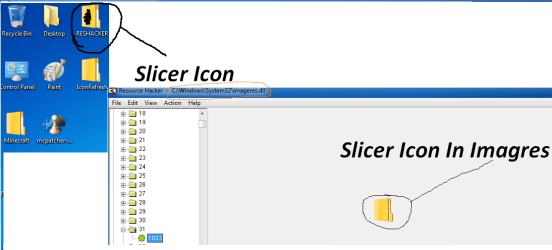
i want to go back to default icons, but each time I click default windows icon pack it does not work there is still some icons still applied I have tried to reboot, clear icon cache system restore sfc /scannow still not working. So after trying all of them i decided to check if imagres.dll was the problem i opened up ResHacker and when into system32 and clicked on imagres.dll and I saw that there was Slicer Icons left instead of Windows 7 icons. So could someone could just upload there default Imagres.dll and I could replace it.
Please and Thank You! I have tried fixing for 3 days still no luck
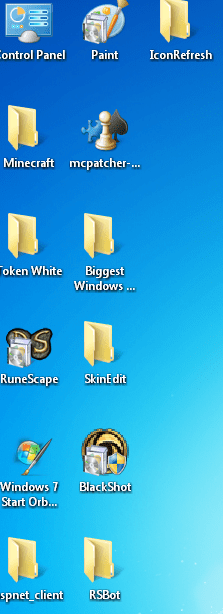
And Here are some screen shots:
- IPSucks
For a couple of days I've been using a slicer icon pack for iconpackager then i decided that
i want to go back to default icons, but each time I click default windows icon pack it does not work there is still some icons still applied I have tried to reboot, clear icon cache system restore sfc /scannow still not working. So after trying all of them i decided to check if imagres.dll was the problem i opened up ResHacker and when into system32 and clicked on imagres.dll and I saw that there was Slicer Icons left instead of Windows 7 icons. So could someone could just upload there default Imagres.dll and I could replace it.
Please and Thank You! I have tried fixing for 3 days still no luck
And Here are some screen shots:
-
IPSucksAttachments
My Computer
At a glance
Windows 7 Ultimate X32bit.
- OS
- Windows 7 Ultimate X32bit.