Patrick,
That program is from Microsoft.
That program will NOT damage your system in form or fashion.
Yes, if you have the 64 bit version of Win 7 installed, then you need the 64 bit version.
Please follow the instructions, precisely as written. Do not guess at the next step. Do not take shortcuts. simply go step by step with the instructions.
The only people who have troubles are those who fail to follow the procedure given.
That program is from Microsoft.
That program will NOT damage your system in form or fashion.
Yes, if you have the 64 bit version of Win 7 installed, then you need the 64 bit version.
Please follow the instructions, precisely as written. Do not guess at the next step. Do not take shortcuts. simply go step by step with the instructions.
The only people who have troubles are those who fail to follow the procedure given.
My Computer
At a glance
MS Windows 7 Ultimate SP1 64-bitAMD A10-4600M6.00 GB Dual-Channel DDR3 @ 798MHz (11-11-12-28)AMD Radeon HD 7660G
- Computer Manufacturer/Model Number
- Toshiba Satellite S875D-S7239 laptop
- OS
- MS Windows 7 Ultimate SP1 64-bit
- CPU
- AMD A10-4600M
- Motherboard
- AMD Pumori (Socket FT1)
- Memory
- 6.00 GB Dual-Channel DDR3 @ 798MHz (11-11-12-28)
- Graphics Card(s)
- AMD Radeon HD 7660G
- Sound Card
- High Definition Audio Device
- Monitor(s) Displays
- Generic PnP Monitor (1600x900@60Hz)
- Screen Resolution
- 1600x900@60Hz
- Hard Drives
- SSD 119GB Corsair CSSD-V128GB2 ATA Device
- Keyboard
- Standard PS/2 Keyboard
- Mouse
- HP Wireless Optical Mobile Mouse Model FHA-3410
- Internet Speed
- What the local pub, local coffee shop offers.
- Other Info
- Optical Drive:MATSHITA BD-CMB UJ160B ATA Device
Also have an Asus ha1002xp netbook with Win 7 Ultimate installed.
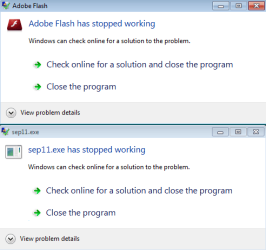
 rb: | type %TEMP% | ENTER | Ctrl + A to select all | Ctrl + D to delete all | If you have MSE installed, there will be one folder that can not be deleted. this is normal and ok.