How do i pin specific sites to Taskbar?

zenedge

New member
Local time
1:12 PM
Messages
3
Hi folks,

I'm new here and i'm a bit of a simpleton when it comes to computers, i only really use it for browsing and mail and if i get problems i stat to panic, so go easy on me please :)

My laptop, just stopped working yesterday and i had to go out and get a new one, so i'm trying to set it all up basically the same way i had my old one. When it came to pinning icons to the taskbar for specific websites it keeps pinning it inside IE. My last laptop had an ebay icon there when i bought it, and i pinned others directly to the taskbar. But this one doesn't seem to want to do this.

Both laptops ran windows 7 home edition.

Thanks in advance for any help you can offer,

Gordon.
 

My Computer My Computer

At a glance

windows 7 home premium 32bit
OS
windows 7 home premium 32bit
Hi,

Welcome to Seven Forums.

I know how to set it up so that the shortcut you have pinned goes to a specific site but my problem is i don't know how (or if it is even possible) to pin the same program to the task bar multiple times to make each one go to a different site.

e.g..... 5 IE shortcuts on the task bar (so they would each go to different sites)

If there is a way to pin the same program multiple times then it would be easy.

(Without the ability of pinning the same program multiple times its pointless as you can only get that shortcut to go to one site, which you can achieve easier by setting it as your homepage which i know isn't what your after).

It would be interesting to see if anyone knows how to get the same program on the task bar more than once.

Regards,
JDobbsy1987
 

My Computer My Computer

At a glance

Windows 8.1 Pro x64Intel Core i5-2500K @ 3.30GHz - S11558GB Corsair DDR3 XMS3, PC3-12800NVIDIA GeForce GTX 650
Computer type
PC/Desktop
Computer Manufacturer/Model Number
Self Built
OS
Windows 8.1 Pro x64
CPU
Intel Core i5-2500K @ 3.30GHz - S1155
Motherboard
Asus P8P67 LE Rev3, Intel P67, S115
Memory
8GB Corsair DDR3 XMS3, PC3-12800
Graphics Card(s)
NVIDIA GeForce GTX 650
Sound Card
On-Board
Monitor(s) Displays
3 x 24" {Extended Display}
Screen Resolution
1920 x 1080
Hard Drives
300GB Seagate Barracuda 7200
PSU
550W Coolermaster GX550
Case
Silverstone Precision PS04B
Cooling
Stock
Keyboard
Logitech K120
Mouse
World of Warcraft Cataclysm MMO Gaming Mouse
Internet Speed
80 MB
Antivirus
MSE / Windows Defender
Browser
Chrome
I might've missed a few points in your problem, but anyway.

Use IE9, then drag the tab (containing the website) to the taskbar. A similar feature also exists in Chrome (using the "Create application shortcuts..." option), but it'll open like some sort of pop-up window (no address or navigation bar).
 

My Computer My Computer

At a glance

Windows 7 Ultimate x64 (main), Windows 8 Cons...
Computer Manufacturer/Model Number
ASUS K42JK
OS
Windows 7 Ultimate x64 (main), Windows 8 Consumer Preview x64

My Computer My Computer

At a glance

Win 10 Pro x64Intel I5-2500K @3.3GHz16GB G.Skill Ripjaws X (4x4GB)EVGA GeForce 750 Ti SC 2GB
Computer type
PC/Desktop
Computer Manufacturer/Model Number
Self Built
OS
Win 10 Pro x64
CPU
Intel I5-2500K @3.3GHz
Motherboard
Asrock P67 Extreme4
Memory
16GB G.Skill Ripjaws X (4x4GB)
Graphics Card(s)
EVGA GeForce 750 Ti SC 2GB
Sound Card
ASUS Xonar DG 5.1 Channels 24-bit 96KHz PCI Interface Sound
Monitor(s) Displays
auria eq2367
Screen Resolution
1920 x 1080
Hard Drives
250GB Samsung 850 EVO SSD
1TB WD Blue
1TB Hitachi
PSU
SeaSonic X 650W 80 Plus Gold
Case
Corsair Obsidian 750D
Cooling
Corsair H60, Three 140mm case fans
Keyboard
Logitech Wireless Keyboard K520
Mouse
Logitech Wireless Mouse M310
Internet Speed
Wave Broadband ~ 100 dn 5 up
Antivirus
Windows Defender, Malwarebytes Premium
Browser
Edge, IE11, Chrome
Other Info
Laptop specs: HP g7-1365dx /
CPU: AMD A6-3420M APU with Radeon(tm) HD Graphics /
RAM: Crucial 8Gb (2x4Gb) /
SSD: Crucial M4-CT128M4SSD2 ATA Device/ FW 000F /
GFX: AMD Radeon HD 6520G /
OS: Windows 10 Pro x64
Derekimo,

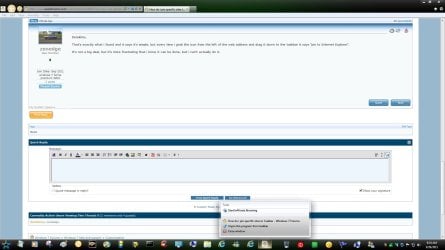
That's exactly what i found and it says it's simple, but every time i grab the icon from the left of the web address and drag it down to the taskbar it says "pin to Internet Explorer".

It's not a big deal, but it's more frustrating that i know it can be done, but i can't actually do it.
 

My Computer My Computer

At a glance

windows 7 home premium 32bit
OS
windows 7 home premium 32bit
Derekimo,

That's exactly what i found and it says it's simple, but every time i grab the icon from the left of the web address and drag it down to the taskbar it says "pin to Internet Explorer".

It's not a big deal, but it's more frustrating that i know it can be done, but i can't actually do it.

Hmm, Sorry, I'm not sure why it's not working for you.

Are you using IE8 that came with windows 7 or did you update to IE9?

It works for me in IE9, as shown here...
 

Attachments

  • pin site.jpg
    pin site.jpg
    135.2 KB · Views: 35

My Computer My Computer

At a glance

Win 10 Pro x64Intel I5-2500K @3.3GHz16GB G.Skill Ripjaws X (4x4GB)EVGA GeForce 750 Ti SC 2GB
Computer type
PC/Desktop
Computer Manufacturer/Model Number
Self Built
OS
Win 10 Pro x64
CPU
Intel I5-2500K @3.3GHz
Motherboard
Asrock P67 Extreme4
Memory
16GB G.Skill Ripjaws X (4x4GB)
Graphics Card(s)
EVGA GeForce 750 Ti SC 2GB
Sound Card
ASUS Xonar DG 5.1 Channels 24-bit 96KHz PCI Interface Sound
Monitor(s) Displays
auria eq2367
Screen Resolution
1920 x 1080
Hard Drives
250GB Samsung 850 EVO SSD
1TB WD Blue
1TB Hitachi
PSU
SeaSonic X 650W 80 Plus Gold
Case
Corsair Obsidian 750D
Cooling
Corsair H60, Three 140mm case fans
Keyboard
Logitech Wireless Keyboard K520
Mouse
Logitech Wireless Mouse M310
Internet Speed
Wave Broadband ~ 100 dn 5 up
Antivirus
Windows Defender, Malwarebytes Premium
Browser
Edge, IE11, Chrome
Other Info
Laptop specs: HP g7-1365dx /
CPU: AMD A6-3420M APU with Radeon(tm) HD Graphics /
RAM: Crucial 8Gb (2x4Gb) /
SSD: Crucial M4-CT128M4SSD2 ATA Device/ FW 000F /
GFX: AMD Radeon HD 6520G /
OS: Windows 10 Pro x64
Honestly, i'm not sure :o

I've not changed IE at all since i got the laptop, so would that mean i'm running IE8? If so would i be better changing it and is it easy enough to do?

Thanks for your help, it's much appreciated.

Gordon.
 

My Computer My Computer

At a glance

windows 7 home premium 32bit
OS
windows 7 home premium 32bit
Honestly, i'm not sure :o

I've not changed IE at all since i got the laptop, so would that mean i'm running IE8? If so would i be better changing it and is it easy enough to do?

Thanks for your help, it's much appreciated.

Gordon.

That's alright. Yes, IE8 is what comes with windows 7. IE9 is offered as an update.

Have you checked for any updates yet?

You can also get it here,

Internet Explorer - Web Browser for Microsoft Windows
 

My Computer My Computer

At a glance

Win 10 Pro x64Intel I5-2500K @3.3GHz16GB G.Skill Ripjaws X (4x4GB)EVGA GeForce 750 Ti SC 2GB
Computer type
PC/Desktop
Computer Manufacturer/Model Number
Self Built
OS
Win 10 Pro x64
CPU
Intel I5-2500K @3.3GHz
Motherboard
Asrock P67 Extreme4
Memory
16GB G.Skill Ripjaws X (4x4GB)
Graphics Card(s)
EVGA GeForce 750 Ti SC 2GB
Sound Card
ASUS Xonar DG 5.1 Channels 24-bit 96KHz PCI Interface Sound
Monitor(s) Displays
auria eq2367
Screen Resolution
1920 x 1080
Hard Drives
250GB Samsung 850 EVO SSD
1TB WD Blue
1TB Hitachi
PSU
SeaSonic X 650W 80 Plus Gold
Case
Corsair Obsidian 750D
Cooling
Corsair H60, Three 140mm case fans
Keyboard
Logitech Wireless Keyboard K520
Mouse
Logitech Wireless Mouse M310
Internet Speed
Wave Broadband ~ 100 dn 5 up
Antivirus
Windows Defender, Malwarebytes Premium
Browser
Edge, IE11, Chrome
Other Info
Laptop specs: HP g7-1365dx /
CPU: AMD A6-3420M APU with Radeon(tm) HD Graphics /
RAM: Crucial 8Gb (2x4Gb) /
SSD: Crucial M4-CT128M4SSD2 ATA Device/ FW 000F /
GFX: AMD Radeon HD 6520G /
OS: Windows 10 Pro x64
zenedge,
When I right click on a icon on my desktop I see a list of different options. One of them being "pin to task bar!"
Is this what you are trying to accomplish?

Welcome to 7 Forums and check out our great tutorials.
If you have questions or problems do a search for it as it may say you some time.
THW
 

My Computer My Computer

At a glance

Windows 7 Home Premium 64bitIntel(R)Core(TM)2 quad [email protected] 2.39GHz6GB DDR2 6400GeForce 8500/512MB
Computer Manufacturer/Model Number
HP M9077c
OS
Windows 7 Home Premium 64bit
CPU
Intel(R)Core(TM)2 quad [email protected] 2.39GHz
Motherboard
ASUSeK
Memory
6GB DDR2 6400
Graphics Card(s)
GeForce 8500/512MB
Sound Card
Realtek High Def Audio
Monitor(s) Displays
HP w2408 LCD 24" widescreen
Screen Resolution
1920x1200
Cooling
6 pack of Bud
Keyboard
MS wireless Inteli
Mouse
MS wireless Inteli
Follow the link for a tutorial, it takes seconds to read and works every time. You get the sites icon on the taskbar without pinning it to IE.
 

My Computer My Computer

At a glance

Windows 7 home premium x64AMD FX-4100 AM3+ 3.6GHz 12MB Black EditionCrsair vengeance 12Gb DDR3 1600MHz CL9Asus GTX 560 1GB
Computer Manufacturer/Model Number
DIY
OS
Windows 7 home premium x64
CPU
AMD FX-4100 AM3+ 3.6GHz 12MB Black Edition
Motherboard
Asus M5A97 Pro
Memory
Crsair vengeance 12Gb DDR3 1600MHz CL9
Graphics Card(s)
Asus GTX 560 1GB
Sound Card
Realtek onboard
Monitor(s) Displays
Hanns G 1680x1050 native
Hard Drives
OCZ 128Gb Petrol ssd
2x500 Gb Samsung
PSU
OCZ StealthXstream II 500W
Internet Speed
8Mb or better
Derekimo,

That's exactly what i found and it says it's simple, but every time i grab the icon from the left of the web address and drag it down to the taskbar it says "pin to Internet Explorer".

It's not a big deal, but it's more frustrating that i know it can be done, but i can't actually do it.

Hello zenedge, and welcome to Seven Forums.

You should also be able to right click on the Internet Explorer icon on the taskbar to be able to click on the website under "Frequent" to pin the site in the jump list.

If you didn't want the internet shortcut for the site pinned into the jump list of Internet Explorer, then you could use OPTION THREE in the tutorial below to create a separate internet shortcut for that site that will pin to the taskbar separately.

http://www.sevenforums.com/tutorials/60274-internet-website-shortcut-create.html

Hope this helps,
Shawn
 

My Computer My Computer

At a glance

64-bit Windows 11 Pro for WorkstationsIntel i7-8700K OC'd to 5 GHz64 GB (4x16GB) G.SKILL TridentZ RGB DDR4 3600...ASUS ROG-STRIX-GTX1080TI-O11G-GAMING
Computer type
PC/Desktop
Computer Manufacturer/Model Number
Self built custom
OS
64-bit Windows 11 Pro for Workstations
CPU
Intel i7-8700K OC'd to 5 GHz
Motherboard
ASUS ROG Maximus XI Formula Z390
Memory
64 GB (4x16GB) G.SKILL TridentZ RGB DDR4 3600 MHz
Graphics Card(s)
ASUS ROG-STRIX-GTX1080TI-O11G-GAMING
Sound Card
Integrated
Monitor(s) Displays
2 x Samsung Odyssey G7 27"
Screen Resolution
2560x1440
Hard Drives
1TB Samsung 990 PRO M.2,
4TB Samsung 990 PRO PRO M.2,
TerraMaster F8 SSD Plus NAS
PSU
Seasonic Prime Titanium 850W
Case
Thermaltake Core P3
Cooling
Corsair Hydro H115i
Keyboard
Logitech wireless K800
Mouse
Logitech MX Master 4
Internet Speed
2 Gb/s Download and 100 Mb/s Upload
Antivirus
Malwarebyte Anti-Malware Premium
Browser
Google Chrome
Other Info
Logitech Z625 speaker system,
Logitech BRIO 4K Pro webcam,
HP Color LaserJet Pro MFP M477fdn,
APC SMART-UPS RT 1000 XL - SURT1000XLI,
Galaxy S23 Plus phone
you can also create a shortcut key for the websites you want. by dragging the favicon to a folder then right clicking it and selecting properties then you can assign a shorcut key for it and it will open whenever you use the hotkeys.

2011-09-28_1541.png
 

My Computer My Computer

At a glance

Microsoft Windows 7 Home Premium 64-bit 7600IIx4 amd athelon 635 processor2x2gbati radeon HD 5450
Computer Manufacturer/Model Number
Hewlett packard/p6512uk
OS
Microsoft Windows 7 Home Premium 64-bit 7600
CPU
IIx4 amd athelon 635 processor
Motherboard
FOXCONN 2AA9
Memory
2x2gb
Graphics Card(s)
ati radeon HD 5450
Sound Card
(1) Realtek High Definition Audio (2) AMD High Definition
Monitor(s) Displays
samsung lcd tv 32"
Screen Resolution
1360x 768
Hard Drives
(1) WDC WD10 01FAES-60Z2A0 SATA Disk Device (2) Maxtor OneTouch USB Device (3) ST310003 33AS USB Device (4) WD My Book 1111 USB Device
PSU
?
Cooling
air!
Keyboard
wireless hp
Mouse
wireless Hp,optical
Internet Speed
1.10mb/s
Antivirus
MSE
Browser
Firefox
Another wrinkle is use something like Standalone Stacks. You can make a whole folder full of url shortcuts of sites you use the most. I think Speed Dial is more fun though. :)
 

My Computer My Computer

At a glance

Windows 7 32 bitAMD 5200+ dual core2 GBNVidia GeForce 6150SE 128 MB
Computer Manufacturer/Model Number
HP Media Center
OS
Windows 7 32 bit
CPU
AMD 5200+ dual core
Memory
2 GB
Graphics Card(s)
NVidia GeForce 6150SE 128 MB
Monitor(s) Displays
CRT
Screen Resolution
1280x1024
Hard Drives
500 GB Sata internal :

SIIG USB 3.0 docking stations w/WD Caviar Black 6 Gb/s drives
Keyboard
PS/2
Mouse
PS/2 Wheel Mouse
Other Info
SIIG USB 3.0 PCIexpress card.
Back
Top