seavixen32
New member
I'm afraid this is rather difficult without offending the thread starter, but you either haven't been understanding what Karl has been telling you or you are choosing to ignore him.
The recovery partition is used to restore your computer to its factory state i.e. exactly how it was when you first bought the computer. If you delete the recovery partition and you haven't got any recovery discs you can't recover to the factory state, which means you would have to buy a set of HP recovery discs or a Windows 7 DVD.
A restore from a system image backup restores your computer to the state it was in at the time you created your backup.
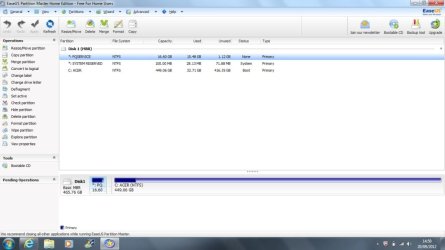
If you decide to keep the HP Recovery and HP Tools partitions you can only increase the number of partitions by creating logical partitions in your C drive.
This tutorial explains how to create a system image backup.
http://www.sevenforums.com/tutorials/663-backup-complete-computer-create-image-backup.html
This one shows you how to partition your hard drive.
http://www.sevenforums.com/tutorials/93322-partition-wizard-use-bootable-cd.html
ImgBurn is an excellent, free ISO burner.
http://www.imgburn.com/
The recovery partition is used to restore your computer to its factory state i.e. exactly how it was when you first bought the computer. If you delete the recovery partition and you haven't got any recovery discs you can't recover to the factory state, which means you would have to buy a set of HP recovery discs or a Windows 7 DVD.
A restore from a system image backup restores your computer to the state it was in at the time you created your backup.
If you decide to keep the HP Recovery and HP Tools partitions you can only increase the number of partitions by creating logical partitions in your C drive.
This tutorial explains how to create a system image backup.
http://www.sevenforums.com/tutorials/663-backup-complete-computer-create-image-backup.html
This one shows you how to partition your hard drive.
http://www.sevenforums.com/tutorials/93322-partition-wizard-use-bootable-cd.html
ImgBurn is an excellent, free ISO burner.
http://www.imgburn.com/
My Computer
At a glance
Windows 7 Ultimate SP1 64-BitIntel Core i7 870 @ 2.93GHz8Gb Dual-Channel DDR3 @ 664MHznVidia GeForce GTX 460 1024MB dedicated RAM
- Computer Manufacturer/Model Number
- HP Pavilion Elite 495UK
- OS
- Windows 7 Ultimate SP1 64-Bit
- CPU
- Intel Core i7 870 @ 2.93GHz
- Motherboard
- MSI 2A9C (CPU1)
- Memory
- 8Gb Dual-Channel DDR3 @ 664MHz
- Graphics Card(s)
- nVidia GeForce GTX 460 1024MB dedicated RAM
- Sound Card
- Realtek HD Audio
- Monitor(s) Displays
- HP2310i
- Screen Resolution
- 1920 x 1080
- Hard Drives
- 1x1954GB Hitachi HDS22020ALA 330 (RAID), 1x1954GB Hitachi External for backup and storage
- PSU
- 460W
- Case
- HP Elite
- Cooling
- Air cooled
- Keyboard
- Logitech K750 solar-powered keyboard
- Mouse
- Logitech Wireless M180 mouse
- Internet Speed
- 2Mb
- Other Info
- Pure Avanti Flow Internet Radio with iPod Dock, 64Gb iPod, HP USB Speakers, Sony MDR-V500 Headphones, Sony Vaio F-Series Laptop