Solved explorer.exe using most of my RAM

writhziden

Closed by request.
Local time
9:33 AM
Messages
11,269
Location
Colorado
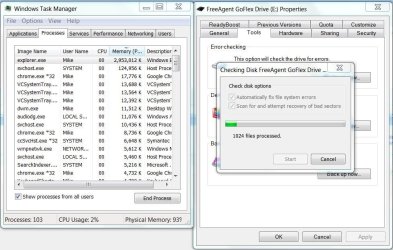
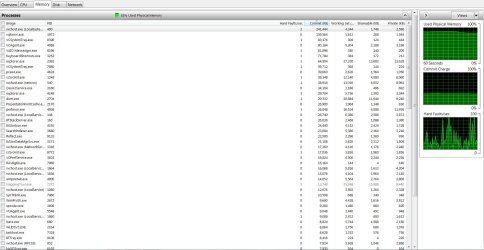
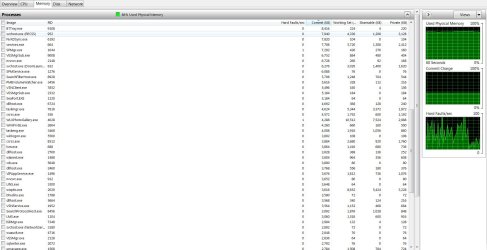
I have a USB 2.0 external drive plugged into a USB 3.0 port and am running a disk check. My explorer.exe RAM usage is ~75% of the total RAM, and my RAM is nearly maxed out because of it. Edit:This behavior is normal, I've found. It does the same on another system of mine. However, the system in my system specs keeps hanging when I move the mouse, and programs are slow to respond. I am running Norton Internet Security 2012 and was wondering if this might be the cause?

Obviously, I could remove Norton and see if the problem exists again during a disk check, but I would prefer not to go this route just yet. Figured someone might know if this is a known issue...
 

Attachments
  • WhySoMuchRAMUsageExplorer.JPG
    WhySoMuchRAMUsageExplorer.JPG
    102.8 KB · Views: 166
  • RAMNearlyMaxedOut.JPG
    RAMNearlyMaxedOut.JPG
    58.1 KB · Views: 79
Last edited:

My Computer My Computer

At a glance

Windows 7 Home Premium 64 BitIntel(R) Core(TM)2 Quad CPU Q9550 @ 2.83GHz6.00 GB Hundai HMT125U6BFR8C-H9ATI Radeon HD 4850
Computer Manufacturer/Model Number
HP Pavilion e9110t
OS
Windows 7 Home Premium 64 Bit
CPU
Intel(R) Core(TM)2 Quad CPU Q9550 @ 2.83GHz
Motherboard
Pegatron IPIEL-LA3
Memory
6.00 GB Hundai HMT125U6BFR8C-H9
Graphics Card(s)
ATI Radeon HD 4850
Sound Card
Realtek High Definition Audio/ATI High Definition Audio
Monitor(s) Displays
Acer AL2216W
Screen Resolution
1680x1050
Hard Drives
Hitachi HDP725050GLA360 ATA Device 500 GB
PSU
Unknown/installed by HP
Case
HP generic case
Cooling
Intel Stock Cooling
Keyboard
HP Keyboard
Mouse
HP Mouse
Internet Speed
Download: 19.15 Mbps Upload: 1.67 Mbps
Other Info
Network Adapter Realtek RTL8168D/8111D Family PCI-E Gigabit Ethernet NIC (NDIS 6.20)
Network Adapter 802.11n Wireless PCI Express Card LAN Adapter
Of course you can get more detailed info using resource monitor. Any chance of getting a screenshot of it?
 

My Computer My Computer

At a glance

Win 8 Release candidate 8400[email protected]4 gigsNvidia 9600M
Computer Manufacturer/Model Number
HP Pavillion dv-7 1005 Tx
OS
Win 8 Release candidate 8400
CPU
[email protected]
Memory
4 gigs
Graphics Card(s)
Nvidia 9600M
Sound Card
HD built-in
Monitor(s) Displays
17" Wxga
Screen Resolution
1440x900
Cooling
none
Internet Speed
45Mb down 5Mb up
The hard disk check came back clean; Windows checked the file system and found no problems. That rules out any hard disk corruption causing the problem.

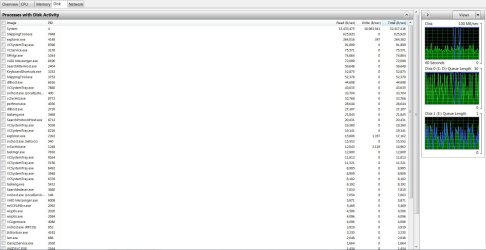
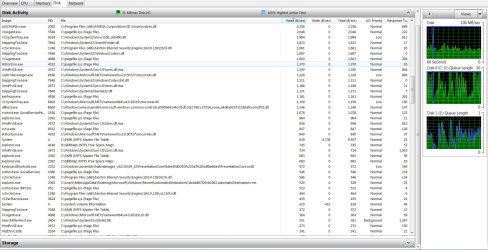
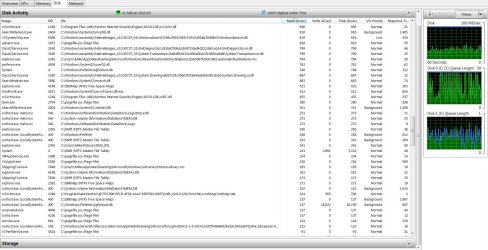
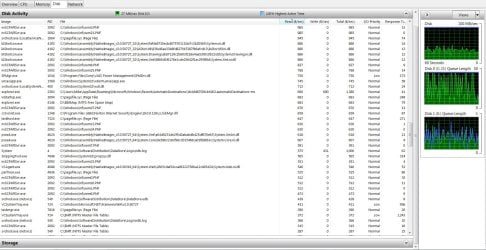
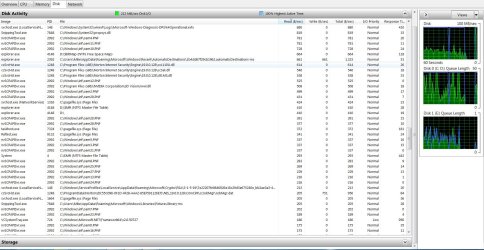
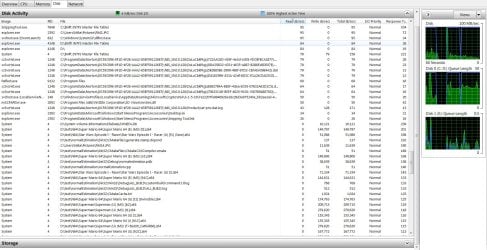
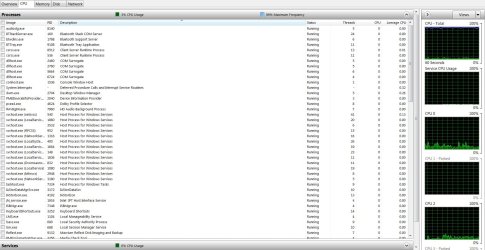
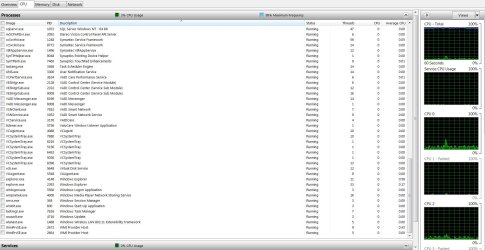
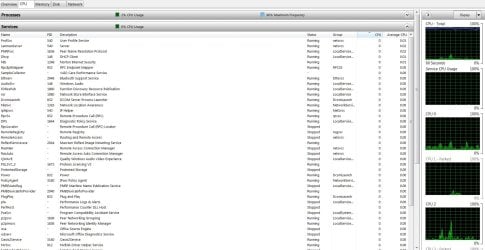
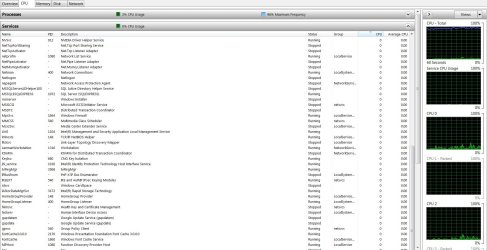
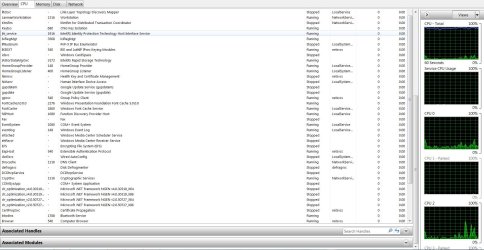
The problem has returned in the same way it did last night. I was transferring files from a Macrium virtual disk created from one of my system images that exists on the external drive. The odd thing is, this time the RAM usage is high, but the culprit using all the RAM is not seen... I will post resource monitor images:

CPU:

RM0.JPGRM1.JPGRM2.JPGRM3.JPGRM4.JPGRM5.JPG

Memory:

RM6.JPGRM7.JPGRM8.JPG

Processes with Disk Activity:

RM9.JPGRM10.JPG

Disk Activity:

RM11.JPGRM12.JPGRM13.JPGRM14.JPGRM15.JPGRM16.JPG


Edit: I tried plugging the USB 2.0 drive into a USB 2.0 port (I did not think this would make a difference), and it made no difference. Same problem remains. Next step is to uninstall Norton and see if the problem persists. Then I will try a clean install and see if the Sony software is interfering. If anyone has other recommendations based on the resource monitor images, please let me know.

Edit2: Tried all of the above. Nothing helped. I have decided to upgrade the RAM to 8 GB from 4 GB and see if that helps. I will post back when the new RAM arrives from Crucial.
 
Last edited:

My Computer My Computer

At a glance

Windows 7 Home Premium 64 BitIntel(R) Core(TM)2 Quad CPU Q9550 @ 2.83GHz6.00 GB Hundai HMT125U6BFR8C-H9ATI Radeon HD 4850
Computer Manufacturer/Model Number
HP Pavilion e9110t
OS
Windows 7 Home Premium 64 Bit
CPU
Intel(R) Core(TM)2 Quad CPU Q9550 @ 2.83GHz
Motherboard
Pegatron IPIEL-LA3
Memory
6.00 GB Hundai HMT125U6BFR8C-H9
Graphics Card(s)
ATI Radeon HD 4850
Sound Card
Realtek High Definition Audio/ATI High Definition Audio
Monitor(s) Displays
Acer AL2216W
Screen Resolution
1680x1050
Hard Drives
Hitachi HDP725050GLA360 ATA Device 500 GB
PSU
Unknown/installed by HP
Case
HP generic case
Cooling
Intel Stock Cooling
Keyboard
HP Keyboard
Mouse
HP Mouse
Internet Speed
Download: 19.15 Mbps Upload: 1.67 Mbps
Other Info
Network Adapter Realtek RTL8168D/8111D Family PCI-E Gigabit Ethernet NIC (NDIS 6.20)
Network Adapter 802.11n Wireless PCI Express Card LAN Adapter
Note that commit is just the amount of memory reserved by an application or Windows - it doesn't mean it's actually been committed and used. In this case, with how odd this appears, it might be worth getting the output of RAMMap from sysinternals to get a raw view (screenies are nice, and file > save then uploading the output file would be cool as well).
 

My Computer My Computer

At a glance

Windows 10 Pro x64Intel Core i7 4790K @ 4.5GHz32GB DDR3Nvidia GeForce GTX970
Computer type
PC/Desktop
Computer Manufacturer/Model Number
Custom
OS
Windows 10 Pro x64
CPU
Intel Core i7 4790K @ 4.5GHz
Motherboard
Asus Maximus Hero VII
Memory
32GB DDR3
Graphics Card(s)
Nvidia GeForce GTX970
Sound Card
Realtek HD Audio
Screen Resolution
1920x1200
Hard Drives
1x Samsung 250GB SSD
4x WD RE 2TB (RAIDZ)
PSU
Corsair AX760i
Case
Fractal Design Define R4
Cooling
Noctua NH-D15
Well you may be able to turn off Norton's real time disk checking if it can be. But...

The Disk Check is a MASSIVE amount of disk IO which will slow down everything in the system till it's over. Especially if it's an external drive. And the high ram usage isn't surprising, on Linux fsck has been known to fill all available ram then crash the system if the drive is too big. As slow as it is, it's only as fast as it is because it uses a huge amount of ram to cache the drive contents for checking.

Just leave the system alone and let it finish (or run it overnight). Really, you shouldn't even be using the drive it's checking while it's checking it anyway, that may slow it down even more.
 

My Computer My Computer

At a glance

Windows 7 x64 Ultimatei7 96012 Gig Corsair DominatorNvidia 480
Computer Manufacturer/Model Number
Scratch built
OS
Windows 7 x64 Ultimate
CPU
i7 960
Motherboard
Asus P6X58D
Memory
12 Gig Corsair Dominator
Graphics Card(s)
Nvidia 480
Sound Card
Maudio Delta 44 + breakout box
Monitor(s) Displays
Dell UltraSharp U2410 24in and Samsung 21 dual monitors
Screen Resolution
1920x1200 and 1280x1024
Hard Drives
Primary: Intel X-25M G2 160G SSD
Secondary: Segate baracuda 1.0 TB
HDs in AHCI mode.
PSU
Corasair TX850
Case
Cooler Master HAF
Cooling
Corsair H50
Keyboard
Logitech G15 + N52 game pad
Mouse
Logitech MX518
Internet Speed
15kbs down 4.5kbps up
Other Info
WEI 7.6
CPU & RAM 7.6
Graphics 7.9
Hard disk 7.7
Note that commit is just the amount of memory reserved by an application or Windows - it doesn't mean it's actually been committed and used. In this case, with how odd this appears, it might be worth getting the output of RAMMap from sysinternals to get a raw view (screenies are nice, and file > save then uploading the output file would be cool as well).

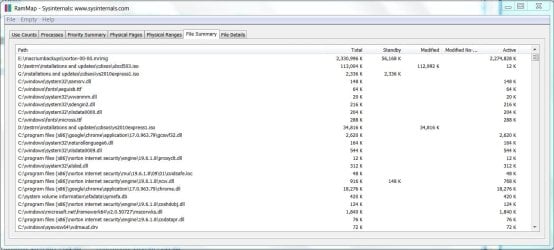
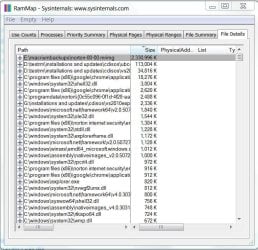
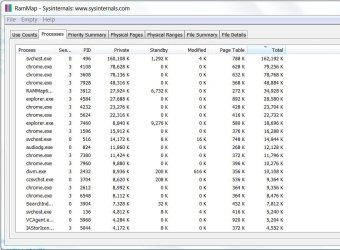
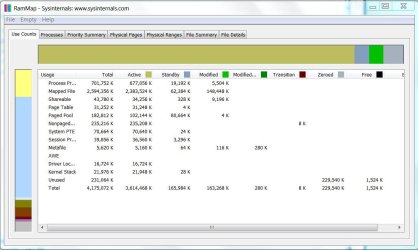
This is exactly what I was looking for earlier. Thank you! I have uploaded the RMP file (or tried to, but it exceeds the forum size limit); I do not really know what I am looking for in the program snapshot of my RAM, so maybe you can help guide me. I do see that there is a lot of paging of data by Macrium Reflect, and I assume that since this is mapping the RAM, that means that data is being paged into the RAM.

I found some information from Macrium support representatives regarding this issue, and they blame the file system drivers, hard disk controller drivers, or the devices themselves for the slow down.

Macrium Support Forum - How do I stop reflect using entire RAM?
Macrium Support Forum - Exploring images slows down my computer

Well you may be able to turn off Norton's real time disk checking if it can be. But...

The Disk Check is a MASSIVE amount of disk IO which will slow down everything in the system till it's over. Especially if it's an external drive. And the high ram usage isn't surprising, on Linux fsck has been known to fill all available ram then crash the system if the drive is too big. As slow as it is, it's only as fast as it is because it uses a huge amount of ram to cache the drive contents for checking.

Just leave the system alone and let it finish (or run it overnight). Really, you shouldn't even be using the drive it's checking while it's checking it anyway, that may slow it down even more.

Thank you as well for your info. I was not aware until yesterday that the disk check consumed RAM, especially from external media.

As I said, I have uninstalled Norton, disabled it, gone so far as to do a clean install where Norton never existed on the system, and the problem remains. The system becomes a bit sluggish as more RAM is used.

I also found some information regarding the disk check utilizing a lot of RAM. It appears to be normal behavior. I am hoping increasing my RAM will help. My desktop has 6 GB and does not slow down as noticeably, but it is still somewhat noticeable...

Windows 7 chkdsk memory leak?
 

Attachments

  • RAMMap00.JPG
    RAMMap00.JPG
    116.7 KB · Views: 38
  • RAMMap0.JPG
    RAMMap0.JPG
    93.7 KB · Views: 65
  • RAMMap1.JPG
    RAMMap1.JPG
    85.5 KB · Views: 30
  • RAMMap2.JPG
    RAMMap2.JPG
    75.6 KB · Views: 37

My Computer My Computer

At a glance

Windows 7 Home Premium 64 BitIntel(R) Core(TM)2 Quad CPU Q9550 @ 2.83GHz6.00 GB Hundai HMT125U6BFR8C-H9ATI Radeon HD 4850
Computer Manufacturer/Model Number
HP Pavilion e9110t
OS
Windows 7 Home Premium 64 Bit
CPU
Intel(R) Core(TM)2 Quad CPU Q9550 @ 2.83GHz
Motherboard
Pegatron IPIEL-LA3
Memory
6.00 GB Hundai HMT125U6BFR8C-H9
Graphics Card(s)
ATI Radeon HD 4850
Sound Card
Realtek High Definition Audio/ATI High Definition Audio
Monitor(s) Displays
Acer AL2216W
Screen Resolution
1680x1050
Hard Drives
Hitachi HDP725050GLA360 ATA Device 500 GB
PSU
Unknown/installed by HP
Case
HP generic case
Cooling
Intel Stock Cooling
Keyboard
HP Keyboard
Mouse
HP Mouse
Internet Speed
Download: 19.15 Mbps Upload: 1.67 Mbps
Other Info
Network Adapter Realtek RTL8168D/8111D Family PCI-E Gigabit Ethernet NIC (NDIS 6.20)
Network Adapter 802.11n Wireless PCI Express Card LAN Adapter
Normally it's not something you need to do very often if ever. So unlike backup or something that is meant to be run every day or every week, CheckDisk was not made to be "nice" and work in the background. It's more of a "Stop everything and emergency check the sanity of this disk" kind of thing.
 

My Computer My Computer

At a glance

Windows 7 x64 Ultimatei7 96012 Gig Corsair DominatorNvidia 480
Computer Manufacturer/Model Number
Scratch built
OS
Windows 7 x64 Ultimate
CPU
i7 960
Motherboard
Asus P6X58D
Memory
12 Gig Corsair Dominator
Graphics Card(s)
Nvidia 480
Sound Card
Maudio Delta 44 + breakout box
Monitor(s) Displays
Dell UltraSharp U2410 24in and Samsung 21 dual monitors
Screen Resolution
1920x1200 and 1280x1024
Hard Drives
Primary: Intel X-25M G2 160G SSD
Secondary: Segate baracuda 1.0 TB
HDs in AHCI mode.
PSU
Corasair TX850
Case
Cooler Master HAF
Cooling
Corsair H50
Keyboard
Logitech G15 + N52 game pad
Mouse
Logitech MX518
Internet Speed
15kbs down 4.5kbps up
Other Info
WEI 7.6
CPU & RAM 7.6
Graphics 7.9
Hard disk 7.7
That makes sense. I know in XP, it was able to run in the background, but I read in that link I posted that memory management changed in Vista for disk check tasks. In the future, I may just run the disk checks in the recovery environment if I need to. I was running one on this disk because of the Macrium hang ups and was wondering if it was due to file system errors or bad sectors. The drive came up clean, so it probably won't need to be checked again for a long time.
 

My Computer My Computer

At a glance

Windows 7 Home Premium 64 BitIntel(R) Core(TM)2 Quad CPU Q9550 @ 2.83GHz6.00 GB Hundai HMT125U6BFR8C-H9ATI Radeon HD 4850
Computer Manufacturer/Model Number
HP Pavilion e9110t
OS
Windows 7 Home Premium 64 Bit
CPU
Intel(R) Core(TM)2 Quad CPU Q9550 @ 2.83GHz
Motherboard
Pegatron IPIEL-LA3
Memory
6.00 GB Hundai HMT125U6BFR8C-H9
Graphics Card(s)
ATI Radeon HD 4850
Sound Card
Realtek High Definition Audio/ATI High Definition Audio
Monitor(s) Displays
Acer AL2216W
Screen Resolution
1680x1050
Hard Drives
Hitachi HDP725050GLA360 ATA Device 500 GB
PSU
Unknown/installed by HP
Case
HP generic case
Cooling
Intel Stock Cooling
Keyboard
HP Keyboard
Mouse
HP Mouse
Internet Speed
Download: 19.15 Mbps Upload: 1.67 Mbps
Other Info
Network Adapter Realtek RTL8168D/8111D Family PCI-E Gigabit Ethernet NIC (NDIS 6.20)
Network Adapter 802.11n Wireless PCI Express Card LAN Adapter
If you zip your file you should be able to upload it OK. A .zip can be up to 8MB.
 

My Computer My Computer

At a glance

Windows 7 Ultimate X64 SP1Intel i5-2550K, Differing ~4.4-4.8GHz No buil...16GB G.Skill Sniper 1866MHz @ 2133MHz 2x8GBASUS GTX650TIB-DC2OC-2GD5, (650TI Boost)
Computer type
PC/Desktop
Computer Manufacturer/Model Number
Home Built Desktop By DataTech
OS
Windows 7 Ultimate X64 SP1
CPU
Intel i5-2550K, Differing ~4.4-4.8GHz No built in GPU
Motherboard
ASUS P8Z68-V PRO/GEN3
Memory
16GB G.Skill Sniper 1866MHz @ 2133MHz 2x8GB
Graphics Card(s)
ASUS GTX650TIB-DC2OC-2GD5, (650TI Boost)
Sound Card
Onboard Realtek 5-1
Monitor(s) Displays
Samsung P2570HD
Screen Resolution
1920x1080
Hard Drives
Samsung 840 Pro 256GB SSD for OS, 500GB Seagate Constellation (Enterprise drive) for Data
PSU
Corsair HX650W
Case
Inwin Dragon Rider
Cooling
Hyper 212 EVO w/two Noctua fans, push-pull, @1300 RPM
Keyboard
E-Z Eyes, bright yellow keys with large characters
Mouse
steelseries SENSEI Laser Pro Gaming
Internet Speed
48-51Mbs Mbs down, 11 Mbs up Xfinity Cable
Antivirus
Norton Internet Security 2013
Browser
IE 10, Opera, Pale Moon if needed
Other Info
4 case fans, LG BluRay-RE, ASUS DVD-RW, Mr. Fusion power supply, 1.21 gigawatts.
The .zip was 8.50 MB. :( I posted the screenshots, so hopefully those will work.
 

My Computer My Computer

At a glance

Windows 7 Home Premium 64 BitIntel(R) Core(TM)2 Quad CPU Q9550 @ 2.83GHz6.00 GB Hundai HMT125U6BFR8C-H9ATI Radeon HD 4850
Computer Manufacturer/Model Number
HP Pavilion e9110t
OS
Windows 7 Home Premium 64 Bit
CPU
Intel(R) Core(TM)2 Quad CPU Q9550 @ 2.83GHz
Motherboard
Pegatron IPIEL-LA3
Memory
6.00 GB Hundai HMT125U6BFR8C-H9
Graphics Card(s)
ATI Radeon HD 4850
Sound Card
Realtek High Definition Audio/ATI High Definition Audio
Monitor(s) Displays
Acer AL2216W
Screen Resolution
1680x1050
Hard Drives
Hitachi HDP725050GLA360 ATA Device 500 GB
PSU
Unknown/installed by HP
Case
HP generic case
Cooling
Intel Stock Cooling
Keyboard
HP Keyboard
Mouse
HP Mouse
Internet Speed
Download: 19.15 Mbps Upload: 1.67 Mbps
Other Info
Network Adapter Realtek RTL8168D/8111D Family PCI-E Gigabit Ethernet NIC (NDIS 6.20)
Network Adapter 802.11n Wireless PCI Express Card LAN Adapter
Can you upload it to a file hoster? The screenshots are OK, but they're not conclusive and I'd like to poke around at the actual data.
 

My Computer My Computer

At a glance

Windows 10 Pro x64Intel Core i7 4790K @ 4.5GHz32GB DDR3Nvidia GeForce GTX970
Computer type
PC/Desktop
Computer Manufacturer/Model Number
Custom
OS
Windows 10 Pro x64
CPU
Intel Core i7 4790K @ 4.5GHz
Motherboard
Asus Maximus Hero VII
Memory
32GB DDR3
Graphics Card(s)
Nvidia GeForce GTX970
Sound Card
Realtek HD Audio
Screen Resolution
1920x1200
Hard Drives
1x Samsung 250GB SSD
4x WD RE 2TB (RAIDZ)
PSU
Corsair AX760i
Case
Fractal Design Define R4
Cooling
Noctua NH-D15

My Computer My Computer

At a glance

Windows 7 Home Premium 64 BitIntel(R) Core(TM)2 Quad CPU Q9550 @ 2.83GHz6.00 GB Hundai HMT125U6BFR8C-H9ATI Radeon HD 4850
Computer Manufacturer/Model Number
HP Pavilion e9110t
OS
Windows 7 Home Premium 64 Bit
CPU
Intel(R) Core(TM)2 Quad CPU Q9550 @ 2.83GHz
Motherboard
Pegatron IPIEL-LA3
Memory
6.00 GB Hundai HMT125U6BFR8C-H9
Graphics Card(s)
ATI Radeon HD 4850
Sound Card
Realtek High Definition Audio/ATI High Definition Audio
Monitor(s) Displays
Acer AL2216W
Screen Resolution
1680x1050
Hard Drives
Hitachi HDP725050GLA360 ATA Device 500 GB
PSU
Unknown/installed by HP
Case
HP generic case
Cooling
Intel Stock Cooling
Keyboard
HP Keyboard
Mouse
HP Mouse
Internet Speed
Download: 19.15 Mbps Upload: 1.67 Mbps
Other Info
Network Adapter Realtek RTL8168D/8111D Family PCI-E Gigabit Ethernet NIC (NDIS 6.20)
Network Adapter 802.11n Wireless PCI Express Card LAN Adapter
So, it looks like you may have been correct - the Macrium image file in question is indeed being mapped directly into memory:

macrium_mappedfile.png


As to why, no running process is specifically doing it (as you had seen), including explorer. That leaves the system cache, or a filter driver. Give me some time to see what I can dig up, but in the meantime you probably want to try and reproduce the issue without any antivirus/antispyware applications installed (not disabled - we need the drivers themselves removed, and that requires complete removal), and you might also want to run shellexview and disable any non-Microsoft shell extensions to make sure those aren't in play here (they shouldn't be, but it is possible). Assuming you've done the above and it reproduces, that leaves the system cache as the culprit (and it is possible for it to do this).

I'll have to go back to my notes to see if there is a way (I believe there is) to "tweak" or tune the system cache so it doesn't do this. There can be a performance detriment when copying large files by doing this, but it is better than locked RAM if this is the case. If you can try the above and see if it reproduces, and post back, I'll get on the system cache info.
 
Last edited:

My Computer My Computer

At a glance

Windows 10 Pro x64Intel Core i7 4790K @ 4.5GHz32GB DDR3Nvidia GeForce GTX970
Computer type
PC/Desktop
Computer Manufacturer/Model Number
Custom
OS
Windows 10 Pro x64
CPU
Intel Core i7 4790K @ 4.5GHz
Motherboard
Asus Maximus Hero VII
Memory
32GB DDR3
Graphics Card(s)
Nvidia GeForce GTX970
Sound Card
Realtek HD Audio
Screen Resolution
1920x1200
Hard Drives
1x Samsung 250GB SSD
4x WD RE 2TB (RAIDZ)
PSU
Corsair AX760i
Case
Fractal Design Define R4
Cooling
Noctua NH-D15
Same behavior with all non-Microsoft shell extensions disabled. The RAMMap file can be found in: https://rapidshare.com/files/1153131866/RAMMap2.zip

I do have some other additional information to add. It turns out if I run Verifier on any non-Microsoft driver, the RAM usage drops in half. Not sure whether to attribute that to Verifier running since it does change how the system behaves, or could it be some driver causing a memory leak/high memory usage?

Oh, and I should mention I am running Verifier with just Standard settings checked for custom settings.
 
Last edited:

My Computer My Computer

At a glance

Windows 7 Home Premium 64 BitIntel(R) Core(TM)2 Quad CPU Q9550 @ 2.83GHz6.00 GB Hundai HMT125U6BFR8C-H9ATI Radeon HD 4850
Computer Manufacturer/Model Number
HP Pavilion e9110t
OS
Windows 7 Home Premium 64 Bit
CPU
Intel(R) Core(TM)2 Quad CPU Q9550 @ 2.83GHz
Motherboard
Pegatron IPIEL-LA3
Memory
6.00 GB Hundai HMT125U6BFR8C-H9
Graphics Card(s)
ATI Radeon HD 4850
Sound Card
Realtek High Definition Audio/ATI High Definition Audio
Monitor(s) Displays
Acer AL2216W
Screen Resolution
1680x1050
Hard Drives
Hitachi HDP725050GLA360 ATA Device 500 GB
PSU
Unknown/installed by HP
Case
HP generic case
Cooling
Intel Stock Cooling
Keyboard
HP Keyboard
Mouse
HP Mouse
Internet Speed
Download: 19.15 Mbps Upload: 1.67 Mbps
Other Info
Network Adapter Realtek RTL8168D/8111D Family PCI-E Gigabit Ethernet NIC (NDIS 6.20)
Network Adapter 802.11n Wireless PCI Express Card LAN Adapter
My next question is, what are the exact repro steps? I am potentially going to be building the dyncache service from the source for this, but it's not showing as metafile (it's showing as mapped file, which is slightly different). Is the file copy being done by Windows Explorer, or a 3rd party application? It's important.
 

My Computer My Computer

At a glance

Windows 10 Pro x64Intel Core i7 4790K @ 4.5GHz32GB DDR3Nvidia GeForce GTX970
Computer type
PC/Desktop
Computer Manufacturer/Model Number
Custom
OS
Windows 10 Pro x64
CPU
Intel Core i7 4790K @ 4.5GHz
Motherboard
Asus Maximus Hero VII
Memory
32GB DDR3
Graphics Card(s)
Nvidia GeForce GTX970
Sound Card
Realtek HD Audio
Screen Resolution
1920x1200
Hard Drives
1x Samsung 250GB SSD
4x WD RE 2TB (RAIDZ)
PSU
Corsair AX760i
Case
Fractal Design Define R4
Cooling
Noctua NH-D15
Steps that cause high RAM usage:
  • I mount the image using Macrium and close Macrium
  • I then open the virtual disk using explorer
  • Select all files and folders in that virtual disk
  • Right click and select copy
  • Then I choose an empty directory on my system drive to paste those files and folders into.
 

My Computer My Computer

At a glance

Windows 7 Home Premium 64 BitIntel(R) Core(TM)2 Quad CPU Q9550 @ 2.83GHz6.00 GB Hundai HMT125U6BFR8C-H9ATI Radeon HD 4850
Computer Manufacturer/Model Number
HP Pavilion e9110t
OS
Windows 7 Home Premium 64 Bit
CPU
Intel(R) Core(TM)2 Quad CPU Q9550 @ 2.83GHz
Motherboard
Pegatron IPIEL-LA3
Memory
6.00 GB Hundai HMT125U6BFR8C-H9
Graphics Card(s)
ATI Radeon HD 4850
Sound Card
Realtek High Definition Audio/ATI High Definition Audio
Monitor(s) Displays
Acer AL2216W
Screen Resolution
1680x1050
Hard Drives
Hitachi HDP725050GLA360 ATA Device 500 GB
PSU
Unknown/installed by HP
Case
HP generic case
Cooling
Intel Stock Cooling
Keyboard
HP Keyboard
Mouse
HP Mouse
Internet Speed
Download: 19.15 Mbps Upload: 1.67 Mbps
Other Info
Network Adapter Realtek RTL8168D/8111D Family PCI-E Gigabit Ethernet NIC (NDIS 6.20)
Network Adapter 802.11n Wireless PCI Express Card LAN Adapter
OK, I'm building DynCache now - give me some time to verify once it's built, and I'll send it to you privately.
 

My Computer My Computer

At a glance

Windows 10 Pro x64Intel Core i7 4790K @ 4.5GHz32GB DDR3Nvidia GeForce GTX970
Computer type
PC/Desktop
Computer Manufacturer/Model Number
Custom
OS
Windows 10 Pro x64
CPU
Intel Core i7 4790K @ 4.5GHz
Motherboard
Asus Maximus Hero VII
Memory
32GB DDR3
Graphics Card(s)
Nvidia GeForce GTX970
Sound Card
Realtek HD Audio
Screen Resolution
1920x1200
Hard Drives
1x Samsung 250GB SSD
4x WD RE 2TB (RAIDZ)
PSU
Corsair AX760i
Case
Fractal Design Define R4
Cooling
Noctua NH-D15
Alright. I really appreciate your time and your help on this one, cluberti. :)

Just as an FYI: Download: Microsoft Windows Dynamic Cache Service - Microsoft Download Center - Download Details is supposed to resolve the problem, as well. Not sure if it works for 7 since it is not listed.

Turns out the Microsoft DynService fix does not work with Windows 7.
Code:
The Dynamic Cache Service service terminated with the following error: 
The specified program was written for an earlier version of Windows.

I'll await your version. Again, I REALLY appreciate you taking the time to do this.
 
Last edited:

My Computer My Computer

At a glance

Windows 7 Home Premium 64 BitIntel(R) Core(TM)2 Quad CPU Q9550 @ 2.83GHz6.00 GB Hundai HMT125U6BFR8C-H9ATI Radeon HD 4850
Computer Manufacturer/Model Number
HP Pavilion e9110t
OS
Windows 7 Home Premium 64 Bit
CPU
Intel(R) Core(TM)2 Quad CPU Q9550 @ 2.83GHz
Motherboard
Pegatron IPIEL-LA3
Memory
6.00 GB Hundai HMT125U6BFR8C-H9
Graphics Card(s)
ATI Radeon HD 4850
Sound Card
Realtek High Definition Audio/ATI High Definition Audio
Monitor(s) Displays
Acer AL2216W
Screen Resolution
1680x1050
Hard Drives
Hitachi HDP725050GLA360 ATA Device 500 GB
PSU
Unknown/installed by HP
Case
HP generic case
Cooling
Intel Stock Cooling
Keyboard
HP Keyboard
Mouse
HP Mouse
Internet Speed
Download: 19.15 Mbps Upload: 1.67 Mbps
Other Info
Network Adapter Realtek RTL8168D/8111D Family PCI-E Gigabit Ethernet NIC (NDIS 6.20)
Network Adapter 802.11n Wireless PCI Express Card LAN Adapter
OK, I have a version that loads and works on Windows 7. If you're interested, I can PM you a link for download and installation instructions.
 

My Computer My Computer

At a glance

Windows 10 Pro x64Intel Core i7 4790K @ 4.5GHz32GB DDR3Nvidia GeForce GTX970
Computer type
PC/Desktop
Computer Manufacturer/Model Number
Custom
OS
Windows 10 Pro x64
CPU
Intel Core i7 4790K @ 4.5GHz
Motherboard
Asus Maximus Hero VII
Memory
32GB DDR3
Graphics Card(s)
Nvidia GeForce GTX970
Sound Card
Realtek HD Audio
Screen Resolution
1920x1200
Hard Drives
1x Samsung 250GB SSD
4x WD RE 2TB (RAIDZ)
PSU
Corsair AX760i
Case
Fractal Design Define R4
Cooling
Noctua NH-D15
I am interested. Let the PM fly. :)
 

My Computer My Computer

At a glance

Windows 7 Home Premium 64 BitIntel(R) Core(TM)2 Quad CPU Q9550 @ 2.83GHz6.00 GB Hundai HMT125U6BFR8C-H9ATI Radeon HD 4850
Computer Manufacturer/Model Number
HP Pavilion e9110t
OS
Windows 7 Home Premium 64 Bit
CPU
Intel(R) Core(TM)2 Quad CPU Q9550 @ 2.83GHz
Motherboard
Pegatron IPIEL-LA3
Memory
6.00 GB Hundai HMT125U6BFR8C-H9
Graphics Card(s)
ATI Radeon HD 4850
Sound Card
Realtek High Definition Audio/ATI High Definition Audio
Monitor(s) Displays
Acer AL2216W
Screen Resolution
1680x1050
Hard Drives
Hitachi HDP725050GLA360 ATA Device 500 GB
PSU
Unknown/installed by HP
Case
HP generic case
Cooling
Intel Stock Cooling
Keyboard
HP Keyboard
Mouse
HP Mouse
Internet Speed
Download: 19.15 Mbps Upload: 1.67 Mbps
Other Info
Network Adapter Realtek RTL8168D/8111D Family PCI-E Gigabit Ethernet NIC (NDIS 6.20)
Network Adapter 802.11n Wireless PCI Express Card LAN Adapter

Back
Top