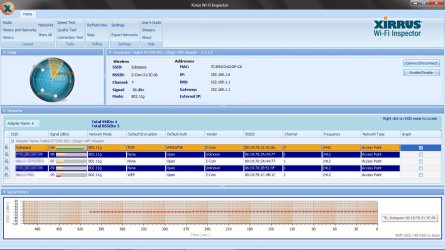
Every time I start my laptop, I can't access the internet and get a "limited access" warning on my wireless network.
The "troubleshoot problems" option fixes the problem (usually by resetting the network adapter), but it's not a permanent solution, because as soon as I restart the laptop, it's the same story all over again.
I have a desktop (Windows 7) connected through ethernet and another desktop (XP Home) also connected over wifi, both working just fine.
OS: Microsoft Windows 7 Home Premium 64-bit 7601 Multiprocessor Free Service Pack 1
Network adapter: Ralink RT5390 802.11b/g/n WiFi Adapter
Signal strength: fair (starting my laptop right next to the router to get excellent strength doesn't help)
Modem/Router: B-Box2 (Sagem F@st 3464)
Firewall: Windows Firewall
Antivirus: AVG Free Edition
The "troubleshoot problems" option fixes the problem (usually by resetting the network adapter), but it's not a permanent solution, because as soon as I restart the laptop, it's the same story all over again.
I have a desktop (Windows 7) connected through ethernet and another desktop (XP Home) also connected over wifi, both working just fine.
OS: Microsoft Windows 7 Home Premium 64-bit 7601 Multiprocessor Free Service Pack 1
Network adapter: Ralink RT5390 802.11b/g/n WiFi Adapter
Signal strength: fair (starting my laptop right next to the router to get excellent strength doesn't help)
Modem/Router: B-Box2 (Sagem F@st 3464)
Firewall: Windows Firewall
Antivirus: AVG Free Edition
My Computer
- OS
- Microsoft Windows 7 Home Premium 64-bit 7601 Multiprocessor Free Service Pack 1
- CPU
- Intel(R) Core(TM) i3-2330M CPU @ 2.20GHz
- Motherboard
- Hewlett-Packard 1670
- Memory
- 4,00 GB
- Graphics Card(s)
- (1) Intel(R) HD Graphics Family (2) Radeon (TM) HD 7450M
- Sound Card
- (1) IDT High Definition Audio CODEC (2) Intel(R) Display A
- Screen Resolution
- 1366 x 768 x 32 bits @ 60 Hz
- Hard Drives
- ST9500325AS