
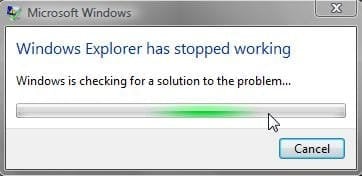
"Windows Explorer has stopped working" when attempting to copy

cooltouch

Clueless Oldtimer
Member
VIP
Local time
3:52 PM
Messages
123
Location
Houston, Texas
"Windows Explorer has stopped working" when attempting to copy

This is sort of odd. I'm moving some folders from my laptop's internal HD to an external one (actually copy and delete, but close enough), but with one folder I can't get to first base. Just one. I haven't had a problem using the drag-and-drop method inside WE for any of the others.

It doesn't matter whether I click on the folder on the left side directory tree column or the right side "folders and file" column, Explorer still craps out, generating the subject message. It then restarts itself.

The computer is an older Gateway that is maxed out at 2 gigs of ram. I was wondering if this might be part of the problem, but I don't think so. Not when I can successfully do a multi-folder drag and drop several gigs in size.

I have tried rebooting the system to see if that made a difference; it didn't. And I've attempted the transfer with no other windows open. That didn't make a difference either.

Finally, in order to move the files onto the external drive, I opened up a DOS window and copied them over the old fashioned way. Once the folder was empty, I was able to delete it from within WE. But now, the new folder on the external drive is behaving in the same screwy fashion as the old one. The new folder has a different name from the old one but the same problem has surfaced again. If I so much as click on the new folder, WE errors out and closes. Very strange. Makes me think there's something odd about one or more files. They copied just fine, though, and deleted off the internal HD just fine too.

At this point, I'm more curious than anything else. Any ideas what could be causing this anomalous behavior?
 

My Computer My Computer

Computer type
PC/Desktop
Computer Manufacturer/Model Number
Home built
OS
Win7 Ulitmate x64
CPU
AMD Phenom II X4 840 3.2 GHz
Motherboard
ASRock 890GX Pro3
Memory
16 GB
Graphics Card(s)
ATI Radion HD 4290 on the MoBo
Sound Card
M-Audio Delta 66, AMD on MoBo
Monitor(s) Displays
LG 34", AOC 22" flat screens
Screen Resolution
2560x1080, 1680x1050
Hard Drives
3 TB, 750 gig, 500 gig
PSU
500w
Case
no-name
Cooling
ps fan, case fan, cpu fan
Keyboard
Logitech
Mouse
Logitech
Internet Speed
45+Mbps
Antivirus
Microsoft Security Essentials
Browser
Mozilla SeaMonkey, Chrome
Other Info
I'm a musician and a composer, so this PC is used primarily as a digital audio workstation (DAW), so sound is king. I'm also a photographer, so I also make use of it for image processing. I find the ATI Radion on the MoBo to be perfectly adequate in this respect and the AOC 22" monitor to be respectable. It's about time for an upgrade, though.
Does sound odd. Standard data folders/files?

Guess I'd run sfc /scannow, chkdsk /r, and/or maybe run some memory tests.
 

My Computer My Computer

OS
Windows 7 Ultimate x64
Yeah, standard everything. Nothing unusual at all about this installation of Win7. Dunno what the chkdsk would get me; doesn't really seem to be a disk problem. Seems more to be something about one or more files it doesn't like. I'm not familiar with sfc / scannow, reckon I can give it a look-see though.
 

My Computer My Computer

Computer type
PC/Desktop
Computer Manufacturer/Model Number
Home built
OS
Win7 Ulitmate x64
CPU
AMD Phenom II X4 840 3.2 GHz
Motherboard
ASRock 890GX Pro3
Memory
16 GB
Graphics Card(s)
ATI Radion HD 4290 on the MoBo
Sound Card
M-Audio Delta 66, AMD on MoBo
Monitor(s) Displays
LG 34", AOC 22" flat screens
Screen Resolution
2560x1080, 1680x1050
Hard Drives
3 TB, 750 gig, 500 gig
PSU
500w
Case
no-name
Cooling
ps fan, case fan, cpu fan
Keyboard
Logitech
Mouse
Logitech
Internet Speed
45+Mbps
Antivirus
Microsoft Security Essentials
Browser
Mozilla SeaMonkey, Chrome
Other Info
I'm a musician and a composer, so this PC is used primarily as a digital audio workstation (DAW), so sound is king. I'm also a photographer, so I also make use of it for image processing. I find the ATI Radion on the MoBo to be perfectly adequate in this respect and the AOC 22" monitor to be respectable. It's about time for an upgrade, though.
Other than security and permissions, Explorer doesn't care anything at all about files and file types. As long as they are on volumes that have a compatible file system (which they obviously are). You should be able to move, delete, copy or whatever any file without problem.

There is an issue if you're moving from NTFS to any of the FAT file systems (max file size and such), but you wouldn't have succeeded using either Explorer or DOS prompt without an error being generated (not just the stopped working error).

The sfc /scannow command, run from an elevated command prompt, check the integrity of OS protected files , repairing if it finds necessary.
 

My Computer My Computer

OS
Windows 7 Ultimate x64
I've heard some corrupt media files can cause explorer to crash.
Try turning off thumbnails in Explorer Tools / Folder Options / View.
See if you can access the folder with thumbnails turned off.
 

My Computer My Computer

Computer type
PC/Desktop
Computer Manufacturer/Model Number
home built
OS
Multi-Boot W7_Pro_x64 W8.1_Pro_x64 W10_Pro_x64 +Linux_VMs +Chromium_VM
CPU
AMD Athlon II x4 620
Motherboard
Gigabyte GA-MA785G-UD3H
Memory
6GB GSkill DDR2 800
Graphics Card(s)
AMD 4670 GPU + AMD 4200 IGP
Sound Card
on board Realtek ALC889A
Monitor(s) Displays
RCA 40" LCD TV, Insignia 32" LCD TV, HP 15" LCD monitor
Screen Resolution
1680 x 1050
Hard Drives
OCZ Vertex 3 120GB,
Samsung F3 1TB (3),
Several others - WD, Seagate, Hitachi, ...
PSU
Corsair 500 W
Case
Rosewill mid tower
Cooling
CM 90mm rifle
Keyboard
Gyration wireless, Logitech wireless, Dell USB wired
Mouse
Gyration wireless, Logitech wireless, V7 USB wired
Internet Speed
Spectrum - 100Mbps D / 10Mbps U
Antivirus
Avast, MBAM3, EMET, WinPatrol
Browser
Pale Moon, Firefox, IE
Other Info
2 multi-boot PC's
Mainly HTPC/Office/Gen purpose (no gaming).
Trendnet USB KVM.
LG DVD burner/Blue Ray Player.
Tray system for removable SATA backup drives.

Not currently OCd, under-volted.
I use Hybrid sleep, rarely re-boot or shutdown.

Hauppauge HD-PVR, Avermedia PCIe TV Tuner, Hauppauge PCI TV Tuner.
Windows explorer has stopped working

I'm having a windows 7 professional 32bit machine..After installing OS, I couldnot copy files from my pendrive and external HDD..I can copy files only when I am logging in as a local admin..but a user with administrator rights couldnt copy the files..Its showing this error..please find tha attachment..
 

Attachments

  • windows_explorer_has_stopped_working.jpg
    windows_explorer_has_stopped_working.jpg
    10 KB · Views: 22

My Computer My Computer

OS
Windows 7 professional 32 bit
Arunmerlz, it might be better if you start a new thread. It'll be more likely to attract some attention from other users who can help.

More info would help, too. Did you try anything that was posted in this thread?

Make another post to this thread with a link to your new thread and I'll follow it.
 

My Computer My Computer

OS
Windows 7 Ultimate x64
I wonder if the OP ever found the answer to this...
 

My Computer My Computer

OS
Windows 7 Ultimate x64
Arunmerlz, it might be better if you start a new thread. It'll be more likely to attract some attention from other users who can help.

More info would help, too. Did you try anything that was posted in this thread?

Make another post to this thread with a link to your new thread and I'll follow it.
+1

I wonder if the OP ever found the answer to this...
+1 again

I'm having a windows 7 professional 32bit machine..After installing OS, I couldnot copy files from my pendrive and external HDD..I can copy files only when I am logging in as a local admin..but a user with administrator rights couldnt copy the files..Its showing this error..please find tha attachment..

I'm not sure what "local admin" and "a user with administrator rights" means. :confused:

Can you explain what you mean by "local admin"?
Is that the Windows built in "Administrator" user?

Is "a user with administrator rights" an account you created?
Is it the default account created when installing Windows 7?


My Computer My Computer

Computer type
PC/Desktop
Computer Manufacturer/Model Number
home built
OS
Multi-Boot W7_Pro_x64 W8.1_Pro_x64 W10_Pro_x64 +Linux_VMs +Chromium_VM
CPU
AMD Athlon II x4 620
Motherboard
Gigabyte GA-MA785G-UD3H
Memory
6GB GSkill DDR2 800
Graphics Card(s)
AMD 4670 GPU + AMD 4200 IGP
Sound Card
on board Realtek ALC889A
Monitor(s) Displays
RCA 40" LCD TV, Insignia 32" LCD TV, HP 15" LCD monitor
Screen Resolution
1680 x 1050
Hard Drives
OCZ Vertex 3 120GB,
Samsung F3 1TB (3),
Several others - WD, Seagate, Hitachi, ...
PSU
Corsair 500 W
Case
Rosewill mid tower
Cooling
CM 90mm rifle
Keyboard
Gyration wireless, Logitech wireless, Dell USB wired
Mouse
Gyration wireless, Logitech wireless, V7 USB wired
Internet Speed
Spectrum - 100Mbps D / 10Mbps U
Antivirus
Avast, MBAM3, EMET, WinPatrol
Browser
Pale Moon, Firefox, IE
Other Info
2 multi-boot PC's
Mainly HTPC/Office/Gen purpose (no gaming).
Trendnet USB KVM.
LG DVD burner/Blue Ray Player.
Tray system for removable SATA backup drives.

Not currently OCd, under-volted.
I use Hybrid sleep, rarely re-boot or shutdown.

Hauppauge HD-PVR, Avermedia PCIe TV Tuner, Hauppauge PCI TV Tuner.
I'm not sure what "local admin" and "a user with administrator rights" means. :confused:

Can you explain what you mean by "local admin"?
Is that the Windows built in "Administrator" user?

Is "a user with administrator rights" an account you created?
Is it the default account created when installing Windows 7?


And I gotta place a +1 on this.

The closest I can come to anything logical (in my mind) is maybe he's part of a domain???
 

My Computer My Computer

OS
Windows 7 Ultimate x64
ah, i didn't even think of that possibility!
more coffee needed :D
 

My Computer My Computer

Computer type
PC/Desktop
Computer Manufacturer/Model Number
home built
OS
Multi-Boot W7_Pro_x64 W8.1_Pro_x64 W10_Pro_x64 +Linux_VMs +Chromium_VM
CPU
AMD Athlon II x4 620
Motherboard
Gigabyte GA-MA785G-UD3H
Memory
6GB GSkill DDR2 800
Graphics Card(s)
AMD 4670 GPU + AMD 4200 IGP
Sound Card
on board Realtek ALC889A
Monitor(s) Displays
RCA 40" LCD TV, Insignia 32" LCD TV, HP 15" LCD monitor
Screen Resolution
1680 x 1050
Hard Drives
OCZ Vertex 3 120GB,
Samsung F3 1TB (3),
Several others - WD, Seagate, Hitachi, ...
PSU
Corsair 500 W
Case
Rosewill mid tower
Cooling
CM 90mm rifle
Keyboard
Gyration wireless, Logitech wireless, Dell USB wired
Mouse
Gyration wireless, Logitech wireless, V7 USB wired
Internet Speed
Spectrum - 100Mbps D / 10Mbps U
Antivirus
Avast, MBAM3, EMET, WinPatrol
Browser
Pale Moon, Firefox, IE
Other Info
2 multi-boot PC's
Mainly HTPC/Office/Gen purpose (no gaming).
Trendnet USB KVM.
LG DVD burner/Blue Ray Player.
Tray system for removable SATA backup drives.

Not currently OCd, under-volted.
I use Hybrid sleep, rarely re-boot or shutdown.

Hauppauge HD-PVR, Avermedia PCIe TV Tuner, Hauppauge PCI TV Tuner.
If not more coffee, at least some more info!!
 

My Computer My Computer

OS
Windows 7 Ultimate x64
I used to get this on 32bit win 7, BUT only with some mkv files, never found out the cause as I now have 64bit win 7 on my new build and never have had it happen again.
 

My Computer My Computer

Computer type
PC/Desktop
Computer Manufacturer/Model Number
Home Build
OS
Windows 8.1 Pro
CPU
i5 3550 Ivy Bridge
Motherboard
Gigabyte Z77MX-D3H
Memory
8gb 1600 GSkill 9-9-9-24 xmp
Graphics Card(s)
Gigabyte GTX 760 OC
Sound Card
VIA VT2021 onboard
Monitor(s) Displays
BenQ GL2760H 27inch hdmi; LG Flatron E2351 23inch dvi
Screen Resolution
1920x1080
Hard Drives
1x Samsung 850 Evo 120GB
1x 4TB WD Green HDD
1x 3TB WD Green HDD
2x 2TB Seagate HDD
1x 1TB Seagate External HDD
PSU
Cooler Master V750
Case
Coolermaster HAF 912 Advanced
Cooling
Standard
Keyboard
Logitech K120 USB
Mouse
Razor Abyssus USB
Internet Speed
Broadband
Antivirus
MSE + Malwarebytes
Browser
Palemoon
Other Info
It's been the worst day since yesterday (thanks Flogging Molly) so apt!
Solved

Uninstall MyWinlocker from programs and all will be well.
 

My Computer My Computer

Computer type
Laptop
Computer Manufacturer/Model Number
Acer
OS
Windows 7 Home Premium 64bit
Back
Top