I have posted on "Anyone else kind of disappointed?" about this problem, and was suggested to start a Thread on this topic.
Here are the posts.
Thanks
LarryLaser
Here are the posts.
If you have any of this problem or solution to it, please post.I am still having bug and freeze problems on all of the computers that I have been testing on since the first release in November.
I am currently testing both x64 and x86 versions on 4 of my PC's and still having minor bug issues, and the major freeze problem.
I do not Just use my PC's for e-mails, browsing the web and gaming. I primarily use them for Engineering Design Work and they need lots of resources to operate efficiently. My primary Base unit is the one I do most of my work on and the Most efficient Operating system on it is Windows XP x64 (sp2) and customized. (Not the Basic install of services and registry sets).
The freeze issue is random and it happens when my PC's go into sleep mode. Some times the will wake up normally, but way to often they will not wake at all, I have to force re-boot. And no error logs related to sleep mode issues, only the E-ID 41 (forced re-boot). This has happened on all the releases from 7000 to 7127, and now 7600, the releases from 7137 to 7229 never had this problem. And this has happened on all my test PC's including Laptops and Desktops.
I have tried many changes in settings for Power Settings (Advanced), Network Adapter Settings, Monitor settings.
Ideally I want my Network Adapter to stay Active on my main box so I can access files from my other computers any time I need them, I want my HDD's to go to sleep when not in use so they will live for a while. and My Monitors to shut down when not in use.
All computers are Multi-Boot
Any one have any Ideas??
Here are some Hardware details.
Main System
Windows 7 7600 RTM x64 Ultimate
Gigabyte GA-965P-DS3, Intel C2Q 6600 64Bit
Marvell Yukon 88E8053 PCI Gigabit
8 Gig Ram
Dual nVidia 9400 GT (PCI-e and PCI)
7 HDD's @ 5.5 TByts (SATA II and IDE)
4 Monitors 3-LCD Hanns G, 1-AOC
2nd Test System
Windows 7 7600 RTM x64 Pro
Gigabyte GA-G31M-ES2L, Intel C2D E6450 64Bit
Realtek RTL8111C (PCI) Gigabit
4 Gig, nVidia 7200 GS (PCI-e)
5 HDD's @ 1.75 TByts (SATA II and IDE)
2 Monitors, 1 LCD-Hanns-G, 1 CRT-Samtron
3rd Test Laptop
Windows 7 7600 RTM x86 Home Premium
Lenovo 3000 N100, Intel C2D T2060 32Bit
Intel Pro Wireless3945ABG
2 Gig, Mobile Intel 945 Graphics Chip Set
1 HDD - (SATA II)
4th Test Netbook
Windows 7 7600 RTM x86 Home Basic
Acer AspireONE, Intel C2-ATOM N270
Atheros AR5007EG Wireless, Realtek RTL8102E PCI - NIC
1.5 Gig RAM, Mobile Intel 945 Graphics Chip Set
1 HDD, WD 120 SATA II
Because the issue propogates across platforms and OS builds, it is reasonable to conclude that the cause is not in the hardware or the OS build.
Are you applying a setting at any level that is drawn from your legacy bag of tricks?
For more than a year, I dealt with XP booting to svchost running at 50%/100% due to a customized network setting on my slipstream CDs. I knew it was somewhere in those settings because I finally solved the problem by installing from a slipstream that used default network settings. I burned an entire pack of CDs testing different slipstream configs. I still do not know what the actual setting was that caused the problem.
Something I "learned" and applied caused a major XP "bug". It spanned XP, XP SP1 and XP SP2 on every machine I ever installed it on.
Yes Antman, I have dealt with that issue in Win XP as well, and found the solution to the problems in the settings for network controls and services related to them.
That is what I am trying to solve in Win7. Not massive resource demands, just the freeze problem.
I do a lot of experimenting in my design work on my laptop (the Lenovo, the Acer is my Wife's toy) and them Sync the files to my main box, then intigrate the design work and run simulation testing on my main box (cause It has the needed resources).
The only Network services that I have not used yet is the HomeGroup, I did test it in the beginning, but It will not communicate with any other OS but Win 7 and Server 2008. But I don't think that it would be related to the Freeze problem.
One point that I can not figure out, When my System (my main box) goes to sleep and then freezes, it turns off the Network Adapter and USB ports.
I have gone through the Advanced settings and disabled the shut-down options on them, but they still shut down on the 7600 version, that one didn't happen on the earlier versions, (that I recall).
Thanks
LarryLaser
My Computer
At a glance
Windows 7 7600 x86 &x64, Windows XPP sp3 (x86...C2Q 6600, C2D 6420, C2D T2060, C2-ATOM N2708 Gig, 4 Gig, 2 Gig, 1.5 GignVidia 9400 GS, 7200GT, FX 5200
- OS
- Windows 7 7600 x86 &x64, Windows XPP sp3 (x86) & sp2 x64
- CPU
- C2Q 6600, C2D 6420, C2D T2060, C2-ATOM N270
- Motherboard
- Gigabyte GA-965P-DS3, GA-G31M-ES2L, Lenovo 3000 N100, Acer A
- Memory
- 8 Gig, 4 Gig, 2 Gig, 1.5 Gig
- Graphics Card(s)
- nVidia 9400 GS, 7200GT, FX 5200
- Monitor(s) Displays
- 2-Hanns-G HW191D, 1-Hanns-G JC199D, 1-AOC 720LM, 2-Samtron
- Screen Resolution
- 1440x900, 1280x1024
- Hard Drives
- Seagate Barracuda 11 & 12 series
2-500G, 2-1Tb
WD My Book 1Tb
Samsung 3-500G
Maxtor Diamond 9 - 11 80G to 300G about 8 diff.
- PSU
- many from 1000w to 250w
- Case
- many
- Cooling
- Massive fans on all, and my home build AC unit
- Keyboard
- MS Natural Multimedia
- Mouse
- MS IntelliMouse 3.0
- Internet Speed
- 10Mbs d/l 768Kbs u/l

 )
) )
) i began to hypothesize that it may be the usb causing the freezing, because in certain builds i was able to get access to computer without it freezing but had hard CPU usage by the System , DPC's and Interrupts (bordering on 100%, with USB device attached, and with devices unattached during sleep)...
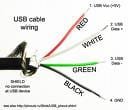
 If not, i just cut the 5v+ USB wire on the mb, rewired it to a standard micro cantilever switch, added a green led which fed off the 5v line and away you go.