
MS Bringing Back Start Menu (again), Making Windows Free

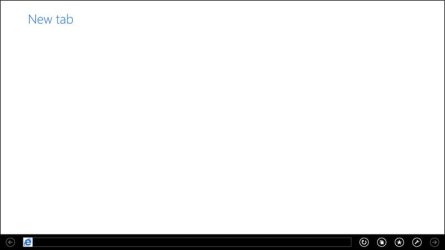
Is it just me who finds it incredibly easy to get stuck on a page in Windows 8 unable to do anything ? I've just been playing with 8 on a VM - full page metro IE Google is OK on a phone, but kinda stupid on a 27" HD. I accidently hit new tab and got the screen below with no way to leave. No red X to close, no Home button - in fact clicking any icon just made things worse.
new_tab.jpg

I've been using computers since DOS, but with 8 I can find myself stuck on a page uselessly clicking anything and everything with no results. Why has MS created this garbage ?
 

My Computer My Computer

Computer type
PC/Desktop
Computer Manufacturer/Model Number
self build
OS
Windows 7 pro x64 SP1
CPU
Intel i7-2600k o/c to 4.6GHz
Motherboard
MSI Z68-GD80
Memory
8GB Mushkin 1866MHz
Graphics Card(s)
Nvidia GTX 750 Ti 2GB
Sound Card
integrated
Monitor(s) Displays
Liyama ProLite 27"
Screen Resolution
1920*1080 px
Hard Drives
Seagate 2TB
PSU
Coolermaster GX 750W
Case
Antec 300 case + 5 fans
Cooling
Dark Rock Pro
Internet Speed
62Mbit down 18Mbit up
Antivirus
MSE
Browser
Firefox
Other Info
Blackgold BGT3650 Quad HD TV card. Also have various 3770 + 4770K render boxes.
Try ALT+F4 to get out of it. Or WIN+D.
 

My Computer My Computer

Computer Manufacturer/Model Number
HP, Dell, Gateway, Toshiba - 4 laptops and 2 desktops
OS
Vista, Windows7, Mint Mate, Zorin, Windows 8
CPU
from 1.6GHz Duo to i7
Monitor(s) Displays
2x HP w2207
Hard Drives
5x HDD, 7x SSD, 12x Externals
Keyboard
with trackball - no mices
Mouse
Trackball mice
Internet Speed
DSL 6000
God only know why MS thought eliminating familiar OS/GUI controls (Start menu, Close buttons, etc.) would endear anyone to to W8.
I guess they thought that everyone would just "drink the Kool-Aid".

That same mentality is what drives me nuts with the application ribbon jazz. You have to get down to the menu so you click the ribbon tool thingy, then click the menus. All it does is sweep the File Edit Yadda Yadda menus under the rug at the cost of another click. (Official rant concluded.)


b0218.gif
 

My Computer My Computer

Computer Manufacturer/Model Number
HP Media Center
OS
Windows 7 32 bit
CPU
AMD 5200+ dual core
Memory
2 GB
Graphics Card(s)
NVidia GeForce 6150SE 128 MB
Monitor(s) Displays
CRT
Screen Resolution
1280x1024
Hard Drives
500 GB Sata internal :

SIIG USB 3.0 docking stations w/WD Caviar Black 6 Gb/s drives
Keyboard
PS/2
Mouse
PS/2 Wheel Mouse
Other Info
SIIG USB 3.0 PCIexpress card.
Is it just me who finds it incredibly easy to get stuck on a page in Windows 8 unable to do anything ? I've just been playing with 8 on a VM - full page metro IE Google is OK on a phone, but kinda stupid on a 27" HD. I accidently hit new tab and got the screen below with no way to leave. No red X to close, no Home button - in fact clicking any icon just made things worse.

I've been using computers since DOS, but with 8 I can find myself stuck on a page uselessly clicking anything and everything with no results. Why has MS created this garbage ?
When I tried W8DP, I got stuck in the Weather App for a stupid amount of time.

After that, I never (deliberately) opened a Metro App again in any of the other W8 previews.

Someone tried to convince me that grabbing an app's title bar and then dragging the app off of the screen, was more efficient than clicking on (or poking at) a close button.

God only know why MS thought eliminating familiar OS/GUI controls (Start menu, Close buttons, etc.) would endear anyone to to W8.
I guess they thought that everyone would just "drink the Kool-Aid".

That same mentality is what drives me nuts with the application ribbon jazz. You have to get down to the menu so you click the ribbon tool thingy, then click the menus. All it does is sweep the File Edit Yadda Yadda menus under the rug at the cost of another click. (Official rant concluded.)

I hear ya (b*&^% "Ribbon", Metro, Gnome3, Unity, etc.). :)

Somehow these things are considered GUI improvements:

  • adding extra mouse clicks/keystrokes
  • adding extra movements
  • "hide and seek" for function/feature locations
:doh:
 

My Computer My Computer

Computer type
PC/Desktop
Computer Manufacturer/Model Number
n/a
OS
W7 Ultimate SP1, LM19.2 MATE, W10 Home 1703, W10 Pro 1703 VM, #All 64 bit
CPU
AMD Phenom II x6 1100T, 3.3 GHz
Motherboard
ASUS M4A88T-M/USB3 (AM3)
Memory
12GB DDR3 1333 G-Skill (4GB x 2), G-Skill (2GB x 2)
Graphics Card(s)
NVIDIA GeForce GTX 660
Sound Card
Realtek?
Monitor(s) Displays
Samsung S23B350
Screen Resolution
1920x1080
Hard Drives
WD Green 2TB (SATA), WD Green 3TB (SATA), WD Blue 4TB (SATA), WD Blue 6TB (SATA)
PSU
Cooler Master
Case
Antec GX300 Tower
Cooling
3x Antec TRICOOL 120mm Fans
Mouse
Wired Optical
Internet Speed
DSL
Antivirus
Avast
Browser
Pale Moon (64 bit)
Other Info
2018-12-27 Upgraded HDDs
2015-12-10 Upgraded case, graphics card, storage
2015-08-15 Upgraded motherboard & RAM
2015-07-15 Upgraded LM17.1 to LM17.2
I hear ya (b*&^% "Ribbon", Metro, Gnome3, Unity, etc.). :)

Somehow these things are considered GUI improvements:

  • adding extra mouse clicks/keystrokes
  • adding extra movements
  • "hide and seek" for function/feature locations
Damn right. Unity and Gnome3 are just as much of a pita as 8.1 as far as the UI goes. That's why I stay with Mint Mate which is Gnome2. We are sometimes 'advancing' by marching backwards.
 

My Computer My Computer

Computer Manufacturer/Model Number
HP, Dell, Gateway, Toshiba - 4 laptops and 2 desktops
OS
Vista, Windows7, Mint Mate, Zorin, Windows 8
CPU
from 1.6GHz Duo to i7
Monitor(s) Displays
2x HP w2207
Hard Drives
5x HDD, 7x SSD, 12x Externals
Keyboard
with trackball - no mices
Mouse
Trackball mice
Internet Speed
DSL 6000
I won't move to windows 8 until they get rid of that crappy file history, add previous versions back (built in, not have to use shadow explorer) add a start menu that doesn't suck, and add a decent way to really customize file explorer. And allow Aero to have it be an option-or automatically turn on when the device is a desktop.

Here is what I never understood though - Why doesn't Microsoft add this to windows 8 as an option?

  1. When you boot windows 8 for the first time, it should prompt you what interface you would like to use. They could suggest metro by default, but have an advanced option for power users that looks more like windows 7. Or if your on a tablet it defaults the selected option to metro (recommended), but still allows you to choose. If your on a desktop, it defaults to classic 7 look. If they would have done that, there would have been way less complaints. Seriously, add a dialog box. How hard could that be?
 

My Computer My Computer

Computer type
PC/Desktop
Computer Manufacturer/Model Number
Custom Built
OS
Windows 10 Pro
CPU
AMD Ryzen 5 2400G Processor with Radeon RX Vega 11 Graphics
Motherboard
ASRock X470 Master SLI/AC AM4 AMD Promontory X470 SATA 6Gb/s
Memory
G.SKILL Ripjaws V Series 16GB (2 x 8GB) 288-Pin DDR4 SDRAM D
Graphics Card(s)
2047MB NVIDIA GeForce GTX 1060 6GB (EVGA)
Sound Card
Motherboard Built in
Monitor(s) Displays
Acer R240HY bidx 23.8-Inch IPS HDMI DVI VGA (1920 x 1080) Wi
Screen Resolution
1920 x 1080
Hard Drives
1TB Sandisk SSD PLUS (Main drive)
500 GB Seagate 7200 RPM (Games)
500 GB Western Digital 7200 RPM (Virtual Machines)
PSU
CORSAIR TX Series TX650M 650W 80+ Gold Modular Power Supply
Case
CORSAIR CARBIDE SPEC-02 Mid-Tower Gaming Case, Red LED Fan
Cooling
220mm, two 120mm, and four 60mm fans
Keyboard
Wired Dell keyboard
Mouse
Wireless Logitech mouse
Internet Speed
250mb down, 30mb up
Antivirus
Panda Cloud Antivirus
Browser
Chrome-ish x64
Other Info
Your awesome for reading this.
On another note Rent A Center is now the only store in my town to sell Windows PCs
 

My Computer My Computer

Computer type
PC/Desktop
Computer Manufacturer/Model Number
CyberPowerPC GUA440
OS
Elementary OS Luna
CPU
Intel Core i7 overclocked at 3.4ghz
Motherboard
Unknown
Memory
8GB of DDR2 RAM clocked at 6400mhz
Graphics Card(s)
ZOTAC GeForce GTX 650 LP
Hard Drives
Two 1 TB hdds
Antivirus
Unnecessary
Browser
Mozilla Firefox
What are the other stores selling.
 

My Computer My Computer

Computer Manufacturer/Model Number
HP, Dell, Gateway, Toshiba - 4 laptops and 2 desktops
OS
Vista, Windows7, Mint Mate, Zorin, Windows 8
CPU
from 1.6GHz Duo to i7
Monitor(s) Displays
2x HP w2207
Hard Drives
5x HDD, 7x SSD, 12x Externals
Keyboard
with trackball - no mices
Mouse
Trackball mice
Internet Speed
DSL 6000
Back
Top