- Local time
- 4:47 AM
- Messages
- 33
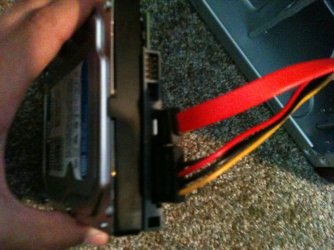
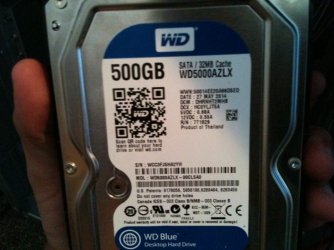
The motherboard is IDE and SATA, and the new hard drives only have SATA connections of course. So, I purchased a power supply SATA adapter and I have a SATA cable running to the motherboard in the first SATA spot (SATA 1 [total of 2 slots]). The BIOS does not tell you which hard drives are recognized, but it allows you to have an initial bootup of first/second/third.
If the mobo has SATA ports why do you need a SATA adapter, and what is a "power Supply SATA adapter?"
Plug the drive you want to install upon directly to SATA1 port alone.
The drive should be detected somewhere in BIOS setup, normally under SATA devices or in the BIOS Boot priority order. It may have its model or serial number to google. If it's now detected then it needs to be reinstalled until it is.
As Doc suggested set SATA controller (where you enabled SATA) to AHCI first to try it.
SATA adapter for the power supply. Look here: COOLMAX SATA POWER ADAPTER 6" Cable - Newegg.com
Apparently, you didn't look at all the BIOS images, there is no section for SATA devices, and the BIOS Boot Priority order only is labelled by HDD-0/HDD-1/HDD-2/HDD-3/CDROM/USB etc. Also, there is no AHCI mode.
My Computer
At a glance
Windows 8.1 64bit
- Computer type
- Laptop
- Computer Manufacturer/Model Number
- Asus
- OS
- Windows 8.1 64bit