Solved how to remove unused drivers?

jmm

New member
Member
VIP
Local time
9:00 AM
Messages
107
Hi, I posted the question in Autoruns forum but didnt get a satisfactory answer. Here's the thing:
After running Autoruns, several issues (yellow items) appear in the Drivers tab, which are related to sys files that cannot be found on startup. As these apparently are remnants of old apps that were not uninstalled properly, it would seem logical to try to remove them. The problem is that the sys file doesnt tell you which inf driver package it belongs to. There exists software that will tell you the match between inf and sys files present in your machine, but... since the sys files are actually missing, there is not much that software can help you with...
I was therefore wondering if anybody knows how to get rid of these old drivers running on startup (which incidentally generate astronomical numbers of errors in event viewer). As seen in another post in this forum, unchecking the item in Autoruns wont do anything as the sys file is absent anyway, so that the proper thing to do would be to uninstall the whole driver package...
Looking forward to hearing your suggestions...
 

My Computer My Computer

Computer type
Laptop
Computer Manufacturer/Model Number
Dell Latitude E7240
OS
Microsoft Windows 7 Professionnel 64 bits 7601 Multiprocessor Free Service Pack 1
CPU
Intel(R) Core(TM) i5-4310U CPU @ 2.00GHz
Motherboard
Dell Inc. 08YF01
Memory
8,00 GB
Graphics Card(s)
Intel(R) HD Graphics Family
Sound Card
(1) Bluetooth Audio (2) Périphérique High Definition Audio
Monitor(s) Displays
Mobile Intel 965
Screen Resolution
1366 x 768 x 32 bits (4294967296 colors) @ 59 Hz
Hard Drives
SK hynix SH920 mSATA 128
Do you have any reason to believe these unused drivers are affecting performance?
 

My Computer My Computer

Computer type
PC/Desktop
Computer Manufacturer/Model Number
Ignatz Special; 4 speed manual gearbox; factory air conditioning; one of one
OS
Windows 7 Home Premium SP1, 64-bit
CPU
Intel Skylake i5-6600K, not overclocked
Motherboard
AsRock Z170M Extreme 4, micro ATX
Memory
8 GB HyperX DDR4-2666 (2 x 4 GB)
Graphics Card(s)
none; graphics are integrated on CPU
Sound Card
onboard: Realtek ALC1150; external: USB Behringer UF0-202
Monitor(s) Displays
Dell S2340M 23 inch IPS
Screen Resolution
1600 x 900
Hard Drives
System: Crucial MX100 series SSD, 128 GB;
Data: Samsung Spinpoint 103SJ, 1 TB;
Backup: WD Caviar Green WD30EZRX-00D8PB0, 3 TB
PSU
Rosewill SilentNight 500 watt fanless, semi-modular
Case
Antec Solo II
Cooling
Noctua NH-U12S; Noctua F12 intake, Noctua S12A exhaust
Keyboard
Microsoft 200 6JH-00001 USB
Mouse
Dell or Microsoft optical wired; USB
Antivirus
Microsoft Security Essentials and Malwarebytes Premium
Browser
Pale Moon
Other Info
All fans PWM; speeds at idle: CPU circa 500 rpm; intake circa 600 rpm; exhaust circa 600 rpm; CPU temps 27 idle and 47 C load in a warm room (27 C/81 F) when running Intel Extreme Tuning Utility stress test.
not really, except intuitively the fact that the system attempts to load/run something that doesnt exist, the error buildup in events viewer, and also some popups that occasionally tell me for instance that an unknown usb device (several of these old drivers ARE USB-related) is trying (and failing) to connect...
am i to understand that it's best to leave those drivers alone as there is no way to remove them?
 

My Computer My Computer

Computer type
Laptop
Computer Manufacturer/Model Number
Dell Latitude E7240
OS
Microsoft Windows 7 Professionnel 64 bits 7601 Multiprocessor Free Service Pack 1
CPU
Intel(R) Core(TM) i5-4310U CPU @ 2.00GHz
Motherboard
Dell Inc. 08YF01
Memory
8,00 GB
Graphics Card(s)
Intel(R) HD Graphics Family
Sound Card
(1) Bluetooth Audio (2) Périphérique High Definition Audio
Monitor(s) Displays
Mobile Intel 965
Screen Resolution
1366 x 768 x 32 bits (4294967296 colors) @ 59 Hz
Hard Drives
SK hynix SH920 mSATA 128
Have you set-up Device Manager to "Show hidden devices"? That's where I'd start, and then Uninstall anything there that you can ID for sure as "missing" on your system. Here is just one link among many that discusses this technique. There's probably a tutorial here somewhere about this too.

http://www.howtogeek.com/howto/windows-vista/remove-old-drivers-after-upgrading-to-new-hardware/

I am running an old (now obsolete, but it still works) program called Comodo Programs Manager and it will uninstall drivers too, though honestly I have not used that feature much. If you do look for it, get the "latest stable" version 1.3 and not the newer 2.0beta. CPM tells me I'm running 448 Drivers and Services right now and then I can sort the list by Type and see just the Drivers listed. Right-click on any and CPM will Uninstall or "Open install location" might have some clues about it. I will edit the registry too if I have to but this is not for the uninitiated or faint-of-heart; you'd better have made a backup of your PC before fiddling with the registry in earnest.

I have no "file not found" items in Autoruns or Event Log errors of any kind and understand your concern--I root junk out at every opportunity myself. One argument for getting rid of stuff is that when you DO have a nasty REAL problem, all this junk can otherwise get in your way...
 

My Computer My Computer

Computer type
Laptop
Computer Manufacturer/Model Number
Dell Latitude E6540 Laptop
OS
Windows 7 Professional 64bit
CPU
Intel Core i7 4600M @ 2.90GHz
Motherboard
Dell Inc. 0CYT5F (SOCKET 0)
Memory
16.0GB Dual-Channel DDR3 @ 797MHz (11-11-11-28)
Graphics Card(s)
Intel HD Graphics 4600 (Dell) 2048MB ATI AMD Radeon HD 8790M
Sound Card
Realtek High Definition Audio
Monitor(s) Displays
HP ZR30w (2560x1600@60Hz)
Hard Drives
256GB LITEONIT LMT-256M6M-41 mm SATA (SSD)
1TB Samsung SSD 860 EVO mSATA SATA (SSD)
2TB USB 3.0 USB Device
115GB SanDisk Ultra Fit USB
Other Info
Multiple Dell E-Port Plus II Port Replicator/Docking Stations 0Y72NH USB 3.0 + 130W AC Adapters
how to remove lavasoft ad-aware's DriverStore folder?

thanks much max - am pretty sure i already checked hidden devices in devmgr (right now my machine is busy downloading a huge file taking hours and i dont want to 'disturb') - i'll check the options you mentioned and and will post results...
meanwhile, i have another question that's somewhat related:
has anyone ever installed then uninstalled lavasoft's ad-aware 11? apparently this software creates a huge (~1.6 gb) folder called DriverStore in system32 that stays there after uninstall and cannot be removed due to lack of permission - does anyone know a way of getting rid of that? i think it also contains drivers, so even taking ownership to delete with explorer may not be a good idea... again, i dont think this alters performance but i hate to waste that much mem...
 

My Computer My Computer

Computer type
Laptop
Computer Manufacturer/Model Number
Dell Latitude E7240
OS
Microsoft Windows 7 Professionnel 64 bits 7601 Multiprocessor Free Service Pack 1
CPU
Intel(R) Core(TM) i5-4310U CPU @ 2.00GHz
Motherboard
Dell Inc. 08YF01
Memory
8,00 GB
Graphics Card(s)
Intel(R) HD Graphics Family
Sound Card
(1) Bluetooth Audio (2) Périphérique High Definition Audio
Monitor(s) Displays
Mobile Intel 965
Screen Resolution
1366 x 768 x 32 bits (4294967296 colors) @ 59 Hz
Hard Drives
SK hynix SH920 mSATA 128
Yikes! :eek:

STOP! And step away from your computer.... (j/k) :p

But, really, do NOT attempt to delete DriverStore. It's part of Windows (not Lavasoft). As name implies, it contains a "staged" copy of all the drivers on your machine. (Drivers are first "staged" then installed as needed). Driverstore contains all the Windows drivers that came with your OS plus all the drivers added after. You can see a list of all the drivers in the DriverStore that didn't come with your OS by opening an admin command prompt and typing pnputil -e. (see example output below). Check the params of the pnputil command to see how to delete individual driver packages.

Also
1) I'd view non-present devices in Device Manager BUT be aware: Some non-plug and play devices also appear as "ghost" devices (with semi-transparent icons). So, i wouldn't uninstall a device unless you know what it is and know it's plug and play
2) As to the "left overs" in autoruns, they may also sometimes be caused by malware not fully removed. In any case, if there's no matching file found, i'd use autoruns to just delete the entry

An example of DriverStore output from my machine (note only drivers that didn't come with the OS get listed)
Code:
Published name :            oem11.inf
Driver package provider :   Logitech
Class :                     Human Interface Devices
Driver date and version :   03/18/2014 5.80.3
Signer name :               Microsoft Windows Hardware Compatibility Publisher

Published name :            oem20.inf
Driver package provider :   NVIDIA
Class :                     Universal Serial Bus controllers
Driver date and version :   11/11/2013 6.14.13.3182
Signer name :               Microsoft Windows Hardware Compatibility Publisher

Published name :            oem12.inf
Driver package provider :   Logitech
Class :                     Human Interface Devices
Driver date and version :   03/18/2014 5.80.3
Signer name :               Microsoft Windows Hardware Compatibility Publisher

Published name :            oem21.inf
Driver package provider :   NVIDIA
Class :                     Sound, video and game controllers
Driver date and version :   09/30/2013 1.2.9
Signer name :               Microsoft Windows Hardware Compatibility Publisher

Published name :            oem30.inf
Driver package provider :   SAMSUNG Electronics Co., Ltd.
Class :                     Network adapters
Driver date and version :   03/25/2013 2.9.508.0
Signer name :               Microsoft Windows Hardware Compatibility Publisher

Published name :            oem13.inf
Driver package provider :   Logitech
Class :                     Human Interface Devices
Driver date and version :   03/18/2014 5.80.3
Signer name :               Microsoft Windows Hardware Compatibility Publisher

Published name :            oem22.inf
Driver package provider :   EPSON
Class :                     Imaging devices
Driver date and version :   07/12/2012 3.9.2.0
Signer name :               Microsoft Windows Hardware Compatibility Publisher

Published name :            oem31.inf
Driver package provider :   SAMSUNG Electronics Co., Ltd.
Class :                     Ports (COM & LPT)
Driver date and version :   03/25/2013 2.9.508.0
Signer name :               Microsoft Windows Hardware Compatibility Publisher

Published name :            oem40.inf
Driver package provider :   Oracle Corporation
Class :                     Network adapters
Driver date and version :   05/16/2014 4.3.12
Signer name :

Published name :            oem14.inf
Driver package provider :   Logitech
Class :                     Keyboards
Driver date and version :   03/18/2014 5.80.3
Signer name :               Microsoft Windows Hardware Compatibility Publisher

Published name :            oem23.inf
Driver package provider :   Adobe
Class :                     Printers
Driver date and version :   03/20/2008 8.5.0000.0
Signer name :               Microsoft Windows Hardware Compatibility Publisher

Published name :            oem32.inf
Driver package provider :   SAMSUNG Electronics Co., Ltd.
Class :                     Network adapters
Driver date and version :   03/25/2013 2.9.508.0
Signer name :               Microsoft Windows Hardware Compatibility Publisher

Published name :            oem41.inf
Driver package provider :   Oracle Corporation
Class :                     Network Service
Driver date and version :   05/16/2014 4.3.12
Signer name :

Published name :            oem50.inf
Driver package provider :   Microsoft
Class :                     Printers
Driver date and version :   05/28/2012 15.0.4128.4000
Signer name :               Microsoft Windows Hardware Compatibility Publisher

Published name :            oem15.inf
Driver package provider :   Logitech
Class :                     DriverInterface
Driver date and version :   03/18/2014 5.80.3
Signer name :               Microsoft Windows Hardware Compatibility Publisher

Published name :            oem24.inf
Driver package provider :   Adobe
Class :                     Printers
Driver date and version :   07/22/2009 8.6.0000.0
Signer name :               Microsoft Windows Hardware Compatibility Publisher

Published name :            oem33.inf
Driver package provider :   SAMSUNG Electronics Co., Ltd.
Class :                     Ports (COM & LPT)
Driver date and version :   03/25/2013 2.9.508.0
Signer name :               Microsoft Windows Hardware Compatibility Publisher

Published name :            oem42.inf
Driver package provider :   Oracle Corporation
Class :                     Network adapters
Driver date and version :   02/25/2014 4.3.8
Signer name :

Published name :            oem51.inf
Driver package provider :   Oracle Corporation
Class :                     Network adapters
Driver date and version :   03/26/2014 4.3.10
Signer name :

Published name :            oem16.inf
Driver package provider :   Logitech
Class :                     Mice and other pointing devices
Driver date and version :   03/18/2014 5.80.3
Signer name :               Microsoft Windows Hardware Compatibility Publisher

Published name :            oem25.inf
Driver package provider :   SAMSUNG Electronics Co., Ltd.
Class :                     Unknown driver class
Driver date and version :   03/25/2013 2.9.508.0
Signer name :               Microsoft Windows Hardware Compatibility Publisher

Published name :            oem34.inf
Driver package provider :   SAMSUNG Electronics Co., Ltd.
Class :                     Unknown driver class
Driver date and version :   03/25/2013 2.9.508.0
Signer name :               Microsoft Windows Hardware Compatibility Publisher

Published name :            oem43.inf
Driver package provider :   Oracle Corporation
Class :                     Network adapters
Driver date and version :   03/13/2014 4.2.24
Signer name :

Published name :            oem52.inf
Driver package provider :   SAMSUNG Electronics Co., Ltd.
Class :                     Universal Serial Bus controllers
Driver date and version :   01/02/2014 2.11.7.0
Signer name :               Microsoft Windows Hardware Compatibility Publisher

Published name :            oem17.inf
Driver package provider :   Logitech
Class :                     Universal Serial Bus controllers
Driver date and version :   12/14/2011 13.40.840.0
Signer name :               Microsoft Windows Hardware Compatibility Publisher

Published name :            oem26.inf
Driver package provider :   SAMSUNG Electronics Co., Ltd.
Class :                     Universal Serial Bus controllers
Driver date and version :   03/25/2013 2.9.508.0
Signer name :               Microsoft Windows Hardware Compatibility Publisher

Published name :            oem35.inf
Driver package provider :   SAMSUNG Electronics Co., Ltd.
Class :                     Universal Serial Bus controllers
Driver date and version :   03/25/2013 2.9.508.0
Signer name :               Microsoft Windows Hardware Compatibility Publisher

Published name :            oem44.inf
Driver package provider :   NVIDIA
Class :                     Display adapters
Driver date and version :   03/04/2014 9.18.13.3523
Signer name :               Microsoft Windows Hardware Compatibility Publisher

Published name :            oem53.inf
Driver package provider :   SAMSUNG Electronics Co., Ltd.
Class :                     Modems
Driver date and version :   01/02/2014 2.11.7.0
Signer name :               Microsoft Windows Hardware Compatibility Publisher

Published name :            oem18.inf
Driver package provider :   Logitech
Class :                     Sound, video and game controllers
Driver date and version :   01/17/2012 13.31.1044.0
Signer name :               Microsoft Windows Hardware Compatibility Publisher

Published name :            oem27.inf
Driver package provider :   SAMSUNG Electronics Co., Ltd.
Class :                     Ports (COM & LPT)
Driver date and version :   03/25/2013 2.9.508.0
Signer name :               Microsoft Windows Hardware Compatibility Publisher

Published name :            oem36.inf
Driver package provider :   SAMSUNG Electronics Co., Ltd.
Class :                     Network adapters
Driver date and version :   03/25/2013 2.9.508.0
Signer name :               Microsoft Windows Hardware Compatibility Publisher

Published name :            oem45.inf
Driver package provider :   NVIDIA
Class :                     Universal Serial Bus controllers
Driver date and version :   03/02/2014 6.14.13.3521
Signer name :               Microsoft Windows Hardware Compatibility Publisher

Published name :            oem54.inf
Driver package provider :   Oracle Corporation
Class :                     Network adapters
Driver date and version :   05/16/2014 4.3.12
Signer name :

Published name :            oem19.inf
Driver package provider :   NVIDIA Corporation
Class :                     Sound, video and game controllers
Driver date and version :   06/16/2013 1.3.26.4
Signer name :               Microsoft Windows Hardware Compatibility Publisher

Published name :            oem28.inf
Driver package provider :   SAMSUNG Electronics Co., Ltd.
Class :                     Modems
Driver date and version :   03/25/2013 2.9.508.0
Signer name :               Microsoft Windows Hardware Compatibility Publisher

Published name :            oem37.inf
Driver package provider :   SAMSUNG Electronics Co., Ltd.
Class :                     Universal Serial Bus controllers
Driver date and version :   03/25/2013 2.9.508.0
Signer name :               Microsoft Windows Hardware Compatibility Publisher

Published name :            oem46.inf
Driver package provider :   NVIDIA Corporation
Class :                     Sound, video and game controllers
Driver date and version :   11/28/2013 1.3.30.1
Signer name :               Microsoft Windows Hardware Compatibility Publisher

Published name :            oem55.inf
Driver package provider :   HP
Class :                     Printers
Driver date and version :   12/16/2012 11.21.00.1607
Signer name :               Microsoft Windows Hardware Compatibility Publisher

Published name :            oem29.inf
Driver package provider :   SAMSUNG Electronics Co., Ltd.
Class :                     Portable Devices
Driver date and version :   03/25/2013 2.9.508.0
Signer name :               Microsoft Windows Hardware Compatibility Publisher

Published name :            oem38.inf
Driver package provider :   SAMSUNG Electronics Co., Ltd.
Class :                     Universal Serial Bus controllers
Driver date and version :   03/25/2013 2.9.508.0
Signer name :               Microsoft Windows Hardware Compatibility Publisher

Published name :            oem47.inf
Driver package provider :   Hewlett-Packard
Class :                     Imaging devices
Driver date and version :   11/10/2006 08.00.00.01
Signer name :               Microsoft Windows Hardware Compatibility Publisher

Published name :            oem56.inf
Driver package provider :   Hewlett-Packard
Class :                     Imaging devices
Driver date and version :   12/16/2012 30.0.1044.40289
Signer name :               Microsoft Windows Hardware Compatibility Publisher

Published name :            oem39.inf
Driver package provider :   Oracle Corporation
Class :                     Universal Serial Bus controllers
Driver date and version :   05/16/2014 4.3.12
Signer name :

Published name :            oem48.inf
Driver package provider :   Hewlett-Packard
Class :                     IEEE 1284.4 compatible printer
Driver date and version :   11/10/2006 050.000.145.000
Signer name :               Microsoft Windows Hardware Compatibility Publisher

Published name :            oem57.inf
Driver package provider :   Hewlett-Packard
Class :                     Universal Serial Bus controllers
Driver date and version :   12/16/2012 30.0.1044.40289
Signer name :               Microsoft Windows Hardware Compatibility Publisher

Published name :            oem49.inf
Driver package provider :   Microsoft
Class :                     Printers
Driver date and version :   05/28/2012 15.0.4128.4000
Signer name :               Microsoft Windows Hardware Compatibility Publisher

Published name :            oem58.inf
Driver package provider :    BASIS Science, Inc.
Class :                     Universal Serial Bus controllers
Driver date and version :   04/13/2012 2.08.24
Signer name :               Microsoft Windows Hardware Compatibility Publisher

Published name :            oem59.inf
Driver package provider :    BASIS Science, Inc.
Class :                     Ports (COM & LPT)
Driver date and version :   04/13/2012 2.08.24
Signer name :               Microsoft Windows Hardware Compatibility Publisher
 

My Computer My Computer

Computer type
PC/Desktop
Computer Manufacturer/Model Number
Dell Optiplex 360 and Optiplex 755
OS
Desk 1: Win 7 Pro x32; Desk 2: Windows 10 x64
Hard Drives
500GB Crucial SSD in both Desktops
Other Info
Buffalo 6TB NAS, Raid 1
i guess i'm confused - i was sure that before installing adaware 11 i only had a "drivers" and a "DRVSTORE" (blue caps as compressed) folders in sys32, and that the DriverStore folder only appeared after adaware 11 install - pure paranoia?... (but i'm sure the DRVSTORE folder is from an old (2009?) adaware install that didnt get removed)
wow, thanks!!
next, i'll look into that old drivers bizness and will let you know...
 

My Computer My Computer

Computer type
Laptop
Computer Manufacturer/Model Number
Dell Latitude E7240
OS
Microsoft Windows 7 Professionnel 64 bits 7601 Multiprocessor Free Service Pack 1
CPU
Intel(R) Core(TM) i5-4310U CPU @ 2.00GHz
Motherboard
Dell Inc. 08YF01
Memory
8,00 GB
Graphics Card(s)
Intel(R) HD Graphics Family
Sound Card
(1) Bluetooth Audio (2) Périphérique High Definition Audio
Monitor(s) Displays
Mobile Intel 965
Screen Resolution
1366 x 768 x 32 bits (4294967296 colors) @ 59 Hz
Hard Drives
SK hynix SH920 mSATA 128
Hmmm... i see I have a DRVSTORE folder as well, though mine only seems to contain drivers for Virtual Box (i also run a virtual machine under Win 7).

System32/DriverStore contains a copy of each "driver package". (This is the full set of files needed to do an install)

System32/Drivers contains run-time driver files. (The driver installation would place copies of the driver files in "DriverStore" to their run-time location. could be system32/drivers and / or other locations.

I can have a look at what ya got if you like. Run Autoruns, then Files->Save as a .arn file. Zip it up to attach to next post
 

My Computer My Computer

Computer type
PC/Desktop
Computer Manufacturer/Model Number
Dell Optiplex 360 and Optiplex 755
OS
Desk 1: Win 7 Pro x32; Desk 2: Windows 10 x64
Hard Drives
500GB Crucial SSD in both Desktops
Other Info
Buffalo 6TB NAS, Raid 1
ok thanks -> here it is...
 

Attachments

My Computer My Computer

Computer type
Laptop
Computer Manufacturer/Model Number
Dell Latitude E7240
OS
Microsoft Windows 7 Professionnel 64 bits 7601 Multiprocessor Free Service Pack 1
CPU
Intel(R) Core(TM) i5-4310U CPU @ 2.00GHz
Motherboard
Dell Inc. 08YF01
Memory
8,00 GB
Graphics Card(s)
Intel(R) HD Graphics Family
Sound Card
(1) Bluetooth Audio (2) Périphérique High Definition Audio
Monitor(s) Displays
Mobile Intel 965
Screen Resolution
1366 x 768 x 32 bits (4294967296 colors) @ 59 Hz
Hard Drives
SK hynix SH920 mSATA 128
Could you install Nir Sofer's DriverView and run it? You can hide ALL Microsoft's drivers,using the appropriate check box and the programme allows you to find out about all the other drivers via the Internet,before deleting or not.It really is an excellent and safe utility because it leaves the registry well alone.
 

My Computer My Computer

Computer type
PC/Desktop
Computer Manufacturer/Model Number
Home made
OS
Windows 7 Home Premium 32bit
CPU
Intel core 2 duo E6420
Motherboard
Gigabyte GA-965P-S3 Rev 3.3
Memory
4gb DDR2
Graphics Card(s)
Asus EN7600GT
Hard Drives
Seagate Barracuda 3.5in ST500DM002
Antivirus
Microsoft Security Essentials
Browser
IE 10
Good idea Joe, I forgot about Nir's utility.

jmm I fiddle with my computers all the time, have always fixed them and NEVER have had to reinstall Windows, but would not touch any of drivers, DriverStore, or DRVSTORE (ya I have Vbox stuff only in there) directories with any manual edits.

BTW I just ran DriverView on this PC and of the 448 total drivers only 42 are non-MS. Interesting...
 

My Computer My Computer

Computer type
Laptop
Computer Manufacturer/Model Number
Dell Latitude E6540 Laptop
OS
Windows 7 Professional 64bit
CPU
Intel Core i7 4600M @ 2.90GHz
Motherboard
Dell Inc. 0CYT5F (SOCKET 0)
Memory
16.0GB Dual-Channel DDR3 @ 797MHz (11-11-11-28)
Graphics Card(s)
Intel HD Graphics 4600 (Dell) 2048MB ATI AMD Radeon HD 8790M
Sound Card
Realtek High Definition Audio
Monitor(s) Displays
HP ZR30w (2560x1600@60Hz)
Hard Drives
256GB LITEONIT LMT-256M6M-41 mm SATA (SSD)
1TB Samsung SSD 860 EVO mSATA SATA (SSD)
2TB USB 3.0 USB Device
115GB SanDisk Ultra Fit USB
Other Info
Multiple Dell E-Port Plus II Port Replicator/Docking Stations 0Y72NH USB 3.0 + 130W AC Adapters
would not touch any of drivers, DriverStore, or DRVSTORE
and i wont either...
right now i'm looking into your howtogeek suggestion: turns out i have a huge load of greyed out - ie non connected - items - tempting to deinstall... however, how do i know a device not connected to-day wont be connected to-morrow? will look into all other suggestions in this post and lets see...
 

My Computer My Computer

Computer type
Laptop
Computer Manufacturer/Model Number
Dell Latitude E7240
OS
Microsoft Windows 7 Professionnel 64 bits 7601 Multiprocessor Free Service Pack 1
CPU
Intel(R) Core(TM) i5-4310U CPU @ 2.00GHz
Motherboard
Dell Inc. 08YF01
Memory
8,00 GB
Graphics Card(s)
Intel(R) HD Graphics Family
Sound Card
(1) Bluetooth Audio (2) Périphérique High Definition Audio
Monitor(s) Displays
Mobile Intel 965
Screen Resolution
1366 x 768 x 32 bits (4294967296 colors) @ 59 Hz
Hard Drives
SK hynix SH920 mSATA 128
Yea, you have a lot of stale references to old driver files in your Autorun output. (With an old Lavasoft scheduled task and a vbs script thrown in). It is safe to remove each of the entries from the registry using Autoruns. Create a System Restore point first (never hurts). Start Autoruns with admin privilege, search autoruns for each File not found entry, right click delete the file reference entry from the registry.

If you want to clean up ghosts, start with old USB mass storage related devices, see USB drive or flash problems? How to cleanup and remove old USB storage drivers - TechSpot Forums. Windows leaves a lot left behind

p.s. I LOVE Nirsoft tools too. :) But the one you want for your case is DevManView. Cleanup your usb mass storage first (per above link), then run x32 or 64-bit version of DevManView based on your OS. Click Ctl-A to select all entries, Ctl-S to Save. BUT before you save the output change the File Save As type as Tab Delimited Text. Attach to next post
 

My Computer My Computer

Computer type
PC/Desktop
Computer Manufacturer/Model Number
Dell Optiplex 360 and Optiplex 755
OS
Desk 1: Win 7 Pro x32; Desk 2: Windows 10 x64
Hard Drives
500GB Crucial SSD in both Desktops
Other Info
Buffalo 6TB NAS, Raid 1

Attachments

  • Capture.PNG
    Capture.PNG
    1.2 KB · Views: 36

My Computer My Computer

Computer type
Laptop
Computer Manufacturer/Model Number
Dell Latitude E7240
OS
Microsoft Windows 7 Professionnel 64 bits 7601 Multiprocessor Free Service Pack 1
CPU
Intel(R) Core(TM) i5-4310U CPU @ 2.00GHz
Motherboard
Dell Inc. 08YF01
Memory
8,00 GB
Graphics Card(s)
Intel(R) HD Graphics Family
Sound Card
(1) Bluetooth Audio (2) Périphérique High Definition Audio
Monitor(s) Displays
Mobile Intel 965
Screen Resolution
1366 x 768 x 32 bits (4294967296 colors) @ 59 Hz
Hard Drives
SK hynix SH920 mSATA 128

Attachments

My Computer My Computer

Computer type
Laptop
Computer Manufacturer/Model Number
Dell Latitude E7240
OS
Microsoft Windows 7 Professionnel 64 bits 7601 Multiprocessor Free Service Pack 1
CPU
Intel(R) Core(TM) i5-4310U CPU @ 2.00GHz
Motherboard
Dell Inc. 08YF01
Memory
8,00 GB
Graphics Card(s)
Intel(R) HD Graphics Family
Sound Card
(1) Bluetooth Audio (2) Périphérique High Definition Audio
Monitor(s) Displays
Mobile Intel 965
Screen Resolution
1366 x 768 x 32 bits (4294967296 colors) @ 59 Hz
Hard Drives
SK hynix SH920 mSATA 128
ComputerGeek is giving good advice--I have used Uwe Sieber's DriveTools many times and never had any problems resulting from it. I would say your 147 USB devices etc is an uncommonly high number! You must connect/disconnect stuff very often indeed! I wonder also: what's a "Floppy device"?

;)

As for Device Manager, it is safe to un-install any ghost items there in my experience, with the exception of the Storage Volumes and Storage volume shadow copies which I try not to touch.

Any hardware that you may have inadvertantly uninstalled with DevMgr should immediately be re-installed when connected again, and/or when you click "Scan for hardware changes" under Action.
 

My Computer My Computer

Computer type
Laptop
Computer Manufacturer/Model Number
Dell Latitude E6540 Laptop
OS
Windows 7 Professional 64bit
CPU
Intel Core i7 4600M @ 2.90GHz
Motherboard
Dell Inc. 0CYT5F (SOCKET 0)
Memory
16.0GB Dual-Channel DDR3 @ 797MHz (11-11-11-28)
Graphics Card(s)
Intel HD Graphics 4600 (Dell) 2048MB ATI AMD Radeon HD 8790M
Sound Card
Realtek High Definition Audio
Monitor(s) Displays
HP ZR30w (2560x1600@60Hz)
Hard Drives
256GB LITEONIT LMT-256M6M-41 mm SATA (SSD)
1TB Samsung SSD 860 EVO mSATA SATA (SSD)
2TB USB 3.0 USB Device
115GB SanDisk Ultra Fit USB
Other Info
Multiple Dell E-Port Plus II Port Replicator/Docking Stations 0Y72NH USB 3.0 + 130W AC Adapters

My Computer My Computer

Computer type
Laptop
Computer Manufacturer/Model Number
Dell Latitude E7240
OS
Microsoft Windows 7 Professionnel 64 bits 7601 Multiprocessor Free Service Pack 1
CPU
Intel(R) Core(TM) i5-4310U CPU @ 2.00GHz
Motherboard
Dell Inc. 08YF01
Memory
8,00 GB
Graphics Card(s)
Intel(R) HD Graphics Family
Sound Card
(1) Bluetooth Audio (2) Périphérique High Definition Audio
Monitor(s) Displays
Mobile Intel 965
Screen Resolution
1366 x 768 x 32 bits (4294967296 colors) @ 59 Hz
Hard Drives
SK hynix SH920 mSATA 128
just a quick note as i haven't had the time to review your DevManView data yet and explain next steps. But I do want to reply to your last question about using a Registry Cleaner

IMHO I strongly advise against using Registry Cleaners. The more aggressive the cleaner the more likely it will corrupt something now or in the future. That said, i'll add the only exception i'd grant is toCCleaner. It's not aggressive and i've never had a problem with its level of "cleaning" on my or any other computer i've used it with.

As to your situation, I'd be happy to walk you through the remaining steps if you can be patient and wait a bit. For next step, if you haven't already, follow my instruction in prior post to delete File Not Found entries in Autoruns. (Ctl-F to open the Find window, search for File Not Found hit F3 to find next instance) For each file not found entry, right click select->Delete. (just double check it;s a File not Found entry before you delete). Autoruns will then delete the correct registry entry foryou

Feel free to ask any questions and will try my best to answer
 

My Computer My Computer

Computer type
PC/Desktop
Computer Manufacturer/Model Number
Dell Optiplex 360 and Optiplex 755
OS
Desk 1: Win 7 Pro x32; Desk 2: Windows 10 x64
Hard Drives
500GB Crucial SSD in both Desktops
Other Info
Buffalo 6TB NAS, Raid 1
sorry, i should have been more verbose: my intention is not to clean the registry but to see if comodo's system utilities can help me, as their help pages mention an autorun check (how this compares with Autoruns i have no idea) with a focus on drivers -
i was going to post a summary of my results with all the options given in this thread (many thanks folks!) but i think i'll chicken out given the amount of time it'd need...
let me just say that comodo so far seemed like the best option regdg my initial concern for corrupted (? -> "file-not-found") drivers called during startup, which then moved to a more general topic of "unused drivers"... indeed, with comodo's program manager it seems rather easy to find the driver packages matching the missing sys files found by autorun, and then hopefully uninstall them - however i still dont know if cpm actually uninstalls whole driver packages including registry entries (if someone knows please speak up!) - so the whole thing would obviously be even easier if comodo sys util finds both corrupted startup drivers AND thoroughly uninstalls them...
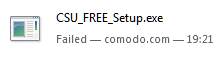
as to your advice to do that with Autoruns, i'd like to know what exactly it'll do: uninstall packages, clean registry, ot both? if it does both, then i'll go with it and wont bother trying to dnld csu (has someone tried? i start downloading just under 1 mb and then always get the result below -> am suspecting a dirty commercial trick...)
 

Attachments

  • Image2.png
    Image2.png
    1.1 KB · Views: 32

My Computer My Computer

Computer type
Laptop
Computer Manufacturer/Model Number
Dell Latitude E7240
OS
Microsoft Windows 7 Professionnel 64 bits 7601 Multiprocessor Free Service Pack 1
CPU
Intel(R) Core(TM) i5-4310U CPU @ 2.00GHz
Motherboard
Dell Inc. 08YF01
Memory
8,00 GB
Graphics Card(s)
Intel(R) HD Graphics Family
Sound Card
(1) Bluetooth Audio (2) Périphérique High Definition Audio
Monitor(s) Displays
Mobile Intel 965
Screen Resolution
1366 x 768 x 32 bits (4294967296 colors) @ 59 Hz
Hard Drives
SK hynix SH920 mSATA 128
I have never used CSU but had no trouble downloading and installing the latest version using this link:

http://download.comodo.com/csc/down...43.26_xp_vista_server2003_server2008_win7.exe

I understand that you have a hunch these "unused drivers" are causing slowdowns on your system, but are they really? How long does it take to boot your system?

AFAIK all that deleting the Autoruns pointers does is just that: deletes those system pieces (shortcuts or registry entries) that point to files that no longer are there on your hard drive. If you want to delete these go right ahead, but if instead you want to find & eradicate all manner of system files and registry items associated with all of these now-missing files, you just might want to leave Autoruns alone for now as it is giving you clues about drivers etc that were clearly not properly un-installed. Or maybe make screenshot(s) of these before you delete them so you can refer-back to what you deleted.

I will look at CSU and see what to make of that toolset...

EDIT: Well I looked at the Drivers tab in the Autorun Manager of CSU and nothing about it impressed me as being particularly useful for your concerns jmm. And when I right-clicked on one of my own drivers "AFD" (afd.sys) and selected "Search on internet" it took me directly to the home page of the Austin Fire Department! Not very helpful! Right-clicking on items in Sysinternals' Autoruns is gonna give you more help i.e. Jump to Entry (registry location), Jump to Image (file location), Search Online etc.
 

My Computer My Computer

Computer type
Laptop
Computer Manufacturer/Model Number
Dell Latitude E6540 Laptop
OS
Windows 7 Professional 64bit
CPU
Intel Core i7 4600M @ 2.90GHz
Motherboard
Dell Inc. 0CYT5F (SOCKET 0)
Memory
16.0GB Dual-Channel DDR3 @ 797MHz (11-11-11-28)
Graphics Card(s)
Intel HD Graphics 4600 (Dell) 2048MB ATI AMD Radeon HD 8790M
Sound Card
Realtek High Definition Audio
Monitor(s) Displays
HP ZR30w (2560x1600@60Hz)
Hard Drives
256GB LITEONIT LMT-256M6M-41 mm SATA (SSD)
1TB Samsung SSD 860 EVO mSATA SATA (SSD)
2TB USB 3.0 USB Device
115GB SanDisk Ultra Fit USB
Other Info
Multiple Dell E-Port Plus II Port Replicator/Docking Stations 0Y72NH USB 3.0 + 130W AC Adapters
Back
Top