Hi Guys
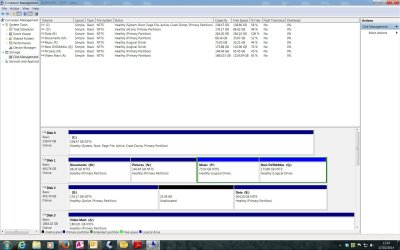
Having installed an SSD and cloned Windows 7 + Apps to it, I've come up against a couple of problems using Outlook 2010 and I'd be grateful for any help please. The pst file is on another HDD that was not involved in the upgrade.
1) Search function no longer works. either says not found immediately or carries on searching for ever. Clue may be in Indexing? Click on Indexing Status and get "Outlook is currently indexing you items. 2129 items to index" Problem is, this number is increasing, not decreasing! Started around 1600. Should PC be left on and Outlook open, and just be patient, or is something awry?
2)Since SSD installed, all emails with images have lost them. Applies to ones I already have and new ones when opened first time. Red Cross and message in each image frame "Linked Image cannot be displayed. The file may have been moved, renamed or deleted. Verify that the link points to the correct file and location".
Firefox is browser.
If I forward an email that is not showing embedded pictures to another PC the images are present again.
Presumably the images are stored somewhere and the link has been broken by the upgrade?
I've tried a few things suggested on MS forums without luck. Settings in Outlook seem correct.
Thanks for any suggestions!
Having installed an SSD and cloned Windows 7 + Apps to it, I've come up against a couple of problems using Outlook 2010 and I'd be grateful for any help please. The pst file is on another HDD that was not involved in the upgrade.
1) Search function no longer works. either says not found immediately or carries on searching for ever. Clue may be in Indexing? Click on Indexing Status and get "Outlook is currently indexing you items. 2129 items to index" Problem is, this number is increasing, not decreasing! Started around 1600. Should PC be left on and Outlook open, and just be patient, or is something awry?
2)Since SSD installed, all emails with images have lost them. Applies to ones I already have and new ones when opened first time. Red Cross and message in each image frame "Linked Image cannot be displayed. The file may have been moved, renamed or deleted. Verify that the link points to the correct file and location".
Firefox is browser.
If I forward an email that is not showing embedded pictures to another PC the images are present again.
Presumably the images are stored somewhere and the link has been broken by the upgrade?
I've tried a few things suggested on MS forums without luck. Settings in Outlook seem correct.
Thanks for any suggestions!
My Computer
At a glance
Windows 7 Home Premium 64bitCore i7 Quad 870 2.9312GB CorsairZotac GeForce GT240 512Mb
- Computer type
- PC/Desktop
- Computer Manufacturer/Model Number
- Home-made
- OS
- Windows 7 Home Premium 64bit
- CPU
- Core i7 Quad 870 2.93
- Motherboard
- Asus P7P55D-EPRO
- Memory
- 12GB Corsair
- Graphics Card(s)
- Zotac GeForce GT240 512Mb
- Sound Card
- Some cheap Audigy job!
- Monitor(s) Displays
- Asus PA248Q
- Hard Drives
- 500GB SATA2 x1
500GB Seagate RAID1 SATA2
Seagate 2TB SATA3
- PSU
- Coolermaster Silent Pro 600w