Laptop Speakers No Sound

gigabyte284

New member
Local time
8:25 PM
Messages
15
I recently finished fixing up my old Acer Aspire 4520 laptop, I installed windows 7, auto updated all the drivers with driver booster and thought I was set.

I tried to play sound through the built in speakers, no luck, I plugged in headphones, works perfectly, I plugged in external speakers, perfect audio.

But the built in speakers dont work, and its a laptop so who wants to carry around external speakers?

Any help would be great.

Note: This may be related to my WEI issue, it gets stuck on the last thing and says it cant complete video playback testing. I went to the videos its supposed to test and tried to open them with windows media player which results in an error, however opening them with VLC works fine.
 

My Computer My Computer

At a glance

Windows 7 Home Premium 64bit
OS
Windows 7 Home Premium 64bit
Most techies avoid the programs/sites that provide drivers, such as driver booster. They get drivers from the PC or motherboard vendor in most cases. There are some that can be downloaded direct such as Intel drivers or Realtek sound.

However, if the hardware is compatible, Windows 7 will install most drivers during the install. Actually, other than Windows installing the generic, basic function, High Definition Audio Drivers rather than the sound chip's drivers (if its Win 7 compatible) Win 7 usually installs what is needed.

It looks like this was originally a Vista machine. Vista drivers are applicable to Windows 7 as Win 7 is basically "Vista improved".

But, the first thing to check, the Audio Playback Device should be set to "Speakers". If its set to something else you would not get any speaker audio.
 

My Computer My Computer

At a glance

Windows 10 64 bitIntel i7 6700K16GB Corsair DominatorIntel CPU Graphics
Computer type
PC/Desktop
Computer Manufacturer/Model Number
My Own Build
OS
Windows 10 64 bit
CPU
Intel i7 6700K
Motherboard
ASUS ROG Maximus VIII Hero
Memory
16GB Corsair Dominator
Graphics Card(s)
Intel CPU Graphics
Sound Card
RealTek
Monitor(s) Displays
27" Dell S2719dgf
Screen Resolution
2560X1440
Hard Drives
1 TB Samsung 850 EVO SSD for Win 10 Pro
500GB Samsung 850 EVO SSD for Win 10 Insider
2 TB drive for backup
PSU
EVGA Supernova 750G2
Case
BeQuiet Silent Base 600
Cooling
Deepcool Captain 120EX
Keyboard
Microsoft Wireless 2000
Mouse
Microsoft wireless
Internet Speed
100 MB/sec (Cable)
Antivirus
Microsoft Defender and Malwarebytes
Browser
Edge/Firefox
Other Info
Cakewalk (Sonar) by BandLab and Studio One 4.1 Pro recording studio software. MOTU 896Mk3 Hybrid recording interface, Frontier Tranzport wireless control unit, Behringer X-Touch Control Surface.
Five USB connected optical drives for CD Audio production using Nero BurningROM
Most techies avoid the programs/sites that provide drivers, such as driver booster. They get drivers from the PC or motherboard vendor in most cases. There are some that can be downloaded direct such as Intel drivers or Realtek sound.

However, if the hardware is compatible, Windows 7 will install most drivers during the install. Actually, other than Windows installing the generic, basic function, High Definition Audio Drivers rather than the sound chip's drivers (if its Win 7 compatible) Win 7 usually installs what is needed.

It looks like this was originally a Vista machine. Vista drivers are applicable to Windows 7 as Win 7 is basically "Vista improved".

But, the first thing to check, the Audio Playback Device should be set to "Speakers". If its set to something else you would not get any speaker audio.

Thanks for the quick reply, my speakers are already set to be the default audio playback devices but I still cant hear anything....
 

My Computer My Computer

At a glance

Windows 7 Home Premium 64bit
OS
Windows 7 Home Premium 64bit

My Computer My Computer

At a glance

Windows 10 64 bitIntel i7 6700K16GB Corsair DominatorIntel CPU Graphics
Computer type
PC/Desktop
Computer Manufacturer/Model Number
My Own Build
OS
Windows 10 64 bit
CPU
Intel i7 6700K
Motherboard
ASUS ROG Maximus VIII Hero
Memory
16GB Corsair Dominator
Graphics Card(s)
Intel CPU Graphics
Sound Card
RealTek
Monitor(s) Displays
27" Dell S2719dgf
Screen Resolution
2560X1440
Hard Drives
1 TB Samsung 850 EVO SSD for Win 10 Pro
500GB Samsung 850 EVO SSD for Win 10 Insider
2 TB drive for backup
PSU
EVGA Supernova 750G2
Case
BeQuiet Silent Base 600
Cooling
Deepcool Captain 120EX
Keyboard
Microsoft Wireless 2000
Mouse
Microsoft wireless
Internet Speed
100 MB/sec (Cable)
Antivirus
Microsoft Defender and Malwarebytes
Browser
Edge/Firefox
Other Info
Cakewalk (Sonar) by BandLab and Studio One 4.1 Pro recording studio software. MOTU 896Mk3 Hybrid recording interface, Frontier Tranzport wireless control unit, Behringer X-Touch Control Surface.
Five USB connected optical drives for CD Audio production using Nero BurningROM

Attachments

  • Capture.PNG
    Capture.PNG
    45.8 KB · Views: 2
  • Capture2.PNG
    Capture2.PNG
    46.3 KB · Views: 1
  • 3.PNG
    3.PNG
    44.6 KB · Views: 1

My Computer My Computer

At a glance

Windows 7 Home Premium 64bit
OS
Windows 7 Home Premium 64bit
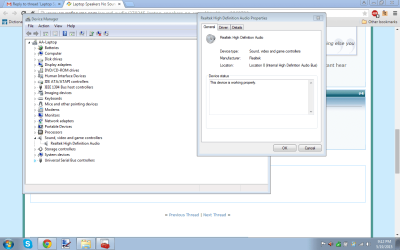
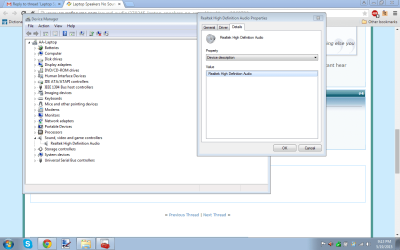
The Device Manager entry looks OK.

From your posting, I assume it has never worked since you installed Win 7 on the "old" PC. A mechanical problem with the headphone jack could cause this, if it thinks there is something plugged in when there is not. Try plugging a headset in and out fast several times and see if that makes any difference.
 

My Computer My Computer

At a glance

Windows 10 64 bitIntel i7 6700K16GB Corsair DominatorIntel CPU Graphics
Computer type
PC/Desktop
Computer Manufacturer/Model Number
My Own Build
OS
Windows 10 64 bit
CPU
Intel i7 6700K
Motherboard
ASUS ROG Maximus VIII Hero
Memory
16GB Corsair Dominator
Graphics Card(s)
Intel CPU Graphics
Sound Card
RealTek
Monitor(s) Displays
27" Dell S2719dgf
Screen Resolution
2560X1440
Hard Drives
1 TB Samsung 850 EVO SSD for Win 10 Pro
500GB Samsung 850 EVO SSD for Win 10 Insider
2 TB drive for backup
PSU
EVGA Supernova 750G2
Case
BeQuiet Silent Base 600
Cooling
Deepcool Captain 120EX
Keyboard
Microsoft Wireless 2000
Mouse
Microsoft wireless
Internet Speed
100 MB/sec (Cable)
Antivirus
Microsoft Defender and Malwarebytes
Browser
Edge/Firefox
Other Info
Cakewalk (Sonar) by BandLab and Studio One 4.1 Pro recording studio software. MOTU 896Mk3 Hybrid recording interface, Frontier Tranzport wireless control unit, Behringer X-Touch Control Surface.
Five USB connected optical drives for CD Audio production using Nero BurningROM
The Device Manager entry looks OK.

From your posting, I assume it has never worked since you installed Win 7 on the "old" PC. A mechanical problem with the headphone jack could cause this, if it thinks there is something plugged in when there is not. Try plugging a headset in and out fast several times and see if that makes any difference.

Tried that, didn't make a difference unfortunately. And yes, the speakers haven't worked since the upgrade. However, it might be possible its a hardware issue, maybe I dropped them or something when I was fixing it..
But there isnt any sound at all, so its probably not that
 

My Computer My Computer

At a glance

Windows 7 Home Premium 64bit
OS
Windows 7 Home Premium 64bit
Back
Top