
- Local time
- 11:09 PM
- Messages
- 24
Pardon me if this question has been asked before, but I'm asking this on behalf of my friend. She has recently acquired a Desktop with Windows 7 Ultimate installed. The problem is, even though the speaker's 3.5mm jack is plugged in the rear panel, the Playback devices show that no speaker is plugged in. The front panel doesn't help either. She updated the Realtek driver, but that didn't help.
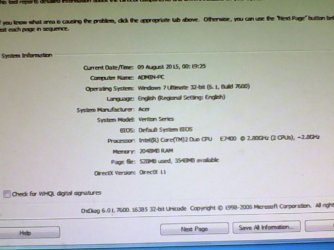
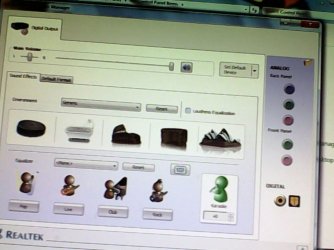
Here are screenshots illustrating the problem. Sorry for the bad picture quality, but as her PC doesn't have a net connection, she had to take pictures of the desktop instead of PrntScr.
Here are screenshots illustrating the problem. Sorry for the bad picture quality, but as her PC doesn't have a net connection, she had to take pictures of the desktop instead of PrntScr.
Attachments

My Computer
At a glance
Windows 7 Professional 32-BitIntel i3-5304GB DDR3XFX Radeon 5770 1GB DDR5
- Computer type
- PC/Desktop
- Computer Manufacturer/Model Number
- Custom Build
- OS
- Windows 7 Professional 32-Bit
- CPU
- Intel i3-530
- Motherboard
- Intel DH55TC
- Memory
- 4GB DDR3
- Graphics Card(s)
- XFX Radeon 5770 1GB DDR5
- Hard Drives
- 1TB WD Caviar Blue,
2TB WD Elements Portable USB3,
1TB WD Elements Portable USB3,
1TB WD My Passport USB3,
500GB WD Elements USB2,
1TB Seagate Expansion Portable
- Antivirus
- MS Security Essentials
- Browser
- Chrome, Mozilla Firefox, Opera

