Solved Hard shutdown my laptop and now i can't get past BIOS screen

sindermut

New member
Local time
8:58 PM
Messages
6
When my laptop wake up from sleep i got lots of Recycle Bin window popped up, i dont know what caused it, pressing ctrl+alt+del does nothing, ctrl+shift+esc does brings task manager but i cant do anything with it as a new window popped up every second.
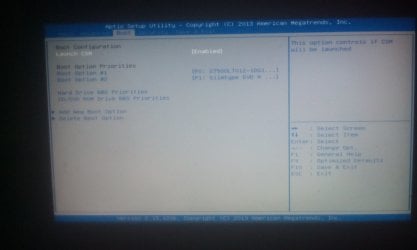
So i just hard shutdown it and now when i tried to power it up, it always bring me to BIOS screen, save and/or exit will show the manufacturer boot screen but no Windows logo and then get back to the BIOS configuration screen again.

help please, i hope there is a way to fix it without reinstalling. :(
 

My Computer My Computer

Computer type
Laptop
Computer Manufacturer/Model Number
Asus
OS
windows 7 x64
Welcome to the forums sindermut!

"as a new window popped up every second" sounds very suspicious to me. There is no way for you to boot into safe mode? If possible do that and run your A/V and malware scans from there. If not, you could try a repair install which will save all your files. Heres a link to a tutorial on how to do that if you haven't before : http://www.sevenforums.com/tutorials/3413-repair-install.html
 

My Computer My Computer

Computer type
Laptop
Computer Manufacturer/Model Number
MSI GE72VR Apache Pro-416
OS
Windows 10x64 Build 1709
CPU
Intel i7 7700HQ Kaby Lake
Motherboard
Micro-Star Intl. MS-179B (U3C1)
Memory
16 GB DDR4 @2400
Graphics Card(s)
Nvidia Geforce GTX 1060
Screen Resolution
1920x1080 120Hz
Hard Drives
256 GB Nvme M.2 SSD

1TB HDD@7200
Cooling
Cooler Blast 4
Keyboard
Steel Series
Antivirus
Bit Defender Free
Browser
Edge
it just boot straight into BIOS, not even showing the Windows boot screen
 

My Computer My Computer

Computer type
Laptop
Computer Manufacturer/Model Number
Asus
OS
windows 7 x64
it just boot straight into BIOS, not even showing the Windows boot screen

What does it show in the "boot order" in your BIOS? Does it detect the harddrive?
 

My Computer My Computer

Computer type
Laptop
Computer Manufacturer/Model Number
Sony VAIO
OS
Windows 7 Professional x64
CPU
Intel i5
Memory
8 GB
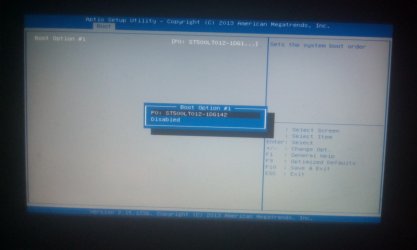
Ok. what info is there in the "harddrive bbs priorities" ?
 

My Computer My Computer

Computer type
Laptop
Computer Manufacturer/Model Number
Sony VAIO
OS
Windows 7 Professional x64
CPU
Intel i5
Memory
8 GB
Ok. what info is there in the "harddrive bbs priorities" ?

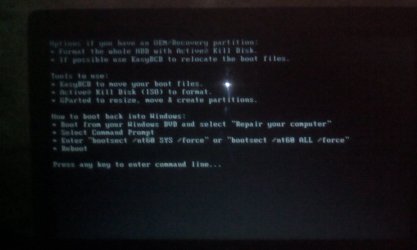
well, after pressing f10 (to save) it now shows me this screen, there is another one that show a list of windows OS but no windows 7 on it, and another one that say partition 1 is unknown but all other partitions including boot partition is NTFS.
i cant get screenshot of it
 

Attachments

  • IMG_20160219_131500.jpg
    IMG_20160219_131500.jpg
    121 KB · Views: 1
  • IMG_20160219_131826.jpg
    IMG_20160219_131826.jpg
    149.5 KB · Views: 1

My Computer My Computer

Computer type
Laptop
Computer Manufacturer/Model Number
Asus
OS
windows 7 x64
Ok looks like your actual data may still be there, but its the windows boot loader that's corrupted. You need to either boot using the windows recovery CD or a bootable USB drive. Use this to create the USB flash drive: System Rescue CD. You need to create this and then use the "repair windows boot table" (or similar) option within it. That should fix your boot partition.
 

My Computer My Computer

Computer type
Laptop
Computer Manufacturer/Model Number
Sony VAIO
OS
Windows 7 Professional x64
CPU
Intel i5
Memory
8 GB
Ok looks like your actual data may still be there, but its the windows boot loader that's corrupted. You need to either boot using the windows recovery CD or a bootable USB drive. Use this to create the USB flash drive: System Rescue CD. You need to create this and then use the "repair windows boot table" (or similar) option within it. That should fix your boot partition.

ok thanks, will try it later as i am not on wifi to download it and dont have recovery cd at hands.
 

My Computer My Computer

Computer type
Laptop
Computer Manufacturer/Model Number
Asus
OS
windows 7 x64
Ok looks like your actual data may still be there, but its the windows boot loader that's corrupted. You need to either boot using the windows recovery CD or a bootable USB drive. Use this to create the USB flash drive: System Rescue CD. You need to create this and then use the "repair windows boot table" (or similar) option within it. That should fix your boot partition.

system rescue cd works well for me, thank you!
 

My Computer My Computer

Computer type
Laptop
Computer Manufacturer/Model Number
Asus
OS
windows 7 x64
You're welcome :party:
 

My Computer My Computer

Computer type
Laptop
Computer Manufacturer/Model Number
Sony VAIO
OS
Windows 7 Professional x64
CPU
Intel i5
Memory
8 GB
Back
Top