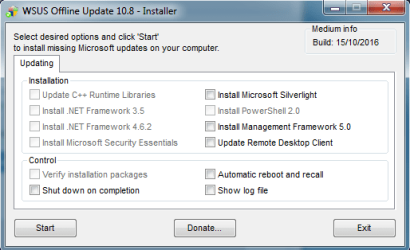
2 - 3 minutes sounds way too fast. My Internet speed is fast and it doesn't finish that quickly. It takes more like 20 - 30 minutes. The client folder should be a lot bigger than that once completed.
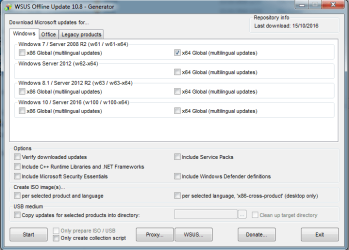
You sure you selected the correct options? Selected x64 under the Windows 7 section?
Just running now and even after 20 minutes it's still going, and that's with verify updates unchecked. Which adds some time on to verify.
Edit: Okay, just finished, took 25 minutes and my client folder is 2.84GB and 1.33GB without the .NET and C++ updates. So yours might be right without all the extras. Still seems extremely fast though.
Yes it's definitely only a few minutes. I reloaded the client and downloaded the Updates again 3 other times..And it takes 4 to 5 minutes. I do have a 150MB connection if that is making the difference here?
As you can see that is the only box I have checked.
Do you know when you say the extras? What extras would they be? for it to be 1.33GB
Cheers Brds7t7.
Attachments
My Computer
- Computer type
- PC/Desktop
- Computer Manufacturer/Model Number
- Custom
- OS
- Windows 7 Ultimate x64
- CPU
- Intel i5-4670k @ 4.30GHz
- Motherboard
- GByte Z87X-UD4H MOBO
- Memory
- 8gb
- Graphics Card(s)
- 3GB EVGA NVIDIA GeForce GTX 780 OC
- Sound Card
- ASUS Xonar Essence STX
- Monitor(s) Displays
- ASUS VG248QE 144hz
- Screen Resolution
- 1920x1080
- Hard Drives
- Samsung SSD 840 Pro Series 256gb & Seagate 3TB Performance SATA 3 Hard Drive ST3000DM001 7200rpm
- PSU
- XFX 750w P1-750B-BEFX
- Case
- Silverstone SST-FT02B-W
- Cooling
- Noctua NH-D14 Dual
- Internet Speed
- 150mb
- Antivirus
- ESET Smart Security 8 / Malwarebytes
- Browser
- Firefox/Chrome