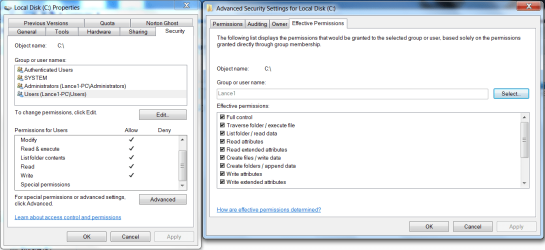
‘Special permissions’ is supposed to be greyed out. It’s there to indicate that there are object-specific permission configurations which cannot be expressed through the basic permission view. Barman58 gives an more accurate alternate description:
The way that I understand the "Special Permissions" is that when a user has permissions that do not "Fit" those of one of the Default Permission Sets, (Full Control, Read Etc), these are shown as Special Permissions.
This is precisely what the ‘Special permissions’ label stands for.
As far as I can work out those "Special Permissions" can only be set for folders and files so you will not be able to access that feature in drive properties> security tab. I'm no permissions expert and could be wrong.
You are wrong. Although internally different things, folder and mount point objects seem to have the exact same set of access rights.
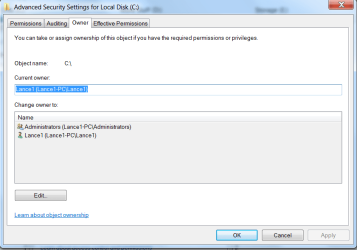
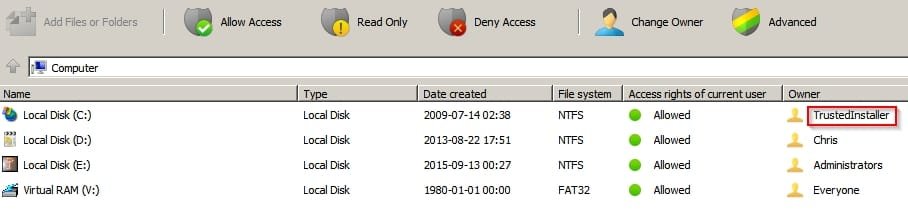
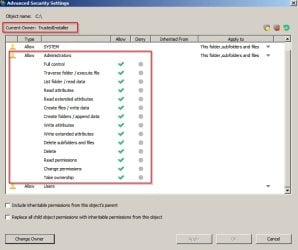
Before you can edit any permissions, you have to have ownership of the file or folder. If the owner is another user account or a system account like Local System or TrustedInstaller, you won’t be able to edit the permissions.
Severely wrong. You only need the ‘Change permissions’ access right to change permissions settings on an item.
Barman58, by introducing this “Server Client Networking” you seem to be making a distinction regarding the availability of permissions which doesn’t exist. And I’ve never heard of the phrase “Server Client Networking” before.
This is a lightweight version of the full permissions system used with Server Client Networking where many more user-groups are normally used with much more granular controls than in the Workgroup Systems used for Home and small business networks.
The excerpt from the Pocket Guide relates to the full blown permissions system, I remember that book well, much quicker to use than the Full tome. (which took up a large bookshelf in my office)
I’d like to see some direct quotes from this “Pocket Guide”. Users on any Windows networks do not have more “granular controls” than one would on a home version of Windows, at least not in sense of what permissions may be applied and their behaviour after that. You refer to some “full blown permissions system” which makes it seem like the pool of available access rights at one’s disposal is greater on a network. This isn’t the case. Permissions are a facet of the filesystem and while it’s NTFS, permissions are all the same.
I need you clarify this because I’m not convinced with anything that has been said at this point, in spite of presumably being backed by words from some textbook.
The presence of a folder with different permissions to the rest of the sub branch will also be shown with a Lock symbol
This is a weak definition. If that were true there’d be locks left, right, and centre. There’d be a lock on every folder with even slightest permission alteration. If you create a folder on your desktop and add an access control entry, does it gain a lock? No. Also, files can have locks too.