Put the HDD on SATA 0 port. ODD may stay on SATA 4
Manual http://download.gigabyte.us/FileList/Manual/mb_manual_ga-h61ma-d2v_v2.0_e.pdf
- Update your BIOS (yours is F1 and last is F6) http://download.gigabyte.us/FileList/BIOS/mb_bios_ga-h61ma-d2v_f6.exe
Use Q-Flash (F8).
BIOS settings
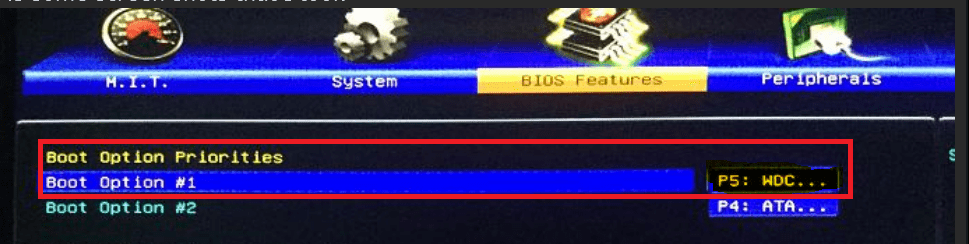
BIOS Features
Boot option 1 - WD HDD
Boot option 2 - ODD
PCI ROM Priority - EFI Compatible ROM
Limit CPUID Maximum - Disabled
Peripherals
LAN PXE Boot Option ROM - Disabled
SATA Controller - Enabled
SATA Mode Selection - AHCI
Init Display First - IGFX (if you use internal graphics)
Internal Graphics - Enabled
Internal Graphics Memory Size - 1024M
DVMT Total Memory Size = Max
To install Win 7 64 follow post #16
Boot Win 7 64 disk as UEFI
update BIOS from DRIVE ? or save BIOS to DRIVE ? cant pick anything unresponsive !Man I have no idea how to Q flash i went in there and the PC locked up and the download mb_bios_ga_h61.....exe could not be opened !
Last edited:
My Computer
At a glance
Windows 7 home premium 64 bit
- Computer type
- PC/Desktop
- OS
- Windows 7 home premium 64 bit
- Hard Drives
- 2.0 TB SATA Western Digital
- Antivirus
- NIL
- Browser
- NIL
- Other Info
- its not working yet that is why i haven't filled in all the info