- Local time
- 10:11 AM
- Messages
- 565
Hi cedar,
Sir,
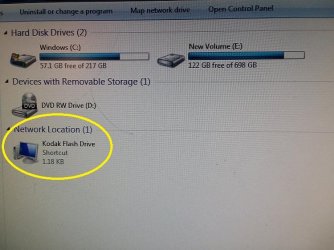
1. Detach/eject that pen drive also before proceeding for recovery. Eject all CD/DVD, Floppy, Pen drives, External hard disks, external memory cards. Just be plugged with the single internal hard disk.
2.I usually buy WD passports (external usb drives) and run them. Though now that I think about it when I had 3 plugged in at once it was a bit much as the passports take power from the computer rather than an outlet.
Facing any problems ? You are talking about external harddisks. Yes, it is so. They take power from the computer through the USB port they are plugged in. But some external hard disks have in built /independent PSU as well if they can't draw enough power from USB port. Do your external harddisks have external power plugging options apart from the USB connecting port ? I think it would be better if you keep only one external harddisk plugged in at a time.
3. And mine is a SFF (small form factor) with small psu.
EXTRAS:
(a) Is your pc having a battery ? Do you have any type of power backup and voltage regulators like UPS ? Do you use surge protectors ?
(b) The fan for cooling your pc components is working good ? Your psu is working good ? PSUs control voltage to keep pc cool. your hard disk was so hot!
4. Download Bitdefender here & delete all others.
Thank You Page
5. And keep it on pen drive or hard drive of computer?
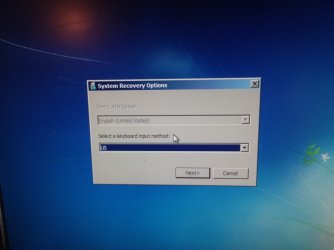
We are preparing to recover with recovery partition & you will lose everything on the corrupted pc hard disk.
6. F11 is not getting me into recovery manager. Goes to desktop
You are delaying in pressing F11. As soon as you turn the cpu on , you have to keep on pressing F11, even not to wait for a second. And you don't have to keep it on hold but keep on pressing again & again.
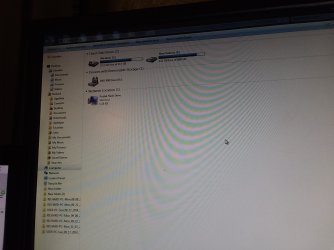
7. Desktop has not been rendering all icons for a bit.
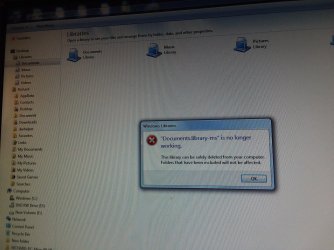
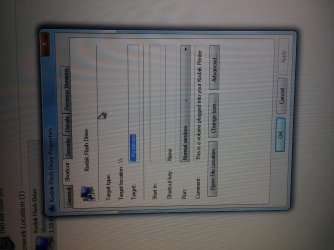
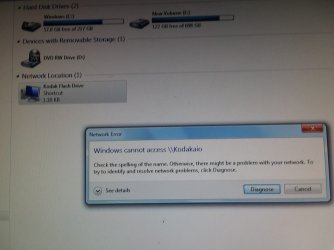
And when trying to open some folders like documents I get this error message.
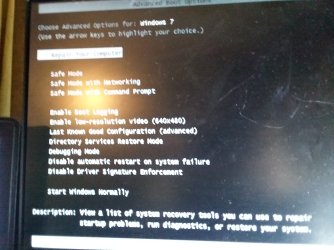
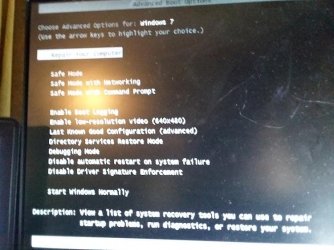
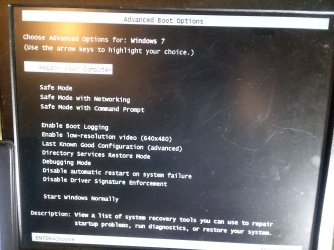
May be because you are booted in safe mode. Copy all the files of your interest. We are going to lose them all.
Let us know.
Thanks & Regards. ...
Sir,
1. Detach/eject that pen drive also before proceeding for recovery. Eject all CD/DVD, Floppy, Pen drives, External hard disks, external memory cards. Just be plugged with the single internal hard disk.
2.I usually buy WD passports (external usb drives) and run them. Though now that I think about it when I had 3 plugged in at once it was a bit much as the passports take power from the computer rather than an outlet.
Facing any problems ? You are talking about external harddisks. Yes, it is so. They take power from the computer through the USB port they are plugged in. But some external hard disks have in built /independent PSU as well if they can't draw enough power from USB port. Do your external harddisks have external power plugging options apart from the USB connecting port ? I think it would be better if you keep only one external harddisk plugged in at a time.
3. And mine is a SFF (small form factor) with small psu.
EXTRAS:
(a) Is your pc having a battery ? Do you have any type of power backup and voltage regulators like UPS ? Do you use surge protectors ?
(b) The fan for cooling your pc components is working good ? Your psu is working good ? PSUs control voltage to keep pc cool. your hard disk was so hot!
4. Download Bitdefender here & delete all others.
Thank You Page
5. And keep it on pen drive or hard drive of computer?
We are preparing to recover with recovery partition & you will lose everything on the corrupted pc hard disk.
6. F11 is not getting me into recovery manager. Goes to desktop
You are delaying in pressing F11. As soon as you turn the cpu on , you have to keep on pressing F11, even not to wait for a second. And you don't have to keep it on hold but keep on pressing again & again.
7. Desktop has not been rendering all icons for a bit.
And when trying to open some folders like documents I get this error message.
May be because you are booted in safe mode. Copy all the files of your interest. We are going to lose them all.
Let us know.
Thanks & Regards. ...
My Computer
- Computer type
- Laptop
- Computer Manufacturer/Model Number
- hp compaq presario c795VU notebook pc
- OS
- Windows 7 Ultimate x32 With Sp1 + Vista Ultimate x32 with Sp1 & Sp2 !!
- CPU
- Intel Mobile Core 2 Duo T5750 @ 2.00GHz Merom 65nm Technolog
- Motherboard
- Hewlett-Packard 30D9 (CPU)
- Memory
- 2.00GB Dual-Channel DDR2 @ 332MHz (5-5-5-15)
- Graphics Card(s)
- Mobile Intel(R) 965 Express Chipset Family
- Sound Card
- High Definition Audio Device
- Monitor(s) Displays
- LP154WX4-TLCB on Mobile Intel 965 Express Chipset Family
- Screen Resolution
- 1280x800 @ 60Hz
- Hard Drives
- 149GB Western Digital WDC WD1600BEVS-60VAT0 ATA Device (SATA)
- Keyboard
- Standard 101/102-Key or Microsoft Natural PS/2 Key + HP QLB
- Mouse
- ALPS pointing device
- Antivirus
- Kaspersky AV 2017(Win 7) & AVG AntiVirus Free 2016 (VISTA)
- Browser
- google chrome