- Local time
- 10:41 AM
- Messages
- 565
Hi cedar,
Sir,
1.I suppose you have stopped/exited Memtest. Its more than enough.
2.I explained you that if your pc crashes here, either your Ram or other hardware is problematic. But we can't say that your hardware is perfect even now because it was a very limited OS and it used minimum hardware. Try to understand that!
3.I just meant shut down the PC & give it 24 hour rest . I was casually asking if it got too hot ? Fans, etc noises ?
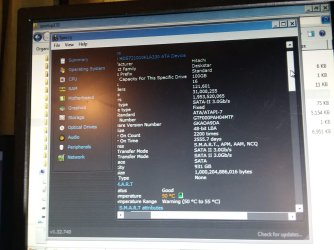
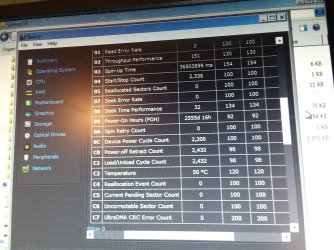
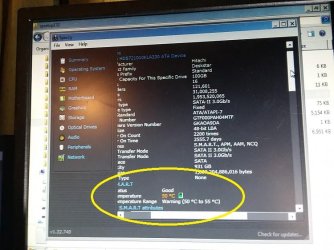
4.As for hard disk temperature, 50 C is OK not good ! Yours is 52 C. The process was long and so its ok But try to keep it low during normal usage. My practice is that i stop using pc when hard disk temp approaches 42 C if its not critical. ( There are other temperatures as well )
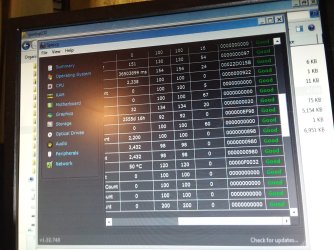
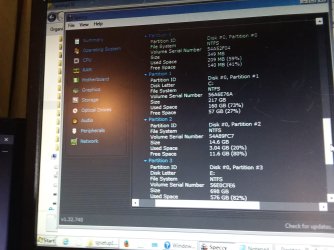
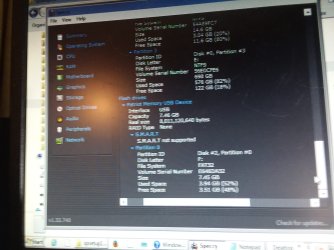
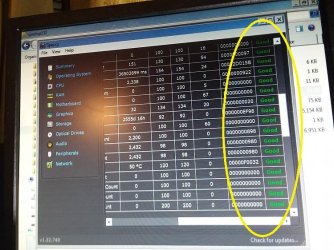
5.Utility : 'CrystalDiskInfo' gives only data but 'Speecy-Portable' also tells whether it's good or bad. This Download is a zip file and need to be extracted to a folder. Then go into the folder & double click/launch 'Speccy64.exe'. Let it load & then click 'Storage'.
Speccy - Portable
6.You never told me whether you are able to extract zip files. If you need an archiver/extractor, install it. It works out of the box.
https://www.rarlab.com/rar/winrar-x64-560.exe
My choice is 7-zip but it needs a few steps.
https://www.7-zip.org/a/7z1805-x64.exe
Let us know.
Thanks & Regards. ...
Sir,
1.I suppose you have stopped/exited Memtest. Its more than enough.
2.I explained you that if your pc crashes here, either your Ram or other hardware is problematic. But we can't say that your hardware is perfect even now because it was a very limited OS and it used minimum hardware. Try to understand that!
3.I just meant shut down the PC & give it 24 hour rest . I was casually asking if it got too hot ? Fans, etc noises ?
4.As for hard disk temperature, 50 C is OK not good ! Yours is 52 C. The process was long and so its ok But try to keep it low during normal usage. My practice is that i stop using pc when hard disk temp approaches 42 C if its not critical. ( There are other temperatures as well )
5.Utility : 'CrystalDiskInfo' gives only data but 'Speecy-Portable' also tells whether it's good or bad. This Download is a zip file and need to be extracted to a folder. Then go into the folder & double click/launch 'Speccy64.exe'. Let it load & then click 'Storage'.
Speccy - Portable
6.You never told me whether you are able to extract zip files. If you need an archiver/extractor, install it. It works out of the box.
https://www.rarlab.com/rar/winrar-x64-560.exe
My choice is 7-zip but it needs a few steps.
https://www.7-zip.org/a/7z1805-x64.exe
Let us know.
Thanks & Regards. ...
Last edited:
My Computer
- Computer type
- Laptop
- Computer Manufacturer/Model Number
- hp compaq presario c795VU notebook pc
- OS
- Windows 7 Ultimate x32 With Sp1 + Vista Ultimate x32 with Sp1 & Sp2 !!
- CPU
- Intel Mobile Core 2 Duo T5750 @ 2.00GHz Merom 65nm Technolog
- Motherboard
- Hewlett-Packard 30D9 (CPU)
- Memory
- 2.00GB Dual-Channel DDR2 @ 332MHz (5-5-5-15)
- Graphics Card(s)
- Mobile Intel(R) 965 Express Chipset Family
- Sound Card
- High Definition Audio Device
- Monitor(s) Displays
- LP154WX4-TLCB on Mobile Intel 965 Express Chipset Family
- Screen Resolution
- 1280x800 @ 60Hz
- Hard Drives
- 149GB Western Digital WDC WD1600BEVS-60VAT0 ATA Device (SATA)
- Keyboard
- Standard 101/102-Key or Microsoft Natural PS/2 Key + HP QLB
- Mouse
- ALPS pointing device
- Antivirus
- Kaspersky AV 2017(Win 7) & AVG AntiVirus Free 2016 (VISTA)
- Browser
- google chrome