- Local time
- 10:54 PM
- Messages
- 657
I have an old dell xps 8100 desktop bought back in 2010. Back then it was very fast and i haven't used it in a while. It does not have an ssd and only 4gb of ram. I do have an extra ssd as well but did not put it there.
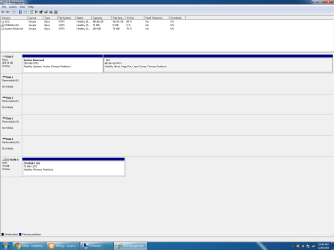
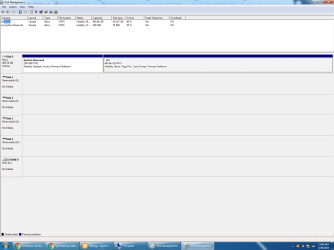
I want to do a clean reinstall of windows 7 on this desktop and make it like if its a new computer. I have done this a few years ago but the issue is i did it incorrectly because it still has old files because when i click on local disk it shows 416gb free of 465gb free. So basically i did clean reinstall but i didn't wipe everything out.
Can someone tell me how i can do this? Also i do not have the old windows 7 cd or anything like that. I do have the product key sticker, service tag and express service code. I also bought a usb wifi adapter tp link recently because i cannot connect this to the modem for wired internet because this desktop is in the 1st floor whereas the modem is in the 2nd floor. So is there any steps on how i can do this? How long would the process be and if you do it correctly, it should be pretty fast? Right now its lagging a lot when clicking on things.
I want to do a clean reinstall of windows 7 on this desktop and make it like if its a new computer. I have done this a few years ago but the issue is i did it incorrectly because it still has old files because when i click on local disk it shows 416gb free of 465gb free. So basically i did clean reinstall but i didn't wipe everything out.
Can someone tell me how i can do this? Also i do not have the old windows 7 cd or anything like that. I do have the product key sticker, service tag and express service code. I also bought a usb wifi adapter tp link recently because i cannot connect this to the modem for wired internet because this desktop is in the 1st floor whereas the modem is in the 2nd floor. So is there any steps on how i can do this? How long would the process be and if you do it correctly, it should be pretty fast? Right now its lagging a lot when clicking on things.
My Computer
At a glance
Windows 10 Pro
- Computer type
- Laptop
- OS
- Windows 10 Pro