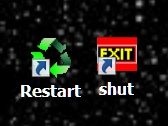
Why on Earth are you using that archaic shut down icon?
Move up to 2019, and use a Quick Shutdown Icon on your desktop. (if you even have a desktop).
Just create a New Shortcut on your desktop, and use this as the information to create that shortcut:
%windir%\System32\shutdown.exe /s /t 1
(just copy and paste this blue line into a new desktop shortcut, and you'll get all the necessary spaces...they are important)
And like any shortcut, you can pick your own icon. Leave the shortcut on your desktop for a Two Click shutdown, or put it in your Task Bar, next to the Start icon, for a ONE Click shutdown.
Using this technique, my Win-7 PC shuts down in just five seconds, even with several programs open.
It's way faster than the old antiquated MS Shutdown icon, and easier to get to also.
I set that up for all my customers and they LOVE it.

Cheers mate!