How to change shut down options button on W7 login screen

Rokkor

New member
Member
Local time
6:59 PM
Messages
21
I want to change the little red shut down options button that is on the bottom right hand side of my W7 login screen. I want to change the color from red to black. How can I do that?
 

My Computer My Computer

At a glance

Windows 7 Home Premium 64bit
Computer type
PC/Desktop
OS
Windows 7 Home Premium 64bit
My guesses: using a sector editing tool to find what or which file has "shutdown restart [and something else]" in it; if it is a single file, you will need to use a color editor to change background to black and maybe change the lettering to bright white. If you succeed, ensure date and time stamp is as originally found, copy your creation to a safe place in case some auto-update or restore-rollback puts back an original red button -- that particular file.
 
Last edited:

My Computer My Computer

At a glance

Windows 7 Professional 64-bitDesktop i5; Acers i5 & i7desktop 16GB; 1 Acer 8GB & 1 Acer 16GB
Computer type
PC/Desktop
Computer Manufacturer/Model Number
Antec desktop; Acer Aspire laptops
OS
Windows 7 Professional 64-bit
CPU
Desktop i5; Acers i5 & i7
Memory
desktop 16GB; 1 Acer 8GB & 1 Acer 16GB
Hard Drives
1TB split into 2 equal partitions [OS and data] usable by RJS
Internet Speed
AT&T DSL
Browser
FF, GChrome, msIE
Other Info
Windows 7 Firewall, Emsisoft AM/AV, MSE [scan-only], SpywareBlaster, Ruiware/BillP combine
Why on Earth are you using that archaic shut down icon?


Move up to 2019, and use a Quick Shutdown Icon on your desktop. (if you even have a desktop).


Just create a New Shortcut on your desktop, and use this as the information to create that shortcut:
%windir%\System32\shutdown.exe /s /t 1
(just copy and paste this blue line into a new desktop shortcut, and you'll get all the necessary spaces...they are important)

And like any shortcut, you can pick your own icon. Leave the shortcut on your desktop for a Two Click shutdown, or put it in your Task Bar, next to the Start icon, for a ONE Click shutdown.

Using this technique, my Win-7 PC shuts down in just five seconds, even with several programs open.

It's way faster than the old antiquated MS Shutdown icon, and easier to get to also.

I set that up for all my customers and they LOVE it. ;)


Cheers mate!
:cool:
 
Last edited:

My Computer My Computer

At a glance

Win 7 Pro, SP1, x86, Win-11/Pro/64AMD8GB CrucialVarious
Computer type
PC/Desktop
Computer Manufacturer/Model Number
Various
OS
Win 7 Pro, SP1, x86, Win-11/Pro/64
CPU
AMD
Motherboard
Various
Memory
8GB Crucial
Graphics Card(s)
Various
Sound Card
OnBoard
Monitor(s) Displays
Acer 21.5"
Hard Drives
Crucial SSD, 500 GB
PSU
OEM
Case
SFF Slim Line Case
Cooling
OEM
Keyboard
eMachines
Mouse
Logitech Wireless
Internet Speed
varies
Antivirus
Windows Defender/Super Anti-Spyware
Browser
Firefox
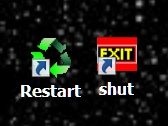
I made my own on my desktop.

screenshot-2019-09-15.jpg
 
Last edited:

My Computer My Computer

At a glance

Win 7 Ult 64-bitG620 2.6GHZ Pentium R6 GB
Computer type
PC/Desktop
Computer Manufacturer/Model Number
HP p6-2020t
OS
Win 7 Ult 64-bit
CPU
G620 2.6GHZ Pentium R
Memory
6 GB
Monitor(s) Displays
25" HPLV2311
Screen Resolution
1920 x 1200
Hard Drives
1 SATA, 1 exterior SATA
Case
HP
Cooling
PSU
Antivirus
Glasswire
Browser
Waterfox; Firefox; Chrome for work
Other Info
Firewall--Glasswire
Similar specs in Gateway DX4200
Verizon FIOS Wired network

1 other Win7 computer-- has SSD
I'm not using the icon to shut down the computer, it's the red icon button that appears during the welcome splash screen where I login to my account. I just thought it would be cool to change it's color as I changed by default splash screen to something more splashy! The icon button must be a small image stored somewhere in Windows files. I looked in the System 32 folder but there's way too much stuff to find it.
 

My Computer My Computer

At a glance

Windows 7 Home Premium 64bit
Computer type
PC/Desktop
OS
Windows 7 Home Premium 64bit
System32 has only 21,468 files. Some icons are contained within dll files. Change the wrong one and your OS will be toast. Is it worth it?
 

My Computer My Computer

At a glance

Win 7 Ult 64-bitG620 2.6GHZ Pentium R6 GB
Computer type
PC/Desktop
Computer Manufacturer/Model Number
HP p6-2020t
OS
Win 7 Ult 64-bit
CPU
G620 2.6GHZ Pentium R
Memory
6 GB
Monitor(s) Displays
25" HPLV2311
Screen Resolution
1920 x 1200
Hard Drives
1 SATA, 1 exterior SATA
Case
HP
Cooling
PSU
Antivirus
Glasswire
Browser
Waterfox; Firefox; Chrome for work
Other Info
Firewall--Glasswire
Similar specs in Gateway DX4200
Verizon FIOS Wired network

1 other Win7 computer-- has SSD
"System32 has only 21,468 files" -- I love that understatement, reminds me of one in a Bible movie: "...behold, it was Leah..." :)
 

My Computer My Computer

At a glance

Windows 7 Professional 64-bitDesktop i5; Acers i5 & i7desktop 16GB; 1 Acer 8GB & 1 Acer 16GB
Computer type
PC/Desktop
Computer Manufacturer/Model Number
Antec desktop; Acer Aspire laptops
OS
Windows 7 Professional 64-bit
CPU
Desktop i5; Acers i5 & i7
Memory
desktop 16GB; 1 Acer 8GB & 1 Acer 16GB
Hard Drives
1TB split into 2 equal partitions [OS and data] usable by RJS
Internet Speed
AT&T DSL
Browser
FF, GChrome, msIE
Other Info
Windows 7 Firewall, Emsisoft AM/AV, MSE [scan-only], SpywareBlaster, Ruiware/BillP combine
System32 has only 21,468 files. Some icons are contained within dll files. Change the wrong one and your OS will be toast. Is it worth it?
I like to live dangerously! Ah, but I do see your point. I guess I'll give up on this idea, I'm not looking through 21,468 files, yikes. Thanks everyone for the input:-)
 

My Computer My Computer

At a glance

Windows 7 Home Premium 64bit
Computer type
PC/Desktop
OS
Windows 7 Home Premium 64bit
"System32 has only 21,468 files" -- I love that understatement, reminds me of one in a Bible movie: "...behold, it was Leah..." :)

"...it was Leah who had 21,468 children."

I checked my own folder for the number first.
 

My Computer My Computer

At a glance

Win 7 Ult 64-bitG620 2.6GHZ Pentium R6 GB
Computer type
PC/Desktop
Computer Manufacturer/Model Number
HP p6-2020t
OS
Win 7 Ult 64-bit
CPU
G620 2.6GHZ Pentium R
Memory
6 GB
Monitor(s) Displays
25" HPLV2311
Screen Resolution
1920 x 1200
Hard Drives
1 SATA, 1 exterior SATA
Case
HP
Cooling
PSU
Antivirus
Glasswire
Browser
Waterfox; Firefox; Chrome for work
Other Info
Firewall--Glasswire
Similar specs in Gateway DX4200
Verizon FIOS Wired network

1 other Win7 computer-- has SSD
Worked for Jacob, works for me. :)
 

My Computer My Computer

At a glance

Windows 7 Professional 64-bitDesktop i5; Acers i5 & i7desktop 16GB; 1 Acer 8GB & 1 Acer 16GB
Computer type
PC/Desktop
Computer Manufacturer/Model Number
Antec desktop; Acer Aspire laptops
OS
Windows 7 Professional 64-bit
CPU
Desktop i5; Acers i5 & i7
Memory
desktop 16GB; 1 Acer 8GB & 1 Acer 16GB
Hard Drives
1TB split into 2 equal partitions [OS and data] usable by RJS
Internet Speed
AT&T DSL
Browser
FF, GChrome, msIE
Other Info
Windows 7 Firewall, Emsisoft AM/AV, MSE [scan-only], SpywareBlaster, Ruiware/BillP combine
Back
Top