Solved How to speed up indexing

386DX

New member
Member
Local time
7:18 AM
Messages
98
I'll be indexing 7 folders (~250GB) on the HDD and 7 folders (~250GB) on the external SSD.

1. Do I need to index the SSD?

2. Most of the HDD folders were indexed yesterday. Will that speed it up, or will it still chug through all the files?

3. Is there any other way to speed it up (stop services, or even run index in safe mode)?

Thanks!
 

My Computer My Computer

Computer type
PC/Desktop
Computer Manufacturer/Model Number
HP NP206AA-A2L-p6102f
OS
Win 7 Ultimate x64
CPU
2.8 GHz
Memory
8GB
Graphics Card(s)
ATI Radeon HD 4650
Sound Card
AMD High Definition Audio Device
Monitor(s) Displays
HP x20LED Series Wide LCD Monitor
Hard Drives
WDC WD20 SCSI
External Samsung Portable SSD T5 USB
Keyboard
HID Keyboard Device
Mouse
Gaming Optical Mouse16
Internet Speed
50Mbps
Browser
Firefox 71
Hi,
1. No. Index the external SSD only if you want to speed up searches at this location.
2. Adding folders to search index will speed up search of those locations.
3. Re-build the Search Index sometimes speeds up the search results.
 

My Computer My Computer

Computer type
PC/Desktop
OS
Windows 7 x64, Vista x64, 8.1 smartphone
CPU
Intel E8400 65W 64-bit
Motherboard
Gigabyte EP45-UD3LR
Memory
DDR2 2 x 2GB, 1GB x 2
Graphics Card(s)
XFX Radeon HD5750
Sound Card
AMD High Definition Audio; Realtek High Definition Audio
Monitor(s) Displays
iiyama prolite X2377HDS
Screen Resolution
1920 x 1080
Hard Drives
500GB 7200 rpm Seagate ST3500413AS 16MB, 500GB 5400 rpm Toshiba MQ02ABF050H 32MB, 200GB 7200 rpm Seagate ST3200820AS 8MB, 2TB 7200 rpm Western Digital WD20EZRX 64MB
PSU
Enermax Liberty Modular
Case
Antec P193 Midi Tower
Keyboard
Mionix ZIBAL 60
Mouse
Razer USB 2.0 Diamondback Mouse or Huion Graphics Tablet
Browser
Internet Explorer, Lunascape, Firefox, Opera, Avast Safezone
Try Everything

Everything is consistently lauded as one of the fastest search tools for Windows. Using it is as simple as it gets: install it, open the program, and give it a bit to index your entire system. (It can index a fresh Windows install in under a minute.)
 

My Computer My Computer

Computer type
PC/Desktop
Computer Manufacturer/Model Number
HP Desktop & Compaq Laptop
OS
Win 10 x64, Linux Lite, Win 7 x64, BlackArch, & Kali
Hard Drives
Samsung 850 Pro 256Gb,
Hitachi HDD 1Tb,
Crucial MX SSD 250Gb
Segate 3Tb USB 3.0 Ext. Backup HDD
Internet Speed
150Mbps dn, 20Mbps up
Antivirus
Avast Free, Malwarebytes Anti-Exploit & Anti-Ransomware
Browser
Firefox, Chrome, Opera, & VPN
Hi,
1. No. Index the external SSD only if you want to speed up searches at this location.
2. Adding folders to search index will speed up search of those locations.
3. Re-build the Search Index sometimes speeds up the search results.


Good info, thanks.
 

My Computer My Computer

Computer type
PC/Desktop
Computer Manufacturer/Model Number
HP NP206AA-A2L-p6102f
OS
Win 7 Ultimate x64
CPU
2.8 GHz
Memory
8GB
Graphics Card(s)
ATI Radeon HD 4650
Sound Card
AMD High Definition Audio Device
Monitor(s) Displays
HP x20LED Series Wide LCD Monitor
Hard Drives
WDC WD20 SCSI
External Samsung Portable SSD T5 USB
Keyboard
HID Keyboard Device
Mouse
Gaming Optical Mouse16
Internet Speed
50Mbps
Browser
Firefox 71

My Computer My Computer

Computer type
PC/Desktop
Computer Manufacturer/Model Number
HP NP206AA-A2L-p6102f
OS
Win 7 Ultimate x64
CPU
2.8 GHz
Memory
8GB
Graphics Card(s)
ATI Radeon HD 4650
Sound Card
AMD High Definition Audio Device
Monitor(s) Displays
HP x20LED Series Wide LCD Monitor
Hard Drives
WDC WD20 SCSI
External Samsung Portable SSD T5 USB
Keyboard
HID Keyboard Device
Mouse
Gaming Optical Mouse16
Internet Speed
50Mbps
Browser
Firefox 71
There are no interactions. I turn off the indexing service and just use Everything. It's pretty fast. At first it'll pause while it indexes, but within about 7 seconds you can find a lot on any and all drives connected.
 

My Computer My Computer

Computer type
PC/Desktop
OS
Windows 7 Ultimate x64
I downloaded and installed it. How do you launch it? If I select a folder to be indexed, the dialogue box says enter the path to a **file** instead of a folder. In Advanced search, I'll select a folder, but then it says it's empty, just a blank page. Any ideas?


Capture.JPG
 

My Computer My Computer

Computer type
PC/Desktop
Computer Manufacturer/Model Number
HP NP206AA-A2L-p6102f
OS
Win 7 Ultimate x64
CPU
2.8 GHz
Memory
8GB
Graphics Card(s)
ATI Radeon HD 4650
Sound Card
AMD High Definition Audio Device
Monitor(s) Displays
HP x20LED Series Wide LCD Monitor
Hard Drives
WDC WD20 SCSI
External Samsung Portable SSD T5 USB
Keyboard
HID Keyboard Device
Mouse
Gaming Optical Mouse16
Internet Speed
50Mbps
Browser
Firefox 71
You just search for a file. Like a dll or some txt file, etc.
 

My Computer My Computer

Computer type
PC/Desktop
OS
Windows 7 Ultimate x64
Ok. How can I index a folder?
 

My Computer My Computer

Computer type
PC/Desktop
Computer Manufacturer/Model Number
HP NP206AA-A2L-p6102f
OS
Win 7 Ultimate x64
CPU
2.8 GHz
Memory
8GB
Graphics Card(s)
ATI Radeon HD 4650
Sound Card
AMD High Definition Audio Device
Monitor(s) Displays
HP x20LED Series Wide LCD Monitor
Hard Drives
WDC WD20 SCSI
External Samsung Portable SSD T5 USB
Keyboard
HID Keyboard Device
Mouse
Gaming Optical Mouse16
Internet Speed
50Mbps
Browser
Firefox 71
It already did it once you ran the program. It doesn't work like Windows indexing. It's very broad. So if you know the name of a file in that folder just type in its name.
 

My Computer My Computer

Computer type
PC/Desktop
OS
Windows 7 Ultimate x64
I appreciate your help, but I'm not getting it. How do I run the program, specifically? Then, e.g. how would I index the folder "C:\!JL"? I entered it into the search box, and nothing happens.
 

My Computer My Computer

Computer type
PC/Desktop
Computer Manufacturer/Model Number
HP NP206AA-A2L-p6102f
OS
Win 7 Ultimate x64
CPU
2.8 GHz
Memory
8GB
Graphics Card(s)
ATI Radeon HD 4650
Sound Card
AMD High Definition Audio Device
Monitor(s) Displays
HP x20LED Series Wide LCD Monitor
Hard Drives
WDC WD20 SCSI
External Samsung Portable SSD T5 USB
Keyboard
HID Keyboard Device
Mouse
Gaming Optical Mouse16
Internet Speed
50Mbps
Browser
Firefox 71
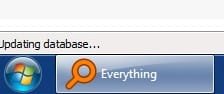
You're looking at it all wrong. Once you launch Everything it will automatically index the whole computer and any drives attached to the computer. See screen shot. You see this verbiage very bottom left.

Now this doesn't work like Windows search at all. Say you want to find a cat photo. It could be in the My Pictures folder and it's named fluffy.jpg Just type in fluffy or fluffy.jpg and Everything will find it in a split second regardless of where it's at. Even if it wasn't in the My Pictures folder. Everything will find multiple copies if they exist. Then you can right click the file name and go to its path location among other things.

Make since?
 

Attachments

  • 1.jpg
    1.jpg
    3.8 KB · Views: 5

My Computer My Computer

Computer type
PC/Desktop
OS
Windows 7 Ultimate x64
I uninstalled and reinstalled and...holy crap, is this fast! Thanks for hanging in with me!
 

My Computer My Computer

Computer type
PC/Desktop
Computer Manufacturer/Model Number
HP NP206AA-A2L-p6102f
OS
Win 7 Ultimate x64
CPU
2.8 GHz
Memory
8GB
Graphics Card(s)
ATI Radeon HD 4650
Sound Card
AMD High Definition Audio Device
Monitor(s) Displays
HP x20LED Series Wide LCD Monitor
Hard Drives
WDC WD20 SCSI
External Samsung Portable SSD T5 USB
Keyboard
HID Keyboard Device
Mouse
Gaming Optical Mouse16
Internet Speed
50Mbps
Browser
Firefox 71

My Computer My Computer

Computer type
PC/Desktop
Computer Manufacturer/Model Number
HP NP206AA-A2L-p6102f
OS
Win 7 Ultimate x64
CPU
2.8 GHz
Memory
8GB
Graphics Card(s)
ATI Radeon HD 4650
Sound Card
AMD High Definition Audio Device
Monitor(s) Displays
HP x20LED Series Wide LCD Monitor
Hard Drives
WDC WD20 SCSI
External Samsung Portable SSD T5 USB
Keyboard
HID Keyboard Device
Mouse
Gaming Optical Mouse16
Internet Speed
50Mbps
Browser
Firefox 71
Back
Top