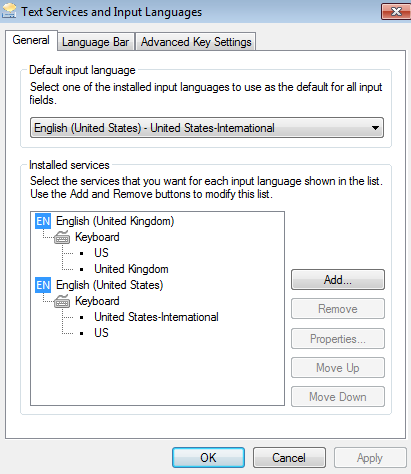
When adding a new keyboard layout to an existing language, a keyboard icon shows up in the taskbar, like so:
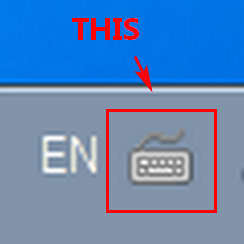
Clicking on it lets one switch between keyboards of the same language and I don't need that. (But I do need to switch between different languages, by clicking on EN to the left.)
Is there a way to hide or disable that keyboard icon?
Clicking on it lets one switch between keyboards of the same language and I don't need that. (But I do need to switch between different languages, by clicking on EN to the left.)
Is there a way to hide or disable that keyboard icon?
My Computer
At a glance
Windows 7 64bit
- OS
- Windows 7 64bit