- Local time
- 5:07 PM
- Messages
- 759
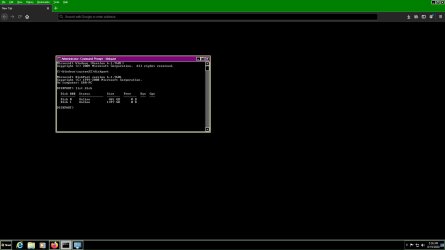
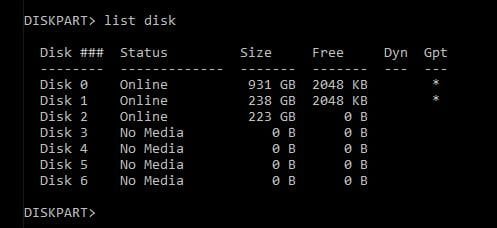
Hi, list disk in diskpart shows total bites as used and 0 free.
windows explorer, names local disk but not assigned volume letters like c,d, e
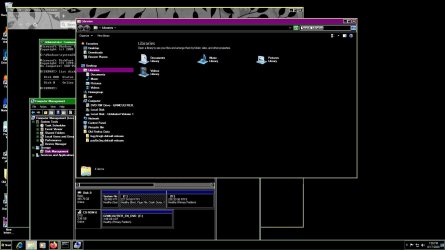
while disk manager , shows c, d volume as partitioned , but not showing any drive letter like c,d e,f
how to fix this problem, without loosing any data on any partition
why this is showing like this.
i have just partitioned the drive to two, in the installation stages correctly .
windows explorer, names local disk but not assigned volume letters like c,d, e
while disk manager , shows c, d volume as partitioned , but not showing any drive letter like c,d e,f
how to fix this problem, without loosing any data on any partition
why this is showing like this.
i have just partitioned the drive to two, in the installation stages correctly .
Attachments
My Computer
At a glance
Microsoft Windows 7 Ultimate 64-bit 7601 Mult...Intel(R) Core(TM)2 Duo CPU E7200 @ 2.53GHz4.00 GBNVIDIA GeForce 210
- Computer type
- PC/Desktop
- Computer Manufacturer/Model Number
- custom build
- OS
- Microsoft Windows 7 Ultimate 64-bit 7601 Multiprocessor Free Service Pack 1
- CPU
- Intel(R) Core(TM)2 Duo CPU E7200 @ 2.53GHz
- Motherboard
- To be filled by O.E.M. To be filled by O.E.M.
- Memory
- 4.00 GB
- Graphics Card(s)
- NVIDIA GeForce 210
- Sound Card
- (1) NVIDIA High Definition Audio (2) Realtek High Definiti
- Screen Resolution
- 1920 x 1080 x 32 bits (4294967296 colors) @ 60 Hz
- Hard Drives
- ST3500312CS ATA Device