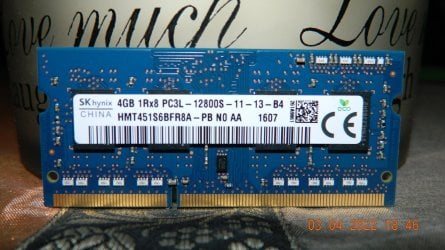
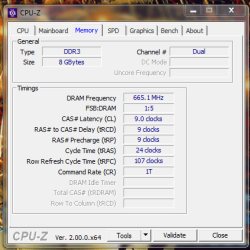
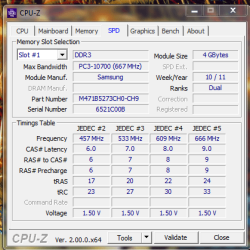
yeah go figure, i've found just as many RAM sites that say 8GB and others that say 16GB, i found this interesting though from compuram
View attachment 421817
so who knows, i'll just get 2X8GB modules and see what happens.
See that link there to their blog post?
Maximise the maximum?
Let me go over what I think
may be hyperbole.
From their three points on, "Why there’s room for more…"
The density of the DRAM components, i.e. the number of bits that can be stored in a given space has dramatically increased. Today, memory offers capacities that would have been unthinkable or unaffordable, even a relatively short time ago. Unfortunately manufacturer’s specifications rarely take future, high density memory components into consideration.
So? This doesn't mean a motherboard and CPU combination were engineered to accept more latter on in the future. It's like saying a 4TB hard drive can be used in XP with an MBR partition layout.
Current
BIOS versions are updated to take changes in the individual system components into consideration, in order for BIOS to fulfil its duties as the system’s control centre. The most current DRAM generations are supported, allowing them to be integrated into older systems.
This is a half-truth in that while a BIOS or UEFI update can expand certain features, update bugs, etc it doesn't mean a BIOS is going to be a miraculous "cure all" in being able to use 16GB of RAM over the engineered designed limitations of 8GB of RAM for the CPU and chipset combination. It's like saying I can max out my motherboard's RAM slots on my desktop from 32GB of RAM to 128GB of RAM. This isn't gonna happen because as
you can see, my CPU can only address up to 64GB of RAM. The only way I can get up to 128GB of RAM is by using a different CPU from the Intel Coffee Lake line of CPUs and with a different chipset which is a motherboard soldered on component . So new motherboard and new CPU. You can see
here Coffee Lake supports up to 128 GB of RAM.
Artificial limitations can also be
unknowingly set by the manufacturer, through introducing errors or by putting too great a focus on other technical details. Limitations can also be deliberate, created by the manufacturer as a marketing strategy, to differentiate various models in the marketplace or, perhaps, because the larger memory modules were not available in large quantities.
It is also possible that the pre-installed operating system is unable to address the maximum amount of installable memory. In such cases the system manufacturer may reduce the maximum installable memory, rather than replace the operating system with one, which can cope with a larger memory.
Another half-truth. The first part would pretty much denote that crap computer manufacturers that probably sell computers in the market for A) the elderly who don't know any batter and B) People that just don't know any better or don't have a lot of scratch to spend on a new computer so go with Acer or some crap. LOL

The second part there is also a half-truth. Yes, the older operating systems like XP up to 7 or 8 I believe were 32 or 64 bit addressable depending on what OS came with the PC or what you installed. Meaning a 32 bit OS can only utilize 3.5GB (not 4GB. Less VRAM) of RAM. And a 64 bit capable OS can address more than 4GB of RAM. Today's OS being of 10 and 11 are perma 64 bit capable and will remain so going forward. Well,
Microsoft is withdrawing 32 bit capability in 10. Windows 11 is 64 bit only.
Something else. Be very leary of so-called "reviews" and review websites. Example:
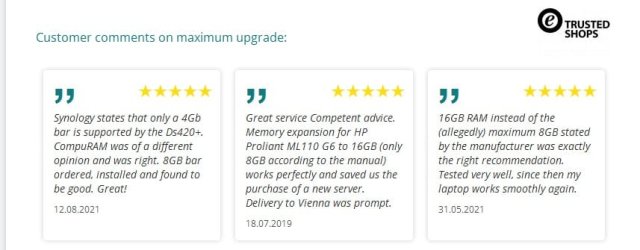
What's the common denominator and what does the company want you to take away?
Now guess what? You CAN max out your RAM all you want. But whether the PC and OS see it is another matter. If it can't it'll just ignore it. So if your laptop is 8GB max capable and you use 16GB, you'll just see 8GB.
Lets check this review out.

Either this is a lie, or the user never read the manual correctly because its
here in black and white 16GB is the maximum.


 Notebook: Toshiba Satellite P750-113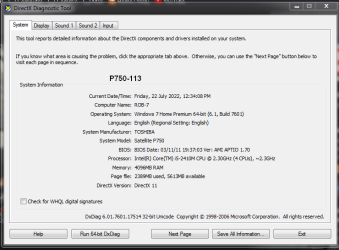
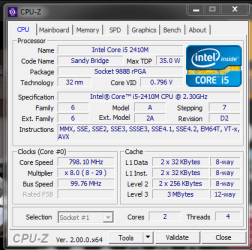
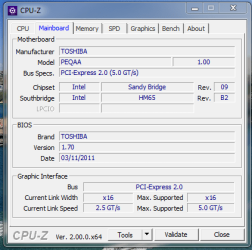
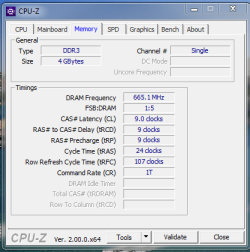
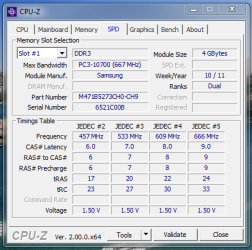
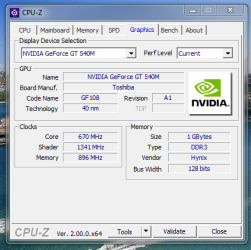
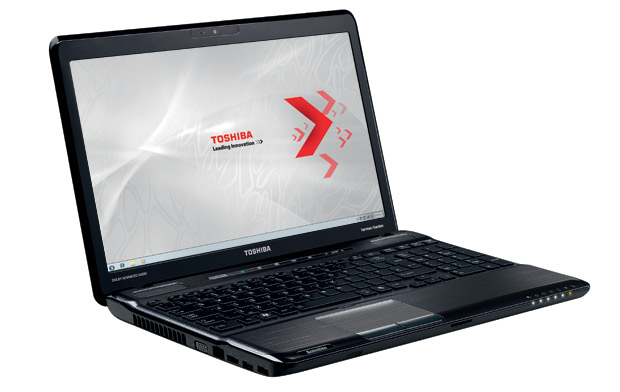 Notebook: Toshiba Satellite P750-113