@chrisuk01 Welcome to the forum.
Now on to your problems... Do you have the IBN located in the default location, C:\ProgramData\MediaBrowser\Imagesbyname ? If not do you have the MB Config xml pointed to your IBN location?
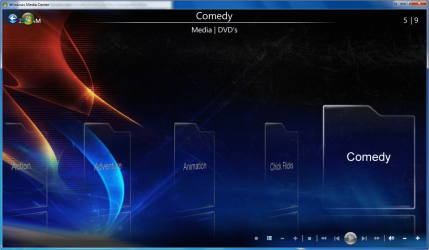
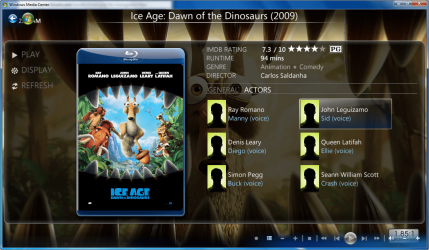
I can confirm the the Actor images are working in Diamond and Default themes.

Now on to your problems... Do you have the IBN located in the default location, C:\ProgramData\MediaBrowser\Imagesbyname ? If not do you have the MB Config xml pointed to your IBN location?
I can confirm the the Actor images are working in Diamond and Default themes.
My Computer
- Computer Manufacturer/Model Number
- Custom Built Rig BY ME "My Baby"
- OS
- 7 Ultimate x64
- CPU
- AMD Athlon 64X2 4600+ 2.51Ghz
- Motherboard
- ASUS M2N-E SLI
- Memory
- 6GB DDR2 900 Kingston
- Graphics Card(s)
- 2x BFG Nvidia 9600 GT-OC
- Sound Card
- SoundBlaster XF-I
- Monitor(s) Displays
- 19"acer, 22"acer, 19"acer, 48" HITACHI HDTV
- Screen Resolution
- 1400x900, 1680x1050, 1400x900, 1920x1080
- Hard Drives
- Seagate 500GB Sata
Seagate 500GB Sata
Seagate 500GB Sata
Seagate 500GB Sata
Seagate 320 Sata (Primary)
Western Digital 500GB IDE
Western Digital 500GB IDE
Western Digital 300GB IDE
Maxter 720 Sata (USB)
- PSU
- BFG 800 Watt SLI Power Supply
- Case
- Game Master
- Cooling
- Thermotake
- Keyboard
- Logitech (Bluetooth)
- Mouse
- Logitech (Bluetooth)
- Internet Speed
- Turbo Cable
- Other Info
- ATI 650HD TV Tuner X2,
Samsung (Light scribe) DVD-R,
Sony (Dual Layer) DVD-R


 ?
?