
You are using an out of date browser. It may not display this or other websites correctly.
You should upgrade or use an alternative browser.
You should upgrade or use an alternative browser.
Is it possible to run a preexisting copy of xp throug
- Thread starter Uruso
- Start date

My Computer
At a glance
Windows 7 Ultimate x64 ®™Intel Core 2 Duo (2.2 GHz)2x 2GB Corsair (667 MHz)NVIDIA 8600M GS (256MB)
- Computer Manufacturer/Model Number
- Sony Vaio FZ21Z
- OS
- Windows 7 Ultimate x64 ®™
- CPU
- Intel Core 2 Duo (2.2 GHz)
- Motherboard
- Sony (Intel Chipset)
- Memory
- 2x 2GB Corsair (667 MHz)
- Graphics Card(s)
- NVIDIA 8600M GS (256MB)
- Sound Card
- Sigmatel
- Monitor(s) Displays
- 15.4" TFT X-Black
- Screen Resolution
- 1280x800
- Hard Drives
- Western Digital 300GB Scorpio Black (7200rpm)
- Mouse
- Logitech Anywhere MX
- Internet Speed
- Sky 5MB
I appreciate the thought, but I already know how to install it. I'm asking if its possible for it to pull up my preexisting copy rather than a fresh new one. You see I have a copy of windows xp still installed on my computer, when I boot up. I have the choice of windows 7 or windows xp. I want to be in windows 7 and run my already existing copy of xp.
My Computer
At a glance
Windows 7
- OS
- Windows 7

Hello Uruso, welcome to the Seven Forums.
You can download a free Microsoft tool called Disk2vhd. More information and download: Disk2vhd
With Disk2vhd you can convert your existing XP setup to a virtual hard disk (vhd) file, which you can then mount on Virtual PC. Please notice that Virtual PC has a 127 GB size limit to vhd's, so if your existing XP partition is bigger than that, you should first shrink it.
Kari
You can download a free Microsoft tool called Disk2vhd. More information and download: Disk2vhd
With Disk2vhd you can convert your existing XP setup to a virtual hard disk (vhd) file, which you can then mount on Virtual PC. Please notice that Virtual PC has a 127 GB size limit to vhd's, so if your existing XP partition is bigger than that, you should first shrink it.
Kari
My Computer
At a glance
Windows 10 Pro x64 EN-GB1.6 GHz Intel Core i7-720QM Processor6 GBATI Mobility Radeon HD 5850 Graphics
- Computer type
- Laptop
- Computer Manufacturer/Model Number
- HP ENVY 17-1150eg
- OS
- Windows 10 Pro x64 EN-GB
- CPU
- 1.6 GHz Intel Core i7-720QM Processor
- Memory
- 6 GB
- Graphics Card(s)
- ATI Mobility Radeon HD 5850 Graphics
- Sound Card
- Beats sound system with integrated subwoofer
- Monitor(s) Displays
- 17" laptop display, 22" LED and 32" Full HD TV through HDMI
- Screen Resolution
- 1600*900 (1), 1920*1080 (2&3)
- Hard Drives
- Internal: 2 x 500 GB SATA Hard Disk Drive 7200 rpm
External: 2TB for backups, 3TB USB3 network drive for media
- Cooling
- As Envy runs a bit warm, I have it on a Cooler Master pad
- Keyboard
- Logitech diNovo Media Desktop Laser (bluetooth)
- Mouse
- Logitech Performance Mouse MX
- Internet Speed
- 50/10 Mbps VDSL
- Antivirus
- Windows Defender 4.3.9431.0
- Browser
- Maxthon 3.5.2., IE11
Hello Uruso, welcome to the Seven Forums.
You can download a free Microsoft tool called Disk2vhd. More information and download: Disk2vhd
With Disk2vhd you can convert your existing XP setup to a virtual hard disk (vhd) file, which you can then mount on Virtual PC. Please notice that Virtual PC has a 127 GB size limit to vhd's, so if your existing XP partition is bigger than that, you should first shrink it.
Kari
Thanks! I'll go give it a shot!
My Computer
At a glance
Windows 7
- OS
- Windows 7

kittleboy
New member
In the section, Volumes to include, should i use all of my drives?
I have 4 drives, C,D,E,F and windows XP is installed in Drive C and Windows 7 is installed in Drive D;
does it matter that on which OS i run " Disk2vhd " software and do this ?
I have 4 drives, C,D,E,F and windows XP is installed in Drive C and Windows 7 is installed in Drive D;
does it matter that on which OS i run " Disk2vhd " software and do this ?
My Computer
At a glance
7 Ultimate 32BitOnboard :(( - I love games
- Computer Manufacturer/Model Number
- What is this, I chose every part myself
- OS
- 7 Ultimate 32Bit
- Graphics Card(s)
- Onboard :(( - I love games
- Hard Drives
- I think 160GB
- Keyboard
- Microsoft
- Mouse
- Microsoft
- Internet Speed
- 384kbps - Download Speed around 40kbps
Kittleboy, IMO you get the best result when booting to XP and then run Disk2vhd from there.
My Computer
At a glance
Windows 10 Pro x64 EN-GB1.6 GHz Intel Core i7-720QM Processor6 GBATI Mobility Radeon HD 5850 Graphics
- Computer type
- Laptop
- Computer Manufacturer/Model Number
- HP ENVY 17-1150eg
- OS
- Windows 10 Pro x64 EN-GB
- CPU
- 1.6 GHz Intel Core i7-720QM Processor
- Memory
- 6 GB
- Graphics Card(s)
- ATI Mobility Radeon HD 5850 Graphics
- Sound Card
- Beats sound system with integrated subwoofer
- Monitor(s) Displays
- 17" laptop display, 22" LED and 32" Full HD TV through HDMI
- Screen Resolution
- 1600*900 (1), 1920*1080 (2&3)
- Hard Drives
- Internal: 2 x 500 GB SATA Hard Disk Drive 7200 rpm
External: 2TB for backups, 3TB USB3 network drive for media
- Cooling
- As Envy runs a bit warm, I have it on a Cooler Master pad
- Keyboard
- Logitech diNovo Media Desktop Laser (bluetooth)
- Mouse
- Logitech Performance Mouse MX
- Internet Speed
- 50/10 Mbps VDSL
- Antivirus
- Windows Defender 4.3.9431.0
- Browser
- Maxthon 3.5.2., IE11
kittleboy
New member
Kittleboy, IMO you get the best result when booting to XP and then run Disk2vhd from there.
ok,
should i tick all my drives?
My Computer
At a glance
7 Ultimate 32BitOnboard :(( - I love games
- Computer Manufacturer/Model Number
- What is this, I chose every part myself
- OS
- 7 Ultimate 32Bit
- Graphics Card(s)
- Onboard :(( - I love games
- Hard Drives
- I think 160GB
- Keyboard
- Microsoft
- Mouse
- Microsoft
- Internet Speed
- 384kbps - Download Speed around 40kbps
As long as you remeber this:
(Disk2vhd)
VirtualBox and VMware don't have this limitation, though.
Kari
TechNet said:Note: Virtual PC supports a maximum virtual disk size of 127GB. If you create a VHD from a larger disk it will not be accessible from a Virtual PC VM.
(Disk2vhd)
VirtualBox and VMware don't have this limitation, though.
Kari
My Computer
At a glance
Windows 10 Pro x64 EN-GB1.6 GHz Intel Core i7-720QM Processor6 GBATI Mobility Radeon HD 5850 Graphics
- Computer type
- Laptop
- Computer Manufacturer/Model Number
- HP ENVY 17-1150eg
- OS
- Windows 10 Pro x64 EN-GB
- CPU
- 1.6 GHz Intel Core i7-720QM Processor
- Memory
- 6 GB
- Graphics Card(s)
- ATI Mobility Radeon HD 5850 Graphics
- Sound Card
- Beats sound system with integrated subwoofer
- Monitor(s) Displays
- 17" laptop display, 22" LED and 32" Full HD TV through HDMI
- Screen Resolution
- 1600*900 (1), 1920*1080 (2&3)
- Hard Drives
- Internal: 2 x 500 GB SATA Hard Disk Drive 7200 rpm
External: 2TB for backups, 3TB USB3 network drive for media
- Cooling
- As Envy runs a bit warm, I have it on a Cooler Master pad
- Keyboard
- Logitech diNovo Media Desktop Laser (bluetooth)
- Mouse
- Logitech Performance Mouse MX
- Internet Speed
- 50/10 Mbps VDSL
- Antivirus
- Windows Defender 4.3.9431.0
- Browser
- Maxthon 3.5.2., IE11

- Local time
- 3:56 AM
- Messages
- 5,063
As long as you remeber this:
TechNet said:Note: Virtual PC supports a maximum virtual disk size of 127GB. If you create a VHD from a larger disk it will not be accessible from a Virtual PC VM.
(Disk2vhd)
VirtualBox and VMware don't have this limitation, though.
Kari
Kari, do you happen to know if there's a free converter to VirtualBox compatible image?
I've looked around the VB forums and P2V doesn't look smooth. I'd rather cheat and do it the easy way. otoh I did set up with VirtualBox a few times and it did install the guest OS so I'd like to start with something I know if I could take a shortcut.
edit: ok, looks like VirtualBox says it can use it, er, out of the box so to speak.

My Computer
At a glance
Windows 7 32 bitAMD 5200+ dual core2 GBNVidia GeForce 6150SE 128 MB
- Computer Manufacturer/Model Number
- HP Media Center
- OS
- Windows 7 32 bit
- CPU
- AMD 5200+ dual core
- Memory
- 2 GB
- Graphics Card(s)
- NVidia GeForce 6150SE 128 MB
- Monitor(s) Displays
- CRT
- Screen Resolution
- 1280x1024
- Hard Drives
- 500 GB Sata internal :
SIIG USB 3.0 docking stations w/WD Caviar Black 6 Gb/s drives
- Keyboard
- PS/2
- Mouse
- PS/2 Wheel Mouse
- Other Info
- SIIG USB 3.0 PCIexpress card.
disk2vhd won't work for XP, it won't boot. You will need to adjust the registry and kernel images. There is another thread discussing this.
Try our MyOldPCs converter, fully compatiable with VMLite, VirtualBox and Virtual PC/Hyper-V, VMWare.
Welcome to the VMLite
Try our MyOldPCs converter, fully compatiable with VMLite, VirtualBox and Virtual PC/Hyper-V, VMWare.
Welcome to the VMLite
My Computer
At a glance
windows 7
- OS
- windows 7
- Local time
- 3:56 AM
- Messages
- 5,063
disk2vhd won't work for XP, it won't boot. You will need to adjust the registry and kernel images. There is another thread discussing this.
Try our MyOldPCs converter, fully compatiable with VMLite, VirtualBox and Virtual PC/Hyper-V, VMWare.
Welcome to the VMLite
Thanks for your reply. Isn't there an easy way to use a backup image such as made my Macrium Reflect? Some trick to "restore" to the virtual drive image?
I can get VirtualBox to work easily enough but reinstalling dozens of apps when I have a working partition seems lame.
edit: I see what you mean about the registry though. Even with restore to a real physical HD the drive letter has to be the same as seen once booted, or the app paths will be all messed up.
My Computer
At a glance
Windows 7 32 bitAMD 5200+ dual core2 GBNVidia GeForce 6150SE 128 MB
- Computer Manufacturer/Model Number
- HP Media Center
- OS
- Windows 7 32 bit
- CPU
- AMD 5200+ dual core
- Memory
- 2 GB
- Graphics Card(s)
- NVidia GeForce 6150SE 128 MB
- Monitor(s) Displays
- CRT
- Screen Resolution
- 1280x1024
- Hard Drives
- 500 GB Sata internal :
SIIG USB 3.0 docking stations w/WD Caviar Black 6 Gb/s drives
- Keyboard
- PS/2
- Mouse
- PS/2 Wheel Mouse
- Other Info
- SIIG USB 3.0 PCIexpress card.
As already discussed in this thread, Disk2vhd works without problems on XP.disk2vhd won't work for XP, it won't boot. You will need to adjust the registry and kernel images. There is another thread discussing this.
Thanks for your reply. Isn't there an easy way to use a backup image such as made my Macrium Reflect? Some trick to "restore" to the virtual drive image?
I wanted to be absolutely sure, so I made a test. I booted up an older XP rig, run Disk2vhd, copied the resulting vhd to my main main rig, mounted it to a new VirtualBox machine.
The new XP virtual machine booted nicely. I installed VirtualBox Guest Additions and now my new XP virtual machine is running absolutely perfectly.
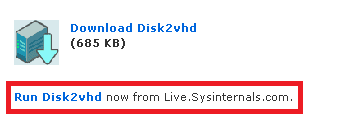
I tested the live version of Disk2vhd:
Macrium's image file format is not compatible with VirtualBox.
Kari
My Computer
At a glance
Windows 10 Pro x64 EN-GB1.6 GHz Intel Core i7-720QM Processor6 GBATI Mobility Radeon HD 5850 Graphics
- Computer type
- Laptop
- Computer Manufacturer/Model Number
- HP ENVY 17-1150eg
- OS
- Windows 10 Pro x64 EN-GB
- CPU
- 1.6 GHz Intel Core i7-720QM Processor
- Memory
- 6 GB
- Graphics Card(s)
- ATI Mobility Radeon HD 5850 Graphics
- Sound Card
- Beats sound system with integrated subwoofer
- Monitor(s) Displays
- 17" laptop display, 22" LED and 32" Full HD TV through HDMI
- Screen Resolution
- 1600*900 (1), 1920*1080 (2&3)
- Hard Drives
- Internal: 2 x 500 GB SATA Hard Disk Drive 7200 rpm
External: 2TB for backups, 3TB USB3 network drive for media
- Cooling
- As Envy runs a bit warm, I have it on a Cooler Master pad
- Keyboard
- Logitech diNovo Media Desktop Laser (bluetooth)
- Mouse
- Logitech Performance Mouse MX
- Internet Speed
- 50/10 Mbps VDSL
- Antivirus
- Windows Defender 4.3.9431.0
- Browser
- Maxthon 3.5.2., IE11
perhaps, you happen to have a quite old XP machine? is it single core? We tested many XP machines, and found only a very small portion of them boot well after conversation without tweaking configs.
My Computer
At a glance
windows 7
- OS
- windows 7
perhaps, you happen to have a quite old XP machine? is it single core? We tested many XP machines, and found only a very small portion of them boot well after conversation without tweaking configs.
Three years old HP Pavilion dv6011 laptop, AMD Turion 64 X2 Mobile Technology TL-50 processor.
I had Vista on it that refused to boot, have not used it n almost a year. For this test i removed non-working Vista and because I don't have those recovery disks anymore, installed XP Pro.
Tested Disk2vhd in two different phases, first directly after installation, no software or additional hardware installed. Second try after installing all appropriate drivers, a printer and some apps (Chrome, Gimp, WinAmp, Railroad Tycoon game). Both tests with live version of Disk2vhd.
Both images mounted without problems. The second image, when booted, gave two warnings about missing drivers but those were easily fixed.
Kari
When
My Computer
At a glance
Windows 10 Pro x64 EN-GB1.6 GHz Intel Core i7-720QM Processor6 GBATI Mobility Radeon HD 5850 Graphics
- Computer type
- Laptop
- Computer Manufacturer/Model Number
- HP ENVY 17-1150eg
- OS
- Windows 10 Pro x64 EN-GB
- CPU
- 1.6 GHz Intel Core i7-720QM Processor
- Memory
- 6 GB
- Graphics Card(s)
- ATI Mobility Radeon HD 5850 Graphics
- Sound Card
- Beats sound system with integrated subwoofer
- Monitor(s) Displays
- 17" laptop display, 22" LED and 32" Full HD TV through HDMI
- Screen Resolution
- 1600*900 (1), 1920*1080 (2&3)
- Hard Drives
- Internal: 2 x 500 GB SATA Hard Disk Drive 7200 rpm
External: 2TB for backups, 3TB USB3 network drive for media
- Cooling
- As Envy runs a bit warm, I have it on a Cooler Master pad
- Keyboard
- Logitech diNovo Media Desktop Laser (bluetooth)
- Mouse
- Logitech Performance Mouse MX
- Internet Speed
- 50/10 Mbps VDSL
- Antivirus
- Windows Defender 4.3.9431.0
- Browser
- Maxthon 3.5.2., IE11
- Local time
- 3:56 AM
- Messages
- 5,063
On both machines though, XP sees itself as C: correct? See my XP registry is full of H: 's in paths everywhere. The XP is on a PC with 2 OS.
Oh well, I'm tried of messing with it. It's not like I need it for anything.
Oh well, I'm tried of messing with it. It's not like I need it for anything.
My Computer
At a glance
Windows 7 32 bitAMD 5200+ dual core2 GBNVidia GeForce 6150SE 128 MB
- Computer Manufacturer/Model Number
- HP Media Center
- OS
- Windows 7 32 bit
- CPU
- AMD 5200+ dual core
- Memory
- 2 GB
- Graphics Card(s)
- NVidia GeForce 6150SE 128 MB
- Monitor(s) Displays
- CRT
- Screen Resolution
- 1280x1024
- Hard Drives
- 500 GB Sata internal :
SIIG USB 3.0 docking stations w/WD Caviar Black 6 Gb/s drives
- Keyboard
- PS/2
- Mouse
- PS/2 Wheel Mouse
- Other Info
- SIIG USB 3.0 PCIexpress card.
On both machines though, XP sees itself as C: correct? See my XP registry is full of H: 's in paths everywhere. The XP is on a PC with 2 OS.
Oh well, I'm tried of messing with it. It's not like I need it for anything.
Only thing you lose when you try is time. Run the Disk2vhd on your XP, and try if you can mount the image on VBox. If not, at least you know.
Kari
My Computer
At a glance
Windows 10 Pro x64 EN-GB1.6 GHz Intel Core i7-720QM Processor6 GBATI Mobility Radeon HD 5850 Graphics
- Computer type
- Laptop
- Computer Manufacturer/Model Number
- HP ENVY 17-1150eg
- OS
- Windows 10 Pro x64 EN-GB
- CPU
- 1.6 GHz Intel Core i7-720QM Processor
- Memory
- 6 GB
- Graphics Card(s)
- ATI Mobility Radeon HD 5850 Graphics
- Sound Card
- Beats sound system with integrated subwoofer
- Monitor(s) Displays
- 17" laptop display, 22" LED and 32" Full HD TV through HDMI
- Screen Resolution
- 1600*900 (1), 1920*1080 (2&3)
- Hard Drives
- Internal: 2 x 500 GB SATA Hard Disk Drive 7200 rpm
External: 2TB for backups, 3TB USB3 network drive for media
- Cooling
- As Envy runs a bit warm, I have it on a Cooler Master pad
- Keyboard
- Logitech diNovo Media Desktop Laser (bluetooth)
- Mouse
- Logitech Performance Mouse MX
- Internet Speed
- 50/10 Mbps VDSL
- Antivirus
- Windows Defender 4.3.9431.0
- Browser
- Maxthon 3.5.2., IE11
disk2vhd won't work for XP, it won't boot. You will need to adjust the registry and kernel images. There is another thread discussing this.
Try our MyOldPCs converter, fully compatiable with VMLite, VirtualBox and Virtual PC/Hyper-V, VMWare.
Welcome to the VMLite
Huisinro, please check or ask your colleagues to check the emails, there's a request for MyOldPC trial download link from Larry Laffer. I'm getting bored to click Check Email button every three minutes

Kari
EDIT: It's quarter past three AM there ATM, maybe that's why you are not at your desk...
My Computer
At a glance
Windows 10 Pro x64 EN-GB1.6 GHz Intel Core i7-720QM Processor6 GBATI Mobility Radeon HD 5850 Graphics
- Computer type
- Laptop
- Computer Manufacturer/Model Number
- HP ENVY 17-1150eg
- OS
- Windows 10 Pro x64 EN-GB
- CPU
- 1.6 GHz Intel Core i7-720QM Processor
- Memory
- 6 GB
- Graphics Card(s)
- ATI Mobility Radeon HD 5850 Graphics
- Sound Card
- Beats sound system with integrated subwoofer
- Monitor(s) Displays
- 17" laptop display, 22" LED and 32" Full HD TV through HDMI
- Screen Resolution
- 1600*900 (1), 1920*1080 (2&3)
- Hard Drives
- Internal: 2 x 500 GB SATA Hard Disk Drive 7200 rpm
External: 2TB for backups, 3TB USB3 network drive for media
- Cooling
- As Envy runs a bit warm, I have it on a Cooler Master pad
- Keyboard
- Logitech diNovo Media Desktop Laser (bluetooth)
- Mouse
- Logitech Performance Mouse MX
- Internet Speed
- 50/10 Mbps VDSL
- Antivirus
- Windows Defender 4.3.9431.0
- Browser
- Maxthon 3.5.2., IE11
- Local time
- 3:56 AM
- Messages
- 5,063
On both machines though, XP sees itself as C: correct? See my XP registry is full of H: 's in paths everywhere. The XP is on a PC with 2 OS.
Oh well, I'm tried of messing with it. It's not like I need it for anything.
Only thing you lose when you try is time. Run the Disk2vhd on your XP, and try if you can mount the image on VBox. If not, at least you know.
Kari
Been there, done that. Like the man said, it won't boot. Even if it did, the registry is full of H: references. It could probably be made to work with some image manipulation software if the source HD was just a C: partition with it on. There's not that much I still need XP for anyway. Once in a blue moon I need to use my scanner. It's not that big a deal to boot XP to use it. If I was using it every day then it would be worth coming up with a VM. For the occasional app it just adds complication to my Windows setup and uses disk space. I like to keep my backup images as close to 20 GB as I can get. Makes for quicker restores.
My Computer
At a glance
Windows 7 32 bitAMD 5200+ dual core2 GBNVidia GeForce 6150SE 128 MB
- Computer Manufacturer/Model Number
- HP Media Center
- OS
- Windows 7 32 bit
- CPU
- AMD 5200+ dual core
- Memory
- 2 GB
- Graphics Card(s)
- NVidia GeForce 6150SE 128 MB
- Monitor(s) Displays
- CRT
- Screen Resolution
- 1280x1024
- Hard Drives
- 500 GB Sata internal :
SIIG USB 3.0 docking stations w/WD Caviar Black 6 Gb/s drives
- Keyboard
- PS/2
- Mouse
- PS/2 Wheel Mouse
- Other Info
- SIIG USB 3.0 PCIexpress card.
Thanks Huisinro, got the link.
Kari
Kari
My Computer
At a glance
Windows 10 Pro x64 EN-GB1.6 GHz Intel Core i7-720QM Processor6 GBATI Mobility Radeon HD 5850 Graphics
- Computer type
- Laptop
- Computer Manufacturer/Model Number
- HP ENVY 17-1150eg
- OS
- Windows 10 Pro x64 EN-GB
- CPU
- 1.6 GHz Intel Core i7-720QM Processor
- Memory
- 6 GB
- Graphics Card(s)
- ATI Mobility Radeon HD 5850 Graphics
- Sound Card
- Beats sound system with integrated subwoofer
- Monitor(s) Displays
- 17" laptop display, 22" LED and 32" Full HD TV through HDMI
- Screen Resolution
- 1600*900 (1), 1920*1080 (2&3)
- Hard Drives
- Internal: 2 x 500 GB SATA Hard Disk Drive 7200 rpm
External: 2TB for backups, 3TB USB3 network drive for media
- Cooling
- As Envy runs a bit warm, I have it on a Cooler Master pad
- Keyboard
- Logitech diNovo Media Desktop Laser (bluetooth)
- Mouse
- Logitech Performance Mouse MX
- Internet Speed
- 50/10 Mbps VDSL
- Antivirus
- Windows Defender 4.3.9431.0
- Browser
- Maxthon 3.5.2., IE11
Similar threads

- Replies
- 3
- Views
- 5K
- Replies
- 6
- Views
- 5K
- Replies
- 7
- Views
- 4K
- Replies
- 2
- Views
- 1K

- Replies
- 12
- Views
- 2K